


MurmurCast vs GoFaceless vs Chraft AI
A side-by-side comparison of MurmurCast vs GoFaceless vs Chraft AI — pricing, ratings, strengths and weaknesses — to help you pick.
機能比較
| 比較 | MurmurCast |
 GoFaceless
|
 Chraft AI
|
|---|---|---|---|
| 料金 | Free · $15/month | Paid · $29/month | Free · $15/month |
| 無料プラン | はい | — | はい |
| 評価 | ⭐ 3.0/5 (2) | ⭐ 3.6/5 (15) | ⭐ 3.7/5 (10) |
| API | — | — | — |
| オープンソース | — | — | — |
| カテゴリー | Text & Writing | Text & Writing | Text & Writing |
長所と短所
MurmurCastはYouTube、ポッドキャスト、ニュースレターをAIで要約した毎日のメールダイジェストに変換します。
メリット
- Saves time with AI-generated summaries of lengthy videos and podcasts
- Accurate automatic transcription enables quick searching and referencing
- Works with multiple content types: YouTube, podcasts, and newsletters
- On-demand transcription available without subscription requirement
- Channel ranking feature helps optimize which content to prioritize
デメリット
- Summary quality depends on source content clarity and depth
- Subscription required for daily digest feature and personalization
- Limited to English-language content and transcription
GoFacelessは、YouTube、TikTok、Reels向けに投稿可能な顔出し不要のコンテンツを生成するAI動画ジェネレーターです。
メリット
- Complete video creation in minutes with no editing skills required
- Flexible formats including AI avatars, stock footage, and UGC-style videos
- Customizable voiceovers maintain consistent brand voice across videos
- Done-for-You service eliminates research and posting workflow entirely
- Multi-platform optimization for YouTube, TikTok, Reels, and YouTube Shorts
デメリット
- Quality of AI-generated visuals may not match professional cinematography
- Limited customization for creators wanting more creative control
- Pricing tiers require understanding credit systems and production limits
- Voiceover quality depends on narrator selection or description clarity
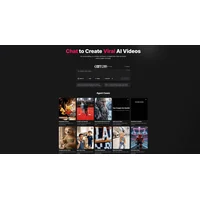
Chraft AIは、AIエージェントとの自然な対話を通じてプロフェッショナルなビデオを制作する、会話型ビデオ制作プラットフォームです。
メリット
- No video editing software skills required to create professional content
- Fast iteration through conversational feedback and AI refinement
- Accessible to non-technical creators and small teams
- Streamlined workflow from concept to finished video
デメリット
- Output quality depends on clarity and specificity of conversational direction
- Limited control over granular editing details compared to traditional software
- Pricing and platform limitations not detailed in available information