AI Tools for Chatbot Building 20 apps
Chatbot building means designing, training, and shipping conversational agents that answer questions, qualify leads, or finish tasks on a site, app, or messaging channel. Companies lean on chatbots for 24/7 support, lead capture while the sales team is asleep, and deflecting repetitive tickets from human staff. AI has changed the game. Today's platforms can ingest your docs, FAQs, and product pages, then spit out grounded, on-brand answers in seconds, no decision trees needed.
The move from rule-based flows to LLM-powered bots means a solo founder can ship a useful assistant in an afternoon, while enterprise teams can fine-tune retrieval, routing, and analytics on infrastructure that scales. That's left us with a packed market of no-code builders, all promising a faster path from idea to live bot. Below, I'll walk through how AI helps with chatbot building, what to evaluate, and the best AI tools for chatbot building on HyperStore right now.
How AI helps with chatbot building
AI compresses the most tedious parts of building a chatbot into a few guided steps. Instead of hand-writing hundreds of intent examples, you upload a knowledge base, a PDF, or a link to your help center, and the platform uses retrieval-augmented generation (RAG) to find the right answer and reply in natural language. According to IBM's overview of retrieval-augmented generation, this pattern lets a model answer from your private content without retraining, which is why it's become the default architecture for customer-facing bots.
Beyond answering questions, AI speeds up persona design, tone calibration, and conversation testing. You can prompt a builder to take on a friendly support voice, generate small talk that fits your brand, and preview how it'll handle weird edge cases. Most platforms also expose APIs and webhooks so the same bot can hand off to a human, push data into a CRM, or trigger an order lookup, turning a simple chat widget into something that actually works inside your operations.
What to look for
Knowledge ingestion and grounding
The single biggest factor in chatbot quality is how well the tool learns from your data. Look for platforms that take multiple sources, like website URLs, PDFs, Notion pages, and CSVs, and that re-index content automatically when you update it. Strong grounding cuts down hallucinations and means the bot cites the right page instead of inventing an answer.
Channels and deployment options
Where your bot lives matters as much as how smart it is. Confirm the platform supports the channels you actually use, whether that's a website widget, WhatsApp, Messenger, Slack, or a custom embed. Some builders also let you run the same bot across multiple channels from a single training source, which saves time when you expand later.
Integrations and handoffs
A chatbot that can only chat is a demo, not a product. Check for native integrations with your help desk, CRM, calendar, or ecommerce stack, and confirm the platform supports human handoff via live chat or email. Webhooks and a clean API are a plus if you plan to wire the bot into internal tools.
Pricing, limits, and ownership
Free tiers are great for prototyping, but watch for message caps, training page limits, and whether the vendor trains on your data. Read the pricing page for the tier you expect to land on after launch, and make sure you own the conversation logs and can export them.
Best AI tools for chatbot building

Chatbot Builder AI is an AI-powered platform for creating customized chatbots and GPTs without coding expertise. It focuses on giving non-technical users a guided path from prompt to deployed bot, with options to tweak persona, look, and behavior. The free tier makes it a solid starting point for anyone who wants to experiment with custom GPT-style assistants before committing to a paid plan.
Build Chatbot is a no-code AI chatbot platform that trains on your data to lift customer engagement and conversions. It's aimed at marketing and sales teams that want a bot grounded in their own product info, pricing pages, and case studies. As a paid tool, it usually offers more generous training limits and conversion-focused widgets than the free alternatives.
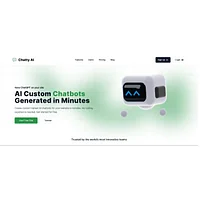
ChatBuild AI lets you create custom-trained chatbots for your website without coding. Point it at your site or upload documents, and it produces a bot that can answer visitor questions in your brand voice. The free plan suits small businesses that need a capable site assistant without an upfront budget.
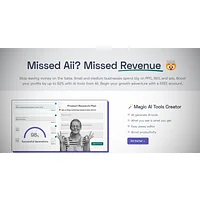
Aii drops AI-powered chatbots and forms onto your website in minutes to boost conversions and leads. Beyond chat, it leans on interactive forms that can fire mid-conversation to grab contact details. It's a sensible pick for lead-gen sites that want chat and form capture in one widget.

Arsturn AI lets you build custom chatbots for your website in minutes using GPT-powered conversational AI. The workflow is built for speed: paste a URL, let the model ingest it, and embed the resulting widget. As a paid product, it usually appeals to teams that want GPT-backed answers with a tighter setup experience.
Chat2Build is an AI-powered website builder that creates fully functional sites through natural conversation, no coding required. It's a different flavor of chatbot tool: instead of adding a bot to an existing site, it builds the site itself from a chat interface. The free tier makes it a good fit for founders who want to spin up a landing page and a matching AI assistant in one step.

Chatbase lets you build intelligent chatbots from your knowledge base for instant customer support and lead generation. It's one of the more established names in the RAG-style builder category, with support for multiple data sources, analytics, and integrations. The free tier covers small projects, and paid plans unlock higher message volumes and team features.
ChatbotGen is a no-code AI chatbot builder for creating intelligent customer support bots on websites and WhatsApp. Multi-channel support is its main draw, which is useful if your audience already messages you on WhatsApp. The free plan is a low-risk way to test a bot across both web and messaging surfaces.
ChatBotKit enables developers and non-developers to build custom conversational AI chatbots with natural language processing. It strikes a balance between a visual builder and a developer toolkit, with APIs and SDKs for custom workflows. The free tier supports experimentation, while paid usage scales for production deployments.

Chatling is a no-code AI chatbot builder that automates customer support and lead generation on your website. It focuses on quick setup, with sensible defaults for tone and routing, and an emphasis on capturing leads from chat sessions. It's a good match for small teams that want automation out of the box.
Chatolia is an AI agent platform for building and deploying intelligent chatbots without coding. It frames its bots as agents, which suggests a focus on completing tasks rather than only answering questions. The free tier invites you to try the agent-oriented approach before committing to a paid plan.
ChatShape is an AI chatbot builder that creates custom bots from your content in seconds using OpenAI technology. Feed it a URL or document, and it returns a deployable widget trained on that material. The free entry point makes it a quick way to validate whether an AI assistant is worth the investment for your site.
How to choose
If you want the shortest path from idea to live bot, start with a free builder like Chatbase, ChatBuild AI, or ChatShape to validate the use case. For lead-gen focused sites, Aii pairs chat with forms, while Arsturn AI and Build Chatbot are strong picks when you need a GPT-backed, conversion-oriented assistant and don't mind paying. If you serve a WhatsApp audience, ChatbotGen is the obvious call. Developers and teams building custom workflows should look at ChatBotKit, and founders who want a website and a bot at the same time can lean on Chat2Build. Chatling and Chatolia round out the list for teams that want quick automation or task-oriented agents without writing code.
More AI tools to explore

Chattee AI App Builder
Chattee AI App Builder generates full-stack web applications from natural language instructions without coding.

Chatwith
Chatwith lets you build AI chatbots trained on your live data and APIs to automate customer support.
MyBot.Chat
MyBot.Chat is a no-code platform for building AI chatbots that deliver 24/7 customer support and lead generation.
Makerobos
Makerobos is an AI-powered chatbot builder platform that enables enterprises to create, deploy, and train intelligent conversational agents.

Knowbo
Knowbo lets you build a custom AI chatbot powered by your website content in minutes, no coding required.
Cloozo
Cloozo is an AI chatbot builder that enables anyone to create custom chatbots for websites and apps in minutes.