AI Tools for Grammar Checking 20 apps
Grammar checking is the everyday work of catching typos, subject-verb agreement slips, misplaced commas, awkward phrasing, and inconsistent tone before anyone reads your draft. Students, marketers, support teams, and non-native English writers all rely on it to keep communication polished and professional. AI has reshaped the category from simple red-squiggle spellcheckers into full writing copilots that explain errors, rewrite sentences, flag plagiarism, and even tell you whether a paragraph feels confident or hesitant.
The best AI tools for grammar checking now operate everywhere people type: in Gmail and Slack, in Google Docs and Word, inside CMS editors, and as browser overlays. Choosing the right one depends on where you write, how much editorial guidance you want beyond a correction, and whether you also need translation, tone coaching, or AI-text detection in the same workflow.
How AI helps with grammar checking
Modern grammar tools go well under the surface of a spellchecker. They parse sentence structure to catch agreement errors a dictionary would miss, suggest rewrites that preserve your meaning, and adapt suggestions to context: a casual Slack message should sound different from a client proposal. Many tools now use large language models to offer one-click rewrites, summarize long passages, and translate in place.
Beyond correction, AI grammar assistants flag style and clarity issues: wordy phrases, passive voice, inconsistent terminology, and tone mismatches. Several also bundle adjacent checks such as plagiarism scanning, brand-voice rules, and detection of AI-generated text, which matters for educators, editors, and anyone publishing under disclosure rules.
What to look for
Accuracy across real-world writing
A grammar tool is only as good as its suggestions. Look for assistants that handle long, messy sentences rather than just short, clean ones, and that explain why a change is recommended so you can learn instead of blindly accepting edits. Independent reviews from outlets like PCMag's grammar checker roundup are a useful sanity check before committing to a paid plan.
Coverage of the surfaces you write on
Most writing happens outside dedicated apps. The strongest tools ship browser extensions, desktop clients, mobile keyboards, and integrations for Google Docs, Microsoft Word, Outlook, and Slack. If you spend hours in a specific CMS or helpdesk, confirm the tool actually works there rather than only on standalone web pages.
Tone, clarity, and style guidance
Correct grammar is the floor, not the ceiling. Look for features that adjust formality, suggest stronger verbs, and surface readability scores. For teams, style guides and brand-tone controls help keep dozens of contributors consistent across customer-facing content.
Privacy, languages, and adjacent checks
Decide how comfortable you are with text being processed in the cloud, especially for sensitive drafts. If you write in multiple languages, confirm translation quality and the breadth of supported languages. Bonus features like plagiarism detection, AI-text detection, and translation can replace a separate subscription if they fit your workflow.
Best AI tools for grammar checking
Grammar Checker.cc is an AI-powered writing assistant that instantly corrects grammar, spelling, and punctuation errors with detailed feedback. It is geared toward writers who want clear, line-level explanations rather than just silent fixes, making it a friendly option for learners and ESL users who want to understand each correction.
Grammarly is an AI writing assistant that helps you write clearly, confidently, and correctly across any app or website. Its browser extension, desktop app, and keyboard cover most writing surfaces, and the freemium tier plus paid plans cover everything from quick spellchecks to tone and clarity coaching.
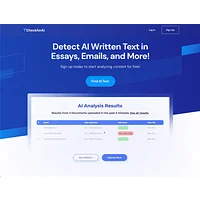
CheckforAi was a free nonprofit tool that detected AI-generated text and verified content authenticity. It is a natural complement to a grammar checker for editors and educators who need to confirm whether a piece was human-written before publishing or grading it.

Ginger Software is an AI-powered writing assistant that corrects grammar, spelling, and style across all your devices. Its paid plans add unlimited corrections, sentence rephrasing, and translation, which is useful for bilingual writers and support teams juggling multiple languages.

LanguagePro is an AI writing assistant that improves content quality with grammar correction and translation tools. It suits users who want a lightweight, free option that pairs editing with quick translations in a single interface.


Paragraph AI is an AI writing assistant that helps you write faster with grammar checks, plagiarism detection, and content generation. It is a good fit for marketers and content teams who want drafting, editing, and originality verification in one free workspace.

FuturePerfect automatically scans your website to detect and fix spelling and grammar errors in real time. It is aimed at site owners and content publishers who want a passive watchdog that catches mistakes on live pages without manual reviewing.
How to choose
For everyday writing inside Gmail, Docs, and the browser, start with Grammarly or Grammar Checker.cc for the broadest coverage. Learners and ESL writers will get more mileage from Lingually or Ginger Software, while multilingual teams should look at FixMeBot or LanguagePro. Publishers and editors who care about originality should layer in Aithor or Paragraph AI, and anyone responsible for verifying authorship can add GPTZero or CheckforAi. Site owners running content at scale will appreciate the passive monitoring from FuturePerfect.
More AI tools to explore

QuillBot: AI writing companion
QuillBot is an AI writing companion that enhances your content through paraphrasing, grammar checking, and plagiarism detection.
MyEssayWriter.ai
MyEssayWriter.ai streamlines academic writing with AI-powered essay generation, paraphrasing, and plagiarism detection.

Writemyessays
WriteMyEssays.ai is a free AI writing assistant that generates essays, checks plagiarism, and formats citations.

Resumecheck
ResumeCheck uses GPT-4 AI to optimize resumes with grammar checks, content generation, and personalized cover letters.

Paraphraser.io
Paraphraser.io uses advanced AI to rewrite content quickly, ensuring plagiarism-free, natural-sounding results for any writing project.

Wordfixerbot
Wordfixerbot is an AI-powered writing assistant that corrects grammar, spelling, and style in real time.