


Best Captioner.io Alternatives 4 apps
Compare the top alternatives to Captioner.io — pricing, features, and ratings.
Captioner.io is a captioning tool that helps turn spoken video content into readable on-screen text. If you are comparing captioner.io alternatives, you may want a different price model, broader language support, a browser-first experience, or a workflow aimed at creating complete videos. The best choice depends on whether you are preparing your own media, watching online content, or trying to improve the wider creator process. This guide compares the strongest fits on HyperStore so you can switch only when another tool better matches the job.
Why look for a Captioner.io alternative?
Captioner.io may be a good fit when the main need is straightforward captioning, but a creator's requirements can change. Cost matters when captioning is frequent or budgets are tight; language coverage matters for international audiences; and platform fit matters if work happens in a browser or across multiple publishing channels.
There is also a difference between making captions for media you already have and creating or consuming media in a different way. Someone producing short-form videos may want an end-to-end generator, while a viewer may need real-time dual-language subtitles instead. Those are reasons to compare alternatives, not proof that Captioner.io is a poor choice.
What to look for in a Captioner.io alternative
Caption accuracy and editing control
Check whether the tool is intended to generate captions from uploaded audio or video, and whether its output suits the amount of review your content needs. Names, accents, timing, and punctuation can all affect the final result, so look for a workflow that lets you verify captions before publishing. The W3C's captions guidance is a useful reference for thinking about readable, synchronized text.
Language and subtitle support
Confirm whether you need one language, several language versions, or two languages shown at once. FlowSub emphasizes multi-language captions, while SonicCaption emphasizes real-time dual-language subtitles, so these are different use cases rather than interchangeable labels. Also check that the result fits the way you plan to share or watch the content.
Workflow and platform fit
Decide whether you are editing your own files, producing ready-to-post social videos, or watching content online. An app, a browser extension, and a content-generation platform solve different parts of that journey; matching the tool to your starting point avoids paying for capabilities you will not use. For publishing requirements, consult YouTube's official caption guidance alongside the requirements of your other channels.
Cost and usage model
Compare the listed free or paid model with how often you will use the tool and whether it replaces another step in your workflow. A free option may be the practical choice for occasional viewing or mentoring, while a paid option can make more sense when specialized subtitle or video creation work is central to your process. Avoid choosing on price alone: fit, review time, and the destination for the content matter too.
The best Captioner.io alternatives

FlowSub is the closest direct match for someone who wants to turn video or audio into subtitles. Compared with Captioner.io, it emphasizes AI-generated, accurate, multi-language captions delivered instantly, making it a strong fit when multilingual output is a priority. FlowSub is listed as paid, so it suits users who value that focused subtitle workflow enough to budget for it.

GetSpiced is an adjacent rather than direct captioning alternative: it is an AI mentoring platform that learns your goals and preferences to support productivity. It suits entrepreneurs and creators who need help with direction, planning, or momentum around their work, not users looking primarily for subtitles. Listed as free, it can complement Captioner.io when the bottleneck is the wider creator process rather than caption production.

GoFaceless shifts the focus from captioning existing media to generating ready-to-post faceless content for YouTube, TikTok, and Reels. It is a better fit for creators who want to produce social video without appearing on camera, whereas Captioner.io is the more natural choice when the source video already exists and captions are the main need. GoFaceless is listed as paid, so compare the value of broader video creation with the narrower task you need to solve.
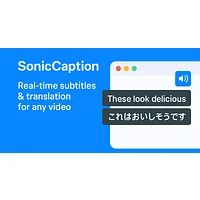
SonicCaption is a browser extension for real-time dual-language subtitles on online video and audio. It suits viewers, language learners, and multilingual users who need live subtitles in the browser, while Captioner.io is a better fit when you are preparing captioned content for publication. Listed as free, SonicCaption is especially worth considering if your use case is online viewing rather than creating captions for a video you publish.
How to choose
Stay with Captioner.io if you mainly need a captioning workflow for your own video; choose FlowSub when multi-language subtitle generation is central. Pick GetSpiced when creator productivity is the real gap, GoFaceless when you want ready-to-post faceless social video, and SonicCaption when you need free, real-time dual-language subtitles while watching online content. If two options seem close, test the one that matches your source media and destination before changing your whole workflow.