


Best Cerebro Alternatives 6 apps
Compare the top alternatives to Cerebro — pricing, features, and ratings.
Cerebro is an AI information tool for finding and making sense of online material; the Cerebro listing is the baseline for this comparison. Someone may still look for Cerebro alternatives when a narrower monitoring job, browser-based meeting workflow, support documentation, or collaborative research space is a better fit. Price labels and platform needs can matter just as much as features, especially when a focused tool is easier to test. The options below are practical comparisons, not blanket replacements.
Why look for a Cerebro alternative?
A broad information workflow can be useful, but it may feel too general when the job is specific. A news reader may care about countries and themes, a meeting-heavy team may need transcripts and summaries, and a support group may need a help center. In those cases, a specialist can make the desired output clearer without implying that Cerebro is a poor fit.
Switching can also be driven by price, access, or the way information is handled. Compare what each service covers, where it runs, what it produces, and whether its free or freemium listing fits expected usage; the NIST AI Risk Management Framework is a useful general reference for thinking about AI-related risk and accountability.
What to look for in a Cerebro alternative
Start with the job to be done
Define the output before comparing names: a news-trend view, an interest-based web feed, a meeting summary, event monitoring, a customer help center, or a document-centered research workspace. The closer an alternative's stated purpose is to that output, the less you have to bend your process around it.
Check sources and coverage
For monitoring and curation, ask which sources are included, how themes or interests are represented, and how much context accompanies a result. The Reuters Institute's Digital News Report is a useful reminder to think critically about online news environments and source context, even though it is not a product comparison.
Consider the format of the output
Capture and transcription, summaries, help-center documentation, intelligent search, and collaborative workspaces solve different problems. Check whether the output can be used by the people who need it, rather than choosing solely because a product also uses AI.
Compare access, price, and handling
Free and freemium labels are useful starting points, but they are not a substitute for checking limits, usage terms, browser or platform compatibility, and data-handling practices. Test the smallest realistic workflow first, then decide whether a focused alternative should replace Cerebro or sit alongside it.
The best Cerebro alternatives

DailyScope.ai is a focused choice for global news-trend tracking. It analyzes the most covered countries and themes across multiple sources, and its listing is marked free. Choose it when geographic and thematic news signals are more important than a broader Cerebro workflow; Cerebro may still suit a wider information need.

Kolva is the clearest fit when the work begins and ends with meetings: it captures, transcribes, and summarizes them directly in a browser. The listing marks it free and also highlights a $0.25/hour price hint, so confirm how that pricing applies to your expected use. Choose it over Cerebro when browser-based meeting output is the priority.
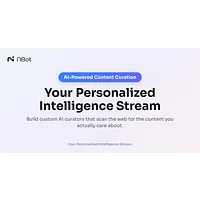
NBot AI takes an interest-based curation approach. It creates personalized AI curators that monitor the web for specific interests and surface relevant content with less noise, and it is listed as free. It suits users who want focused ongoing discovery rather than a more general Cerebro workflow.

Observe Earth is aimed at live global-events monitoring rather than general information work. It tracks natural disasters, social movements, and economic trends in real time, and its listing is marked free. It is the better fit when those event categories and live awareness are central to the job; Cerebro remains worth keeping if your needs are broader.

Paperbook changes the goal from finding information to turning it into customer-support documentation. Its AI-powered help center builder automates support with intelligent documentation, and it is listed as freemium. Choose it when a support help center is the destination; it is less direct as a general-purpose Cerebro replacement.

SurfSense is designed for document-centered research. It transforms documents into collaborative workspaces with intelligent search and knowledge management, and it is listed as freemium. It is a strong fit for teams that need shared research context; Cerebro may be preferable when the workflow is not centered on documents.
How to choose
For global news trends, start with DailyScope.ai; for meeting capture and summaries, consider Kolva; for personalized web interests, NBot AI; for live natural-disaster, social-movement, or economic monitoring, Observe Earth; for customer-support documentation, Paperbook; and for document-based collaborative research, SurfSense. If your work crosses several of those jobs, compare the setup burden and keep Cerebro as the broader option when it remains the better match.