


Best everfind | AI workspace Alternatives 6 apps
Compare the top alternatives to everfind | AI workspace — pricing, features, and ratings.
everfind | AI workspace is an AI workspace for bringing AI-assisted work into a single place. If you are comparing everfind | AI workspace alternatives, you may be looking for a different balance of research, monitoring, meeting capture, or documentation support. Cost, a missing workflow, browser or platform fit, and the way a tool handles shared knowledge can all motivate a switch. The right choice depends less on a universal winner than on the work you want the app to do.
Why look for an everfind | AI workspace alternative?
Even when everfind | AI workspace is a good general fit, a focused tool can be more practical for a specific job. Someone following world news may prefer a dedicated trend view; someone capturing meetings may want browser-based transcription; a support team may prioritize documentation. Comparing alternatives also helps when the current plan, device support, collaboration model, or information workflow no longer matches the way you work.
Switching is not automatically an upgrade. A narrower product may solve one bottleneck while giving up the broader workspace approach you already value, so compare the core task, the amount of setup required, and whether the free or freemium offering is enough for regular use.
What to look for in an everfind | AI workspace alternative
Match the information job
Start with the input and output you need. A tool built around web curation, live event monitoring, meeting transcripts, help-center documentation, or document research will make different trade-offs than a general AI workspace. Choose the option whose stated purpose is closest to your recurring task rather than judging every product by the same checklist.
Check platform, workflow, and collaboration
Consider whether work happens in a browser, across multiple sources, inside shared workspaces, or in a support content pipeline. Look for the handoffs your team actually needs, such as moving from captured information to a summary, searchable knowledge, or a help center, and test how much manual cleanup remains. The W3C's WCAG guidance can also help you assess accessibility basics when platform and team fit matter.
Compare cost with usage
Use the listed pricing category as a starting point, then estimate your actual volume. Free options may suit occasional monitoring or lightweight experiments, while a freemium plan may make more sense when you need a richer workflow; also check whether the app's pricing unit matches how often you read, record, research, or publish.
Review data handling
For an AI workspace, review what content leaves your device, retention, permissions, and deletion controls before moving sensitive material. The NIST AI Risk Management Framework is a useful reference for thinking about AI-related risks, even when comparing lightweight tools.
The best everfind | AI workspace alternatives

DailyScope.ai is a focused option for people who want to track global news trends rather than manage a broad AI workspace. It analyzes the most covered countries and themes across multiple sources, making it a fit for readers who need a high-level view of what is receiving attention. HyperStore lists it as free, so it is an easy low-commitment alternative to test for monitoring; it is less directly suited to meeting capture or support documentation.

Kolva takes a meeting-first approach: it captures, transcribes, and summarizes meetings directly in your browser. It suits users whose main reason for considering an alternative is turning conversations into usable notes, rather than monitoring the wider web or building a general workspace. Its listing highlights a $0.25/hour rate and marks the app as free on HyperStore, so check how the marketplace label and usage pricing apply to your needs.
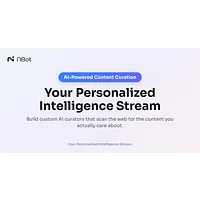
NBot AI is a better fit when the problem is information overload across the web. It lets you create personalized AI curators that monitor the web for specific interests and surface relevant content, so it suits people who want ongoing, tailored discovery rather than meeting or document workflows. HyperStore lists NBot AI as free, making it a low-risk option to try alongside a broader workspace.

Observe.Earth focuses on live global events, tracking natural disasters, social movements, and economic trends in real time. Choose it if your priority is situational awareness around unfolding events, not organizing general AI work or capturing meetings. It is listed as free on HyperStore, which makes it useful for testing a monitoring-centered workflow without committing to a freemium plan.

Paperbook shifts the emphasis from personal research to customer support enablement. Its AI-powered help center builder automates customer support with intelligent documentation, making it a strong fit for teams that need to turn support knowledge into documentation. HyperStore lists it as freemium, so it is worth checking whether its available tier covers your support workflow before switching.

SurfSense is aimed at research-heavy work: it transforms documents into collaborative workspaces with intelligent search and knowledge management. It is a natural alternative for people who need shared document research and organized knowledge rather than news or event monitoring, while its freemium listing gives teams a way to evaluate the workflow before adopting it more broadly. If everfind | AI workspace is already serving that research need well, staying put may be simpler; SurfSense is most compelling when those specific research and collaboration needs are central.
How to choose
Stay with everfind | AI workspace if its broad workspace model already covers your day-to-day work. Choose DailyScope.ai or Observe.Earth for news and global-event monitoring, NBot AI for personalized web discovery, Kolva for browser-based meeting capture, Paperbook for support documentation, and SurfSense for document-centered research and knowledge management. Compare the free or freemium path with your volume, then test the one workflow that currently causes the most friction.