


Best GetLyricVideo AI Alternatives 5 apps
Compare the top alternatives to GetLyricVideo AI — pricing, features, and ratings.
GetLyricVideo AI helps creators turn songs into lyric-video content, pairing music with on-screen words and visuals. People search for GetLyricVideo AI alternatives when they need a broader music-making workflow, cinematic scenes, recurring characters, scaled production, or a different price model. The strongest choice depends on whether the priority is lyric presentation, prompt-based video creation, consistent identities, or repeatable content operations. This guide compares the available options by workflow, output, and fit rather than assuming every creator should switch.
Why look for a GetLyricVideo AI alternative?
GetLyricVideo AI can be a sensible choice when a project is centered on lyric-led video content. An alternative becomes useful when the brief expands to include song creation, cinematic storytelling, recurring on-screen identities, editing, or a larger volume of promotional assets. Platform preferences and the way an artist already works can matter just as much as the final visual result.
Budget and production context also shape the decision. A solo artist may value a focused, straightforward path, while a marketer, label, or prolific creator may prefer a broader system for handling different kinds of content. Comparing alternatives is less about replacing GetLyricVideo AI outright and more about finding the workflow that removes the biggest bottleneck.
What to look for in a GetLyricVideo AI alternative
Workflow and starting material
Decide whether you want to begin with a finished song, a text description, or a broader content brief. A tool built around songs may be the quickest route to a music video, while a prompt-led platform can be more useful when the music, scenes, or campaign concept is still taking shape. The right starting point keeps you from paying for capabilities that do not match the project.
Visual direction and consistency
Consider whether the result needs a lyric-centered presentation, a cinematic look, or a recognizable identity that can carry across formats. Consistency matters for recurring characters and voices, while cinematic generation matters for artists who want the visuals to feel like a complete music-video treatment. Match the tool's stated purpose to the visual language you want to repeat.
Output and readability
Check the intended resolution, aspect ratios, editing options, and how easily viewers can follow the words on screen. If a project also uses captions or subtitle files, the W3C WebVTT specification is useful background for thinking about a standard caption workflow. A visually impressive result still needs to be legible and practical on the platforms where it will appear.
Cost and usage rights
Use the free or paid listing as an initial filter, not as a substitute for reading current terms. Confirm what is included in the plan, whether exports fit your delivery needs, and what rights apply to generated visuals, voices, music, and commercial releases. The U.S. Copyright Office's AI initiative provides useful background, but each product's own license remains the key source for its output terms.
The best GetLyricVideo AI alternatives

BeatMV is the broadest option in this list for creators who want the music itself and the video handled in one place: its description covers professional songs, videos, and audio edits from text descriptions. Compared with GetLyricVideo AI, it suits someone moving from a lyric-video brief toward a more complete text-led music creation workflow. HyperStore lists BeatMV as free, so it is a useful starting point for testing that broader approach.

Music Video Generator focuses on simplifying cinematic music videos from your songs, with a quick and easy workflow for artists. It is a better fit than GetLyricVideo AI when the main goal is a cinematic presentation built around an existing track and low-friction creation. HyperStore lists it as paid, so it makes sense for users who prioritize that workflow over a free-labeled option.
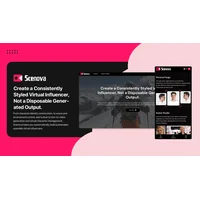
Scenova AI takes a different path from a lyric-video tool: it generates consistent AI influencers with locked faces and voices for multi-format content creation. Choose it when a recurring identity and content across formats matter more than presenting lyrics as the central visual element; stay with GetLyricVideo AI when lyric-led output is the brief. It is listed as free on HyperStore.
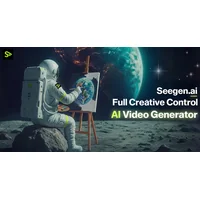
SeeGen AI turns text prompts into professional 2K cinematic videos and includes AI-powered generation and editing tools. It suits creators who want prompt-driven scene creation and editing around a cinematic result, while GetLyricVideo AI remains the more direct reference point for lyric-focused work. SeeGen AI is listed as paid, so weigh its cinematic workflow against the scope and budget of the project.

ViralOps is an AI-powered creative operations platform that automates video creation, ad production, and content generation at scale. It is the better fit for teams or prolific creators who need repeatable promotional output rather than a single lyric-video workflow; GetLyricVideo AI may be preferable for a narrower, song-centered brief. HyperStore lists ViralOps as free.
How to choose
If you want text-led song and video creation, start with BeatMV; choose Music Video Generator for a quick cinematic treatment from an existing song. Scenova AI fits recurring faces, voices, and multi-format influencer content, SeeGen AI fits prompt-driven 2K cinematic video with editing, and ViralOps fits scaled creative operations. Stay with GetLyricVideo AI if a focused lyric-video workflow already matches the brief and the alternatives add complexity without solving a real problem.