


Best Kolors AI Alternatives 5 apps
Compare the top alternatives to Kolors AI — pricing, features, and ratings.
Kolors AI is an AI-powered image generation tool that turns text prompts into visuals, making it popular with marketers, designers, and creators who need quick concept art or social imagery. Like most generative image platforms, it comes with trade-offs around prompt control, output consistency, and how specialized the use case is. Many users eventually look beyond a single tool once their workflow matures or their pricing tier no longer fits. This guide compares the strongest Kolors AI alternatives currently available on HyperStore, organized by what each one does best.
Why look for a Kolors AI alternative?
Kolors AI works well for general-purpose image generation, but it is not the right fit for every job. Some users hit a ceiling on photorealism or character consistency after the first few generations, while others find the credit-based pricing adds up quickly across long campaigns.
Others are looking for something more specialized: a tool tuned for logos, wireframes, social templates, or retail merchandising rather than open-ended prompt-to-image generation. Pricing model, output ownership rights, integration with existing tools, and platform availability all factor into the decision to switch or supplement. The good news is that the AI image space has matured enough that you can usually find a focused tool that outperforms a generalist for a specific task.
What to look for in a Kolors AI alternative
Output quality and style control
Different generators excel at different aesthetics. Photorealism, illustration, typography-heavy layouts, and UI wireframes each have specialized models that generalist tools may not match. Look for tools that publish sample galleries and let you adjust style references rather than treating every prompt as a blank slate. Wikipedia's overview of text-to-image models offers a useful primer on the architectures behind these tools.
Pricing and usage limits
Subscription, credit, and freemium models suit different usage patterns. Heavy daily users often prefer flat-rate subscriptions, while occasional creators do better with pay-per-image or free tiers. Check whether commercial usage rights are included at every price tier, since licensing terms vary widely across AI image tools.
Integration and workflow fit
An image generator that lives inside your design tool, social scheduler, or e-commerce platform saves significant time. Look for direct exports, API access, and connectors to Figma, Canva, Shopify, or your CMS. Tools that fit an existing pipeline reduce the friction of moving assets between apps.
Specialization over generalization
A tool built specifically for one output type (logos, wireframes, product photos) typically produces better results than a general-purpose generator asked to specialize. If your work is concentrated in one format, choosing a focused tool usually beats prompt-engineering a generalist platform.
The best Kolors AI alternatives
BareMinimum focuses on a very specific niche: generating ASCII and TUI-style wireframes from prompts or screenshots. Where Kolors AI is a generalist image generator, BareMinimum is purpose-built for low-fidelity interface mockups that developers and product designers can paste into terminals or technical docs. It is free to use, making it a good fit for technical teams who want quick UI concepts without spending credits on a full image generator.

BrandPro is an AI logo generator that produces professional custom logos in minutes, positioning itself as a replacement for expensive design agencies. Compared with Kolors AI, where logo creation is just one of many possible outputs, BrandPro is tuned specifically for brand identity work and typically delivers more usable logo variations with consistent typography. It is a paid tool, so it suits founders and small teams who need a polished mark and have a clear budget for branding.
Canvora is an AI visual content platform that converts text descriptions into social media graphics, presentation slides, and infographics. Where Kolors AI gives you a raw image, Canvora delivers a finished, layout-aware design ready to publish. The free tier makes it attractive for marketers and content creators who need on-brand visuals at volume without learning prompt engineering.

Contents Pilot is an AI social media automation tool that generates personalized posts and schedules them across platforms. It overlaps with Kolors AI only on the image-generation side, but pairs that capability with scheduling and brand-consistency features that Kolors AI does not offer. It is a good match for solo marketers and small teams who want to automate an entire posting calendar, not just generate images.
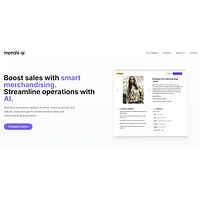
merchi.ai automates retail merchandising with AI-powered product data creation and intelligent categorization. This is the most specialized alternative on the list and the furthest from Kolors AI in terms of core function, but it fits a very specific workflow: e-commerce teams that need accurate product descriptions, attributes, and taxonomy at scale. The free tier makes it accessible for retailers testing AI-driven catalog management.
How to choose
If you mainly need quick concept art and broad stylistic range, Kolors AI itself remains a reasonable starting point. For branding work, BrandPro will likely save you time over prompt-engineering logos in a generalist tool. Developers who sketch interfaces in terminals should look at BareMinimum. Marketers producing social graphics at volume should consider Canvora or Contents Pilot depending on whether layout design or scheduling matters more. Finally, retail and e-commerce teams managing large catalogs will find merchi.ai far more useful than any generalist image generator.