


Best MusicMakerApp Alternatives 7 apps
Compare the top alternatives to MusicMakerApp — pricing, features, and ratings.
MusicMakerApp is a music-making app for turning creative ideas into songs, and MusicMakerApp alternatives are worth comparing when you need a different workflow. Someone may want prompt-to-song generation, rap-focused creation, instrumental output, video tools, or clearer usage rights. Cost, platform fit, speed, and control over the starting material can also influence the decision. If MusicMakerApp already gives you the sound and process you want, staying with it may be simpler; this guide focuses on situations where another tool could fit better.
Why look for a MusicMakerApp alternative?
A familiar app can still be a poor fit for a particular project. You may prefer to start with a text prompt or lyrics, need a rap-specific workflow, want instrumentals as well as songs, or need music and video creation in the same place. A free option can also be appealing when you are exploring an idea before committing to a paid workflow.
MusicMakerApp may remain the better choice if its interface, output, or supported platform already matches how you work. The practical comparison is less about replacing it universally and more about matching the tool to your input, desired output, publishing plans, and tolerance for experimentation.
What to look for in a MusicMakerApp alternative
Starting point and creative control
Check whether the tool begins with a text description, lyrics, an image, or a more traditional music-making workflow. Text-first tools can be useful when you have a concept but not a finished arrangement, while lyric-first tools may suit writers who want to preserve their words. Choose the option that gives you the right balance between speed and control.
Output type
Decide whether you need a complete song, vocals and melody, an instrumental, an audio edit, a video, or background music for content. These are different jobs even when they are all described as music generation, so compare the output promised by each listing with the deliverable you actually need.
Rights and publishing terms
Terms such as free, royalty-free, and commercial use can describe different permissions, so read the current terms before releasing or monetizing a track. For general context on how copyright and AI-generated material are treated, consult the U.S. Copyright Office’s AI resources alongside each app’s license.
Speed, access, and cost
Consider how quickly you want a usable draft, which device or platform you use, and whether a free starting point is enough for your project. A free listing can make testing easy, but the useful comparison is the complete workflow: prompt quality, export needs, revisions, and the terms attached to the output.
The best MusicMakerApp alternatives
AI Rap Creator.com is the most focused choice here for rap-first work. It generates professional rap lyrics and full songs with genre-specific styles, rhyme schemes, and AI-powered production, making it a fit for artists or writers who want those elements in one workflow rather than a general music-making process. It is listed as free on HyperStore, so it is a practical first option to test when rap is the priority.
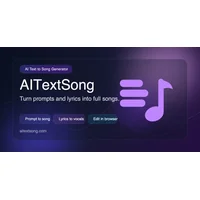
AITextSong.com is suited to people who want to turn a text prompt into a complete song rather than begin with a more hands-on music workflow. Its listing highlights complete songs with vocals, melody, and professional mixing in minutes. The app is marked free, making it a strong fit for quick concept-to-song experiments.
AI to Song is a good fit when your starting material may be text, lyrics, or a longer description and you want either a complete song or an instrumental. Its listing also states that it includes full commercial rights, which gives it a clear angle for creators planning business or client use, though you should still confirm the current terms for your project. It is listed as free.

BeatMV suits creators who want more than an audio track from a text description. It generates professional songs, videos, and audio edits, so it is a better match for projects where audiovisual output or editing belongs in the same creation brief. The listing is free, making it worth testing alongside MusicMakerApp when video is part of the deliverable.
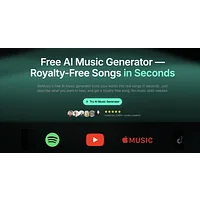
BeMusic AI is aimed at text-described, original music for videos, podcasts, and other content. Compared with a general music-making workflow, it is a natural fit when the intended use is supporting media rather than making a standalone song for its own sake. It is listed as free on HyperStore and described as generating studio-quality music from text descriptions.
Creatune focuses on creating original, royalty-free songs from text descriptions in seconds. It suits users who value fast prompt-based generation and want a listing that explicitly presents its output as royalty-free. Because royalty-free terms can still have conditions, review the license before publishing commercially; Creatune is listed as free.

Musyx AI is a strong option when an image is part of the creative input, since it transforms text descriptions and images into original compositions across genres and moods. It suits creators who want to explore mood-based or visual ideas instead of relying only on text. Musyx AI is listed as free on HyperStore.
How to choose
Choose AI Rap Creator.com for rap-specific lyrics and songs; AITextSong.com or AI to Song for text, lyrics, or descriptions that should become full songs; BeatMV when video or audio edits matter; BeMusic AI for content-oriented music; Creatune for fast text-to-song generation with a royalty-free positioning; and Musyx AI when images, genres, or moods are central. If your needs are broader or less prompt-driven, compare the workflow and platform fit with MusicMakerApp before switching.