


Best SubGetPro Alternatives 4 apps
Compare the top alternatives to SubGetPro — pricing, features, and ratings.
SubGetPro is an AI-powered subtitle and caption tool designed to help creators generate accurate text tracks for video and audio projects. Many users land here because they want faster turnaround, broader language coverage, or a price model that fits occasional use rather than a steady monthly volume. This guide compares the strongest SubGetPro alternatives currently on HyperStore so you can pick the tool that matches your actual workflow.
Why look for a SubGetPro alternative?
Subtitle tools vary widely in how they handle long files, niche languages, and post-edit workflows. Some creators hit accuracy ceilings on noisy audio or heavy accents and need a model tuned for that case. Others outgrow a per-minute price model once they start processing full podcasts or weekly YouTube shows, and start hunting for flat subscriptions or free tiers.
Platform support also matters. If you edit inside a browser tab, on a phone, or inside a specific video editor, the right tool depends on where your content actually lives. It is also fair to note that SubGetPro works well for many users, and switching only makes sense once a clear gap appears in your pipeline.
What to look for in a SubGetPro alternative
Accuracy and language coverage
Subtitle quality depends on the speech model and the language packs behind it. Look for tools that publish their supported language list and disclose how they handle code-switching, technical jargon, and multiple speakers. According to WCAG guidance on captions, accessibility value comes from consistent output quality rather than raw minutes processed.
Format and export options
You will usually need SRT, VTT, or burned-in captions depending on where the video is published. Check that the export formats match your player or editor, and confirm whether timestamps, speaker labels, or styling travel with the file. Mismatched exports are a common reason teams quietly abandon a tool after a week.
Pricing and usage limits
Pricing models generally fall into three buckets: subscription, per-minute, or free with hard caps. Match the model to your monthly volume. A heavy podcast team pays less per minute on a flat plan, while a casual creator may prefer a free tier that covers one show a month. Always recheck the current caps before committing, since these change frequently.
Where the tool runs
Some caption tools live as browser extensions, others as desktop apps or cloud APIs. Browser-based tools shine for online lectures and streaming content. Desktop apps handle large local files more predictably. APIs fit teams that already automate their edit pipeline. YouTube's help page on subtitles and captions is a useful reference for the formats most publishing platforms actually accept.
The best SubGetPro alternatives

FlowSub is an AI subtitle generator that transforms video and audio files into accurate, multi-language captions, which makes it a direct functional swap for SubGetPro users who care about batch file handling. It is a paid tool aimed at creators with regular output rather than occasional one-off jobs. Pick FlowSub if you want a focused file-to-caption pipeline with broad language support.

GetSpiced is an AI mentoring platform that learns your goals and preferences to boost productivity for entrepreneurs and creators. It sits outside the pure captioning category but overlaps with creators who treat subtitles as one piece of a larger content system. It is free to use, which lowers the barrier for solo creators still testing what a structured assistant can do. Choose GetSpiced when planning and output volume are bigger pain points than caption speed.

GoFaceless is an AI video generator that creates ready-to-post faceless content for YouTube, TikTok, and Reels, with subtitles typically baked into the final render. That is a different starting point than SubGetPro. Instead of captioning existing footage, GoFaceless builds the video around an automated script and adds the text layer for you. It is a paid tool aimed at creators who would rather skip editing entirely. Fit GoFaceless if your bottleneck is producing volume rather than polishing audio you already have.
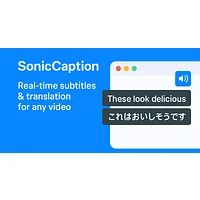
SonicCaption is a browser extension delivering real-time dual-language subtitles for online video and audio content, which targets a different surface than SubGetPro's file-based approach. It is free, making it the natural choice for viewers and learners who need live captions on content they did not upload themselves. Pick SonicCaption if your use case is consuming or studying foreign-language media rather than producing original videos.
How to choose
Match the tool to your dominant friction point. If you produce a regular podcast or YouTube show and want clean SRT or VTT exports in several languages, FlowSub is the closest fit. If you are still building a content habit and want a planning companion alongside captions, GetSpiced covers the wider workflow for free. If you would rather generate the whole video with subtitles already in place, GoFaceless removes the editing step. If you mostly watch foreign-language streams and lectures and want live captions inside the browser, SonicCaption is the lightest option here.