


Best Switchlight Alternatives 4 apps
Compare the top alternatives to Switchlight — pricing, features, and ratings.
Switchlight is an AI visual-creation app for developing polished image content. People search for Switchlight alternatives when they need a more focused portrait, headshot, or ecommerce workflow, a different pricing model, or a fit for a specific platform. The strongest choice depends on the asset they need rather than on replacing every part of their current workflow. This guide compares the leading Switchlight alternatives on HyperStore by use case and practical trade-offs.
Why look for a Switchlight alternative?
Switchlight can be a sensible choice when its visual workflow matches the kind of content you want to make. An alternative becomes useful when the task is narrower, such as keeping a recognizable person consistent across styles, creating a LinkedIn-ready headshot, or preparing product imagery for an online store. A purpose-built option may make those goals easier to evaluate, although it can be less useful outside its specialty.
Pricing and audience can also shape the decision. The alternatives below are marked free or paid in their HyperStore listings, giving you a quick way to narrow the field without assuming that every tool has the same limits or workflow. If Switchlight already delivers the output and flexibility you need, staying with it may be simpler than changing tools.
What to look for in a Switchlight alternative
Start with the asset you need
First identify whether you need portraits and lifestyle images, a professional profile photo, or ecommerce product visuals. The best Switchlight alternative is usually the one built around that outcome, not the one with the broadest-sounding description.
Check realism and consistency
For people-focused work, look for photorealism and dependable identity across different styles or source images. For products, pay attention to whether the visual treatment preserves the product while giving you useful backgrounds or presentation options; Google’s guidance for Google Images is a useful reference when those assets will also support search visibility.
Match the output to the platform
Images for LinkedIn, an online store, and a general creative project serve different audiences, so assess the intended context before switching. For ecommerce work, Shopify’s product photography guide offers practical context for judging whether an output is clear and suitable for a product page.
Compare workflow and listed pricing
Consider how much direction you want to provide, whether you already have suitable source images, and how narrowly the tool addresses your job. Use the free or paid label as an initial filter, then compare the workflow and the kind of result you actually need.
The best Switchlight alternatives
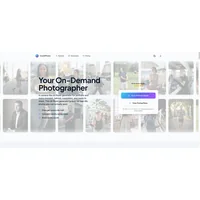
CozAIPhoto generates photorealistic AI portraits and lifestyle photos, with consistent identity across themed styles. It is a strong fit when your Switchlight use is centered on recognizable people and style exploration rather than a general image workflow. Listed as free, it suits creators who want to try a portrait-focused alternative before choosing a paid option.

Hireable Headshots turns everyday images into professional LinkedIn photos without studio sessions. Compared with Switchlight, its narrower purpose suits job seekers and professionals who want a profile-photo result instead of a broader creative project. It is listed as paid, so it makes most sense when that specific outcome matters more than a general-purpose workflow.

Klayn is an AI visual creation platform for professional ecommerce product images, using AI mannequins and virtual backgrounds. It is a better fit than Switchlight when the main challenge is presenting products for online retail, especially where mannequin or background treatment is central to the brief. Listed as free, it offers a focused starting point for sellers evaluating product-visual workflows.

SellShots transforms a single product photo into professional 4K photoshoots for ecommerce platforms. Compared with Switchlight, it suits sellers who want a direct path from an existing source image to polished photoshoot output rather than a broader creative process. It is listed as free, making it worth considering when the single-photo input matches your catalog workflow.
How to choose
Choose CozAIPhoto for photorealistic portraits and lifestyle images, Hireable Headshots for a professional LinkedIn photo, Klayn for product visuals involving AI mannequins and virtual backgrounds, and SellShots when you want to turn one product photo into a professional 4K photoshoot. Switchlight may still be the better choice if you prefer a broader visual-creation workflow or its existing process already fits your needs.