


Best Transor Alternatives 6 apps
Compare the top alternatives to Transor — pricing, features, and ratings.
Transor is a translation-focused app for working with multilingual content. If you are researching Transor alternatives, you may be weighing language coverage, workflow fit, platform access, or cost. A different tool can be a better match when the job centers on video dubbing, document translation, live subtitles, creative production, team management, or app integration. This guide compares six options on HyperStore while leaving room for Transor to remain the right choice for a straightforward translation workflow.
Why look for a Transor alternative?
People usually start comparing translation tools when their current workflow no longer matches the task at hand. They may need a document-focused service, subtitles for online media, voice-preserving video dubbing, an API for a product, or a broader workspace that combines translation with other creative work. Language coverage, supported content types, and the way a tool fits into an existing platform can all matter as much as the translation itself.
Cost is another practical consideration, especially when an individual is comparing a free listing with a paid service or when a team needs a more structured process. Switching is not automatically an upgrade: Transor may still be the simplest option if it handles the required languages and workflow well. The useful comparison is the one that matches a specific gap rather than assuming every alternative is better for every user.
What to look for in a Transor alternative
Language coverage and output quality
Start with the languages you actually need, including the direction of translation and any less common languages in your content. Published language counts can help narrow the list, but review a representative sample for terminology, tone, and consistency before moving important work. For web content, also consider whether the resulting language information is handled cleanly alongside the translation; W3C guidance on language declarations is a useful reference.
Workflow and content type
Match the tool to the material being translated. A document platform, a video-dubbing service, a subtitle extension, a translation management system, and an API can all solve different problems, so a tool that is excellent for one format may be awkward for another. Look for the shortest path from your source content to the output you need, rather than choosing on language count alone.
Platform fit and accessibility
Decide whether you need a browser experience, a service for teams, or an integration inside a web or mobile product. Browser extensions and APIs can reduce friction in the right setting, while a standalone workflow may be preferable when you do not want to build or maintain an integration. If a browser extension is part of your shortlist, MDN's WebExtensions documentation explains the general model and permissions considerations.
Cost, privacy, and collaboration
Check whether the listing is free or paid, what type of user it is designed for, and how the workflow handles shared or sensitive material. Individuals may value a low-friction way to try a tool, while teams may prioritize managed processes and broad language support. Before switching, review the current product terms and make sure the service fits your organization's privacy and approval requirements.
The best Transor alternatives

Camb.ai is a better fit than Transor when the central task is video dubbing rather than general multilingual content work. Its AI-powered voice preservation is designed for video across 100+ languages, making it relevant to creators and media teams that want the speaker's voice carried into another language. It is listed as paid on HyperStore, so compare that model with Transor before switching.
Doclingo focuses on AI-powered document translation across 50+ languages for individuals and enterprises. Choose it over Transor when documents are the priority; its free listing may also make it easier to evaluate before committing to a paid tool. It is a particularly direct comparison for users whose multilingual work is centered on documents rather than media or software integration.

Lyndium combines translation with website building and visual generation in an all-in-one AI platform. It suits creators and entrepreneurs who want translation alongside website and visual work, while people seeking a translation-first workflow should compare that broader scope with Transor. Lyndium is listed as free on HyperStore.

Pairaphrase is a translation management system for teams, with support for content across 140+ languages. It is a strong candidate over Transor when multiple contributors need a managed translation workflow and broad language coverage; individual users with simpler needs may prefer a lighter tool. Pairaphrase is listed as paid on HyperStore.
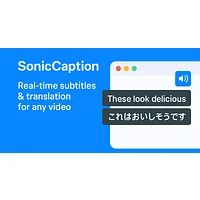
SonicCaption takes a different approach from Transor: it is a browser extension for real-time dual-language subtitles on online video and audio. It fits people who want to understand or follow media as it plays, rather than teams translating source content for publication. The HyperStore listing marks it free.

Translation-API.com is built for developers integrating machine translation into web and mobile applications through APIs. Choose it over Transor when translation needs to sit inside a product or app workflow, not just an end-user interface. It is listed as paid on HyperStore.
How to choose
Choose Camb.ai for AI video dubbing, Doclingo for document translation, Lyndium for translation alongside websites and visuals, Pairaphrase for team-oriented translation management, SonicCaption for live dual-language media subtitles, and Translation-API.com for web or mobile integration. If none of those matches the job, staying with Transor can be sensible when its current workflow, platform, and cost already fit. Compare a real sample or task before moving your whole process.