


Best X-Design Alternatives 5 apps
Compare the top alternatives to X-Design — pricing, features, and ratings.
X-Design helps creators create and refine product imagery for ecommerce and marketing. People search for X-Design alternatives when they need a different workflow, a missing image-to-video capability, a more focused ecommerce photoshoot tool, or a free way to test ideas. This guide compares X-Design alternatives by output, workflow, and likely fit rather than treating every tool as interchangeable. Start with X-Design if its visual workflow matches your needs; switch when a specialist better serves the job.
Why look for an X-Design alternative?
X-Design may be the right choice when its current visual workflow, output style, and platform fit cover the job. An alternative becomes useful when the work shifts from still imagery to motion, when ecommerce-specific scenes matter more, or when a team wants a different way to assemble creative tasks.
Cost can also be a practical factor, especially when usage grows or a project needs a free starting point. Check whether the underlying issue is a missing capability, an export or channel requirement, a collaboration preference, or simply a desire to compare results before moving away from X-Design.
What to look for in an X-Design alternative
Start with the asset you need
Separate still product images, staged ecommerce scenes, advertising video, and end-to-end automation before comparing tools. X-Design may remain the better fit for a general visual workflow, while a specialist can be more efficient when one output type dominates your work.
Check visual control and consistency
Look for the controls that matter to your catalog: product visibility, backgrounds, mannequin or scene treatment, motion, aspect ratios, and repeatability. Review sample outputs with your own source images rather than relying only on a polished demo, and confirm that the result preserves the product's important details. If an asset carries text, contrast, or important visual information, review it against the W3C Web Content Accessibility Guidelines before publishing.
Match the workflow to your team
Consider whether you want a focused generator, a single account that brings several creation models together, or a natural-language workflow builder. Also verify the input and export steps, because a tool that looks strong in isolation may add friction to the way your team reviews and publishes assets.
Review cost, rights, and channel fit
Several options below are listed as free, but confirm any usage limits, export conditions, and commercial-use terms before adopting one. For ecommerce publishing, compare the result and required fields with the Google Merchant Center product data specification before making a switch.
The best X-Design alternatives

Hey Dream Product Videos is a focused choice when you want to turn static product images into dynamic advertising videos with AI-powered motion generation. Compared with X-Design, it is better suited to teams whose next deliverable is motion rather than another still asset. HyperStore lists it as free, making it a practical option to test for product-video campaigns.

Klayn focuses on professional ecommerce product images, using AI mannequins and virtual backgrounds to build a more staged presentation. Choose it over X-Design when mannequin-led or background-led product scenes are central to the brief; stay with X-Design if its existing visual workflow already produces the look you need. Klayn is listed as free on HyperStore.

MojoMake is an AI image-to-video generator that gives users unified access to multiple video creation models in one account. It is a stronger fit than X-Design when you are comparing video-generation approaches or want that model access organized in a single workspace. The HyperStore listing marks MojoMake as free.

SellShots turns a single product photo into professional 4K photoshoots with AI for ecommerce platforms. It suits sellers who want to expand one source image into a polished catalog or campaign shoot, whereas X-Design may be preferable if your needs are broader than this photoshoot workflow. SellShots is listed as free on HyperStore.
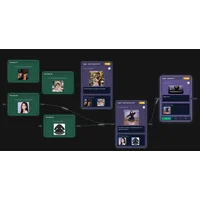
VoooAI takes a different route: its Vibe Flow lets you build complex AI workflows by describing them in natural language rather than configuring them manually. Choose it when the main problem is coordinating repeatable creative tasks, not simply generating one product image or video; X-Design may be the more direct starting point for a visual-first job. VoooAI is listed as free on HyperStore.
How to choose
For motion from existing product images, start with Hey Dream Product Videos or MojoMake; for ecommerce stills and staged scenes, compare Klayn and SellShots; for natural-language orchestration, consider VoooAI. Keep X-Design in the running when you want its existing approach and it already meets your output, platform, and review requirements. Test the same source assets across finalists before switching.