ClipFinder helps people find useful moments in video clips, making it a practical starting point for browsing and sourcing visual content. If you know ClipFinder but are comparing ClipFinder alternatives, you may want to generate original video, animate a photo, connect media creation to an API, or build a broader AI workflow. The tools below are not identical replacements: they address different jobs around video and images. The right choice depends on whether discovery, generation, editing, or automation matters most.
Why look for a ClipFinder alternative?
ClipFinder can be the right fit when the immediate goal is locating or working from existing clips. An alternative becomes worth considering when the job changes: you may need to create video from a text prompt, turn a still image into an animation, or build a repeatable workflow rather than search for source material.
Cost and workflow constraints also matter. A paid specialist may be worthwhile for a focused creative result, while a listed free option can be easier to test; an API or natural-language workflow may also suit a team that wants to connect AI tasks to a wider process. Those are reasons to compare, not proof that ClipFinder is lacking—keep it if it handles your core task simply and reliably.
What to look for in a ClipFinder alternative
Match the tool to the job
Start by defining the output you actually need. Finding a useful clip, generating a new video, animating a personal photo, editing an image, and orchestrating several AI steps are different jobs, so a specialized alternative may be a better fit than a general replacement.
Check inputs and creative control
Look at whether a tool starts with text prompts, images, or both, and whether editing is part of its described workflow. Prompt-led video tools can suit original scene creation, while an image-to-video option may be more useful when you already have visual material to develop.
Consider integration and workflow
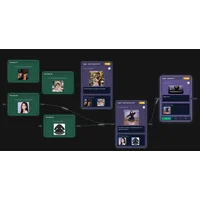
If creation needs to connect to a product or repeatable process, an API platform such as Muapi may be more relevant than a standalone clip-finding workflow. If you prefer to describe a multi-step process in natural language instead of configuring it manually, VoooAI's Vibe Flow points to a different kind of workflow fit.
Review cost, provenance, and responsible use
Compare the listed access model with how often you expect to use the tool, and review output rights and sharing expectations before committing to a paid service. If provenance matters for published or shared media, the C2PA specification is a useful reference for content provenance concepts.
The best ClipFinder alternatives
AI Kiss
AI Kiss is marked paid and turns photos into romantic kissing animations, making it a more specific creative destination than ClipFinder's clip-finding workflow. It suits users who want a personal, playful animation from an existing image rather than a general-purpose way to locate clips. Choose it when that intimate effect is the goal; stay with ClipFinder when discovery is the main task.
Muapi
Muapi is marked paid and provides an AI video and image generation API that turns text prompts into animated videos and edited images. It is a stronger fit than ClipFinder for developers or teams evaluating API-based media generation, while ClipFinder remains more natural for finding clips. Choose Muapi when prompt-driven creation and programmatic access matter more than a focused discovery workflow.
SeeGen AI
SeeGen AI is marked paid and transforms text prompts into professional 2K cinematic videos with AI-powered generation and editing tools. Compared with ClipFinder, it is aimed at creating and refining new cinematic material rather than locating existing clips. It suits creators who prioritize prompt-led video production and the stated 2K format, while ClipFinder can remain the better fit for clip discovery.
VideoFlux
VideoFlux is marked paid and turns text and images into professional-quality videos instantly. It makes more sense than ClipFinder when you already have a prompt or source image and want a generated video through a direct creation workflow. ClipFinder may be preferable when the task is finding clips rather than producing new video.
VoooAI
VoooAI is listed as free, and its Vibe Flow lets users build complex AI workflows by describing them in natural language instead of configuring them manually. It is a workflow-oriented alternative rather than a direct clip-finding replacement, and it suits people who want to orchestrate AI tasks through conversation. Keep ClipFinder if you want a focused clip workflow; try VoooAI if flexible automation is the priority.
How to choose
If your need is a focused way to locate clips, keep ClipFinder in consideration. Choose AI Kiss for a personal photo animation, Muapi for API-based text-to-video and image workflows, SeeGen AI for 2K cinematic prompt-to-video work, VideoFlux for text- or image-led video generation, and VoooAI for natural-language workflow building. Compare a representative task, output requirements, and total cost before switching.
Frequently asked questions
Is there a free ClipFinder alternative?
VoooAI is listed as free and is the clearest option here if you want to test a workflow without starting with a paid tool. AI Kiss, Muapi, SeeGen AI, and VideoFlux are listed as paid, so compare their fit and access terms with your expected usage.
What is the best ClipFinder alternative?
There is no universal winner. AI Kiss is the best match for romantic photo animations, Muapi for API-based media generation, SeeGen AI for cinematic text-to-video work, VideoFlux for text- and image-led video creation, and VoooAI for natural-language AI workflows.
Which ClipFinder alternative is best for generating videos?
SeeGen AI is a strong fit if you want professional 2K cinematic videos from text prompts and built-in generation and editing tools. VideoFlux is better suited to a workflow that starts with text or images, while Muapi is worth considering when video generation needs to sit behind an API.
Which ClipFinder alternative is best for an API or AI workflow?
Muapi is the most direct choice for an AI video and image generation API. VoooAI is the better fit when the priority is building complex AI workflows by describing them in natural language rather than configuring them manually.
How should I evaluate an AI video alternative?
Test each candidate with a representative prompt or source image, then compare the result, editing needs, workflow fit, access model, and rights for your intended use. For a broader risk-management perspective, the NIST AI Risk Management Framework offers a useful reference alongside those practical checks.
The best ClipFinder alternative is the one that matches the job you need to complete next. Start with a small, representative test and switch only when the new workflow offers a clear advantage.