Drawnaq helps people create visual design work, but Drawnaq alternatives can make sense when a project calls for a different workflow. The right switch may be driven by price, a missing output, platform fit, or the need to move from broad design work into a focused task. This guide compares the strongest relevant options on HyperStore by what each one is built to do. Drawnaq may still be the better choice when its approach matches your process.
Why look for a Drawnaq alternative?
Staying with Drawnaq can be sensible if it already fits the way you plan and produce creative work. An alternative becomes useful when you want a more specialized output, such as a wireframe, logo, social asset, generated image, or product data, rather than the kind of work you currently do in Drawnaq.
Cost and repeat usage also matter. A free listing can be useful for testing, while a paid tool may be justified when a focused workflow saves time; in either case, check current limits, export details, account requirements, and commercial-use terms before switching. Platform compatibility and the amount of control you need are just as important as the first result.
What to look for in a Drawnaq alternative
Match the tool to the deliverable
Begin with the finished item you need: BareMinimum is aimed at wireframes, BrandPro at logos, Canvora at social, presentation, and infographic designs, Contents Pilot at social posts and scheduling, Kolors AI at images, and merchi.ai at retail product data and categorization. A close match usually matters more than a long feature list. If a logo will represent a business, review relevant trademark considerations in the USPTO's trademark guidance before treating a generated mark as final.
Check the input and editing workflow
Consider how you want to start: a prompt, screenshot, text description, an idea, or existing product information. Then check how much review and editing is possible before work is published or handed off; a specialist can be faster for one job, while Drawnaq may remain preferable if you want a familiar, broader process.
Compare cost with repeat usage
Use the free or paid label as an initial signal, not a complete purchasing decision. Estimate how often you will generate, revise, or schedule work, and verify limits, paid tiers, and commercial-use terms on the current listing; a low upfront cost is less useful if the workflow does not fit your volume.
Review quality, consistency, and compliance
Look at legibility for wireframes, consistency for logos and posts, image quality, and the accuracy of product information. For public-facing content, use W3C's WCAG guidance as an accessibility reference. Test representative outputs rather than judging one unusually good result.
The best Drawnaq alternatives
BareMinimum
BareMinimum is a more focused choice than Drawnaq when the goal is to turn a prompt or screenshot into an ASCII or TUI-style wireframe. It suits people who want to explore structure and interface ideas before investing in polished visual work. The HyperStore listing marks it free, so it is a practical starting point for trying that narrower workflow; check current usage terms for ongoing work.
BrandPro
BrandPro is more specialized than Drawnaq for creating professional custom logos with AI. Choose it when a logo is the main deliverable and you want a dedicated logo workflow rather than a wider visual-design task. It is listed as paid, so compare its cost with the value of a focused branding process and review the resulting mark before adoption.
Canvora
Canvora is a strong fit when you need AI-generated visual content from text descriptions for social media, presentations, or infographics. Compared with Drawnaq, its value is in covering those specific communication formats in one visual-content platform. It is listed as free, making it worth testing when you want to turn written ideas into ready-to-review designs; verify current limits and output requirements.
Contents Pilot
Contents Pilot takes a different route from Drawnaq: it focuses on generating personalized social posts and scheduling content to keep brands consistently engaged. It suits marketers and brand owners whose main need is an ongoing social-media publishing workflow, not a one-off visual design task. The listing marks it free, so it can be a sensible option to evaluate before paying for a more specialized process.
Kolors AI
Kolors AI is better suited than Drawnaq when the core output is a commercial-grade image rather than a broader design asset. Its intelligent design agent turns ideas into high-resolution images, so it fits image-led concepts that need a strong visual result. The listing marks it free; test whether its look and control match your brand before moving to a repeatable workflow.
merchi.ai
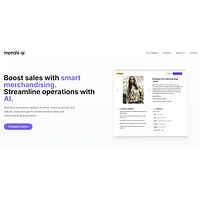
merchi.ai is the most operationally focused option here, built for retail merchandising through AI-powered product data creation and intelligent categorization. Compared with Drawnaq, it suits retailers that need to organize and enrich product information rather than primarily create visual concepts. It is listed as free, which makes it a low-risk place to test a product-data workflow; confirm how well its output fits your catalog process.
How to choose
Stay with Drawnaq if it already matches your creative workflow; choose BareMinimum for prompt- or screenshot-based wireframes, BrandPro for logos, Canvora for social, presentation, and infographic designs, Contents Pilot for post generation and scheduling, Kolors AI for high-resolution image creation, and merchi.ai for retail product data and categorization. Start with the option closest to your immediate deliverable, then compare quality, editing effort, usage limits, and commercial terms.
Frequently asked questions
Is there a free Drawnaq alternative?
Yes. BareMinimum, Canvora, Contents Pilot, Kolors AI, and merchi.ai are marked free in the supplied HyperStore listings. That label is a useful starting point, but check current limits and terms before relying on one for regular production.
What is the best Drawnaq alternative?
There is no single best choice for every Drawnaq user. BareMinimum is the clearest fit for prompt- or screenshot-based wireframes, BrandPro for logos, Canvora for visual content, Contents Pilot for social publishing, Kolors AI for image generation, and merchi.ai for retail product data; choose based on the deliverable you need most often.
Which Drawnaq alternative is best for logos?
BrandPro is the clearest match because it is an AI logo generator for professional custom logos. It is listed as paid, so compare the cost with your branding needs and review the generated mark for consistency and suitability before using it publicly.
Can I use a Drawnaq alternative for social media content?
Yes. Canvora is suited to creating social media designs from text descriptions, while Contents Pilot focuses on generating personalized posts and scheduling content. Pick Canvora when the visual asset is the priority and Contents Pilot when maintaining a publishing routine is the bigger need.
Which Drawnaq alternative is best for retail product data?
merchi.ai is the most direct fit because it automates retail merchandising with AI-powered product data creation and intelligent categorization. It is listed as free, but test its output against your own product information and catalog process before making it part of a larger workflow.
The best choice depends on the job you need done next. Keep Drawnaq if it fits your process, or test the specialist that matches your deliverable before committing to a broader switch.