Genspark AI Designer is an AI-assisted design tool that helps users generate visual assets, layouts, and graphic concepts from text prompts. It sits squarely in the fast-growing wave of generative design software, where creators want quick, prompt-driven visuals without opening a full vector editor. People look for Genspark AI Designer alternatives for many reasons: pricing changes, a missing output format, a narrower style range, or simply the desire for a tool that specializes in a specific design task like SVG vectors, logos, or icon sets.
HyperStore curates a range of generative design tools, from general-purpose AI designers to specialized generators for vector graphics, branding, comics, and UI icons. The alternatives below are not necessarily better at everything Genspark does. They are stronger fits for particular workflows, asset types, and budgets. Reading through them should help you decide whether to stay with Genspark or pick a focused tool that pairs well with it.
Why look for a Genspark AI Designer alternative?
Genspark AI Designer is a solid generalist, but “generalist” is also where most users start to feel friction. If you rely on it for a narrow asset type, such as logos or interface icons, you may find that a purpose-built tool produces more consistent results with less prompt engineering. Output formats matter too: teams that need true SVG files editable in Illustrator or Figma often need a vector-first engine rather than a raster-leaning generator.
Cost is another common driver. Some users hit usage limits or upgrade tiers as they scale production, and start scouting for tools that offer free tiers, per-image pricing, or a one-time purchase. Others move on because they want a stronger community, more style presets, or better collaboration features. None of these reasons mean Genspark is failing; they simply signal that the design category has specialized heavily, and the right tool often depends on the brief in front of you.
What to look for in a Genspark AI Designer alternative
Output format and editability
The first thing to check is what you actually receive when you click “generate.” Vector formats like SVG, EPS, and AI are essential for logos, icons, and any asset that needs to scale or be edited later. If you only need marketing images and social posts, a high-resolution PNG or WebP may be enough. Match the tool’s native output to the deliverable on your plate, or you will spend hours reformatting.
Style control and consistency
Look beyond the demo gallery. Good alternatives expose multiple AI models, style presets, and reference-image inputs so you can steer the look. Consistency is especially important for brand work, where you need the same character, palette, or icon family across dozens of assets. A tool that lets you lock in a style guide or reuse a seed can save real production time.
Commercial use and licensing
Generative design tools handle licensing differently. Some grant full commercial rights on paid plans, others restrict use on free tiers, and a few require attribution. Before adopting any alternative, confirm the licensing terms match your use case, whether that is client work, product packaging, or app store assets. The U.S. Copyright Office has published evolving guidance on AI-generated works that is worth skimming if you plan to register or sell the output.
Pricing and free tier
Free tiers are useful for evaluation but often come with watermarks, lower resolution, or limited generations per day. Compare the paid plan against expected monthly volume, not just the sticker price. A tool that costs more per month but removes watermarks and adds bulk export can easily be the cheaper option at scale.
The best Genspark AI Designer alternatives
AI SVG.art
AI SVG.art turns text prompts into editable vector graphics, which makes it the closest direct alternative for users who specifically need SVG output from Genspark. It supports multiple AI models and artistic styles, giving you more room to experiment with the same prompt than a single-model generator. If your workflow hinges on Illustrator, Figma, or web SVG, this is a strong fit for both browsing and production use.
BrandPro
BrandPro is an AI logo generator built for full brand identity work, producing custom logos in minutes without hiring an agency. Compared with Genspark’s general design scope, BrandPro concentrates on logo creation and brand-system consistency, which is exactly what small businesses and startups need. It is a paid tool, so expect a different cost profile, but the trade-off is a more focused logo pipeline and ready-to-use brand assets.
ComicInk
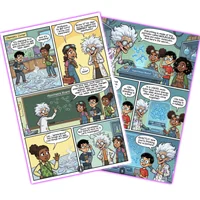
ComicInk is an AI-powered comic book platform with consistent character generation and dynamic layouts, a niche Genspark does not specialize in. If your creative work involves stories, sequential art, or character-driven illustrations, ComicInk delivers presets and tools tuned for that medium. It is free to use, which makes it attractive for hobbyists and indie creators who want to test comic workflows without committing to a paid plan.
IconsMint
IconsMint generates cohesive icon sets from text descriptions, with a focus on brand-aligned visual systems. Where Genspark produces one-off illustrations, IconsMint is designed to output a whole set of icons that share style, stroke weight, and color. UX designers, product teams, and anyone building a design system will find this specialization valuable, and the free tier makes it easy to evaluate before scaling up.
How to choose
Pick the alternative that matches your immediate deliverable rather than the broadest tool. For pure SVG vector work, start with AI SVG.art. For logo and brand identity projects, BrandPro is the clearer path. If you are exploring comics or character narratives, ComicInk will beat any generalist. For UI and product icon systems, IconsMint is purpose-built. Many designers actually pair one specialized tool with Genspark rather than fully replacing it, using Genspark for broad concepts and a focused tool for the production-ready assets.
Frequently asked questions
Is there a free Genspark AI Designer alternative?
Yes. AI SVG.art, ComicInk, and IconsMint all offer free access on HyperStore, each with different strengths in vector graphics, comics, and icon systems. BrandPro is paid but focuses on professional logo and brand identity work.
What is the best Genspark AI Designer alternative for SVG output?
AI SVG.art is the most direct fit, since it generates editable vector graphics from text prompts and supports multiple AI models and styles. For logos specifically, BrandPro is a strong alternative that also produces vector deliverables.
Which alternative is best for brand identity and logos?
BrandPro is built around logo generation and brand systems, making it the focused choice for founders and small teams. For broader branded assets beyond the logo, pairing BrandPro with IconsMint covers both primary marks and supporting iconography.
Can I use these tools for commercial projects?
Commercial rights depend on the specific tool and plan. Free tiers sometimes restrict commercial use or require attribution, while paid plans typically grant broader rights. Always review the licensing terms on each app’s page, and consult the World Intellectual Property Organization for general guidance on IP protections that vary by jurisdiction.
Do I need to replace Genspark AI Designer entirely?
Not necessarily. Many creators use Genspark for concept exploration and bring in a specialized tool for final production. That hybrid approach often produces better results than relying on a single generalist, especially when each tool is tuned to a specific asset type.
Whichever direction you go, the goal is to spend less time wrestling with prompts and more time shipping design work. Start with the deliverable you need this week, test the matching alternative, and only switch fully once the new tool has proven itself on real briefs.