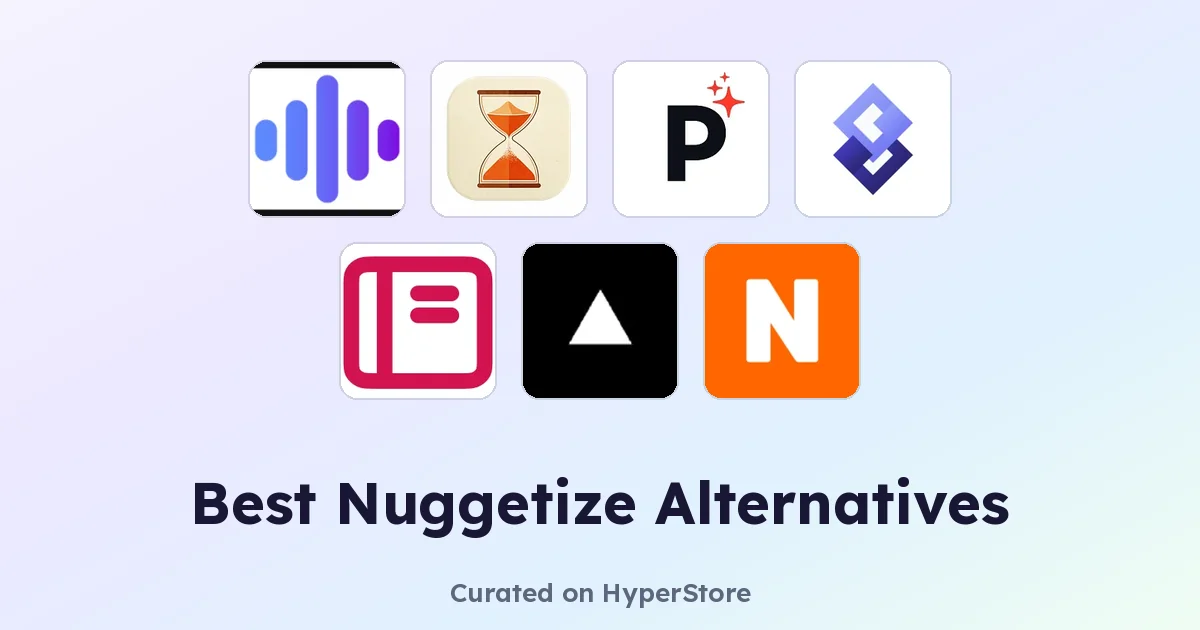
Nuggetize is an AI-powered tool designed to condense long-form content into concise, digestible takeaways, helping readers extract the core ideas from articles, reports, and other material without reading every word. People shopping for Nuggetize alternatives usually already trust it for daily reading and research, yet find themselves wanting different strengths: deeper document analysis, audio-friendly output, or a tighter workflow for a specific content type. This guide compares the top alternatives on HyperStore so you can pick the one that fits how you actually consume information.
Why look for a Nuggetize alternative?
Most people do not leave a summarizer because the tool is broken. They switch because the format they need changes. A researcher buried in 80-page PDFs needs deeper extraction than a news reader skimming morning headlines. Others want summaries delivered by email, pushed as audio for the commute, or scoped strictly to web pages they already have open.
Cost is another common reason. Free tiers can impose daily caps, and heavy users quickly outgrow them. Platform and integration gaps matter too: a tool that only handles pasted text will not help someone whose entire workflow lives inside RSS, YouTube, or a browser tab. The honest answer is that Nuggetize is a competent generalist, and the alternatives below are specialists built for a narrower job.
What to look for in a Nuggetize alternative
Content format coverage
The single biggest decision is what kind of input the tool actually handles well. Some alternatives are built for PDFs, others for podcasts, others for live web pages. Matching the tool to your dominant content type almost always beats a generalist that handles everything passably. Think about where your information actually lives before comparing features lists.
Output style and length
Summaries are not all the same. A 10-minute read is very different from a five-bullet brief or a chat-style Q&A. Look for tools that let you control length, tone, and format, and that match how you will actually use the output, whether that means an email digest, audio playback, meeting notes, or study material. According to the Stanford AI Index, user preference for customizable AI outputs has grown sharply across productivity categories.
Pricing and access model
Free, paid, and freemium tiers all exist in this category, and the differences are meaningful. A genuinely free tool beats a freemium tool with a stingy daily cap, and a paid tool only makes sense if it saves enough time to justify the subscription. Decide upfront whether you need unlimited use, export options, or team features, then filter accordingly.
Workflow fit
A summarizer you forget to use does not save you time. The strongest alternatives plug into channels you already check, including email, browser, RSS, or your note-taking app. Pew Research has documented how digital reading habits cluster around a small number of daily touchpoints, and your summarizer should live on one of them.
The best Nuggetize alternatives
AI PDF Reader
AI PDF Reader instantly summarizes, translates, and analyzes PDF documents with intelligent NLP technology, which makes it the strongest Nuggetize alternative for anyone working with research papers, contracts, or ebooks. Where Nuggetize treats PDFs as just another text source, this tool treats them as a first-class format and pulls structure out of headings, tables, and footnotes. It is free to use, and it suits students, analysts, and academic readers who want depth over breadth.
Pismo
Pismo is a desktop AI writing assistant that enhances communication with grammar correction, tone adjustment, and real-time refinement, so it overlaps with Nuggetize only on the writing side of summarization. If your main reason for using Nuggetize is to rewrite or tighten text rather than condense it, Pismo is a more natural fit because it works inline as you type. It is a paid tool, and it best suits professionals who draft emails, reports, and messages daily.
PodShrink
PodShrink transforms lengthy podcasts into concise audio summaries, saving time without losing key insights, and it covers a content type Nuggetize does not specialize in. If you listen to long-form podcasts on the commute or while exercising, PodShrink gives you a short audio version you can play in place of the full episode. It is free, and it suits commuters, students, and busy professionals who want audio learning without the time cost.
SenseFeed
SenseFeed uses AI to summarize content from YouTube and RSS feeds, delivering personalized summaries directly to your email, which makes it a strong Nuggetize alternative for users who follow many sources and want summaries pushed to them. Rather than pasting links one at a time, SenseFeed watches your feeds and sends a digest on a schedule. It is a paid tool, and it fits news junkies, researchers, and professionals who track many channels at once.
Summate
Summate is your personal AI digest that transforms hours of content consumption into focused 10-minute reads, and it is the closest direct competitor to Nuggetize in this list. Where Nuggetize tends to summarize a single source at a time, Summate is built around batching multiple pieces into one reading session, which suits people who want a single end-of-day catch-up rather than piecemeal summaries. It is free, and it works well for casual readers and lifelong learners.
Talk2Page
Talk2Page transforms any webpage into an interactive AI chatbot for instant knowledge extraction and Q&A, which makes it a different shape of alternative to Nuggetize. Instead of producing a passive summary, it lets you ask follow-up questions against the page you are reading, which is useful for dense articles, documentation, and research. It is freemium, and it fits developers, researchers, and curious readers who want to interrogate a source rather than skim it.
How to choose
If your bottleneck is a stack of PDFs, start with AI PDF Reader. If you want summaries delivered to your inbox from feeds you already follow, SenseFeed is the better match. Audio-first users should pick PodShrink, while readers who want a daily multi-source digest will find Summate closest to Nuggetize in spirit. For interactive reading and Q&A on live pages, Talk2Page fits, and for inline writing help rather than summarization, Pismo is the right tool. Most users only need one of these, so the choice mostly comes down to which content format dominates your week.
Frequently asked questions
Is there a free Nuggetize alternative?
Yes. AI PDF Reader, PodShrink, and Summate are all free on HyperStore, and Talk2Page offers a free tier for casual use. Together they cover PDF, audio, batched reading, and interactive webpage Q&A without a subscription.
What is the best Nuggetize alternative?
For pure text summarization across many sources, Summate is the closest match to Nuggetize. For specific formats, AI PDF Reader leads on PDFs, PodShrink on podcasts, and SenseFeed on feed-based delivery.
Which Nuggetize alternative handles PDFs best?
AI PDF Reader is purpose-built for PDF summarization, translation, and analysis, and is a stronger choice than a generalist summarizer for academic, legal, or technical documents.
Can I get podcast or YouTube summaries instead of articles?
Yes. PodShrink handles podcasts as short audio summaries, and SenseFeed covers YouTube and RSS feeds with scheduled email delivery. Both reach content types that text-first summarizers handle poorly.
Do any Nuggetize alternatives offer interactive Q&A on a page?
Talk2Page turns any open webpage into an interactive AI chatbot so you can ask follow-up questions against the source. It is the right pick when you want to interrogate a document rather than just skim it.
The right Nuggetize alternative is the one that matches the format you actually read, listen to, or watch. Start with the content type that takes the most of your time, pick the tool built for it, and only upgrade to a paid option once the free tier proves too narrow for your week.