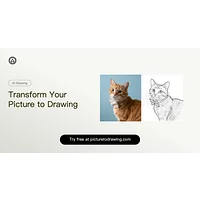
Picture to Drawing AI is an AI-powered image tool that transforms photographs into line art, sketches, and illustrated styles. It is popular with hobbyists, illustrators, and social media creators who want a quick stylistic conversion without learning traditional software. Even so, the format it outputs, the styles on offer, or the surrounding workflow may not match every user, which is why so many people look for picture to drawing AI alternatives.
Why look for a Picture to Drawing AI alternative?
Some users want a wider range of artistic styles than a single converter provides, from pencil realism to anime or watercolor. Others are constrained by pricing tiers, daily limits, or watermarks on free exports. Platform availability matters too: a web-only tool can frustrate mobile-first creators, while batch processing, high resolution, or commercial licenses often push teams toward a more specialized app. None of these are reasons to abandon Picture to Drawing AI on their own, but together they explain why the alternatives market is so active.
What to look for in a Picture to Drawing AI alternative
Style range and output control
Different AI tools interpret "picture to drawing" in different ways. Some focus on one signature look, while others expose style presets, stroke density, line weight, or background removal. Before committing, check whether the tool lets you guide the result or only accepts a single render. A flexible generative AI workflow usually beats a one-click preset once your needs extend beyond casual use.
Resolution and export quality
Many free converters cap output at small resolutions, which is fine for social posts but limiting for print. Look for tools that support high-resolution exports, vector outputs, or upscaling so the final piece stays sharp. This matters even more if you plan to layer the result with other AI edits later in the pipeline.
Pricing, licensing, and usage rights
Free tiers are useful for testing, while commercial use usually demands a paid plan or a clear license. Read what each tool allows: some restrict redistribution, others require attribution, and a few personal-use-only apps forbid monetized outputs entirely. For broader context on how the AI image market is shifting commercially, MIT Technology Review's AI coverage is a useful reference.
Ecosystem fit
Consider where the alternative fits into your broader toolkit. A standalone converter may be enough for one-off edits, but a tool that plugs into e-commerce pipelines, social schedulers, or photo restoration suites can save hours over time. The best choice depends less on the underlying model and more on how cleanly it slots into what you already use.
The best Picture to Drawing AI alternatives
AI Enhance Image.com
AI Enhance Image.com is a free cloud-based tool that uses artificial intelligence to upscale and restore photos to 4K resolution. Compared to Picture to Drawing AI, which produces a stylistic reinterpretation, AI Enhance Image.com preserves the original photo while sharpening it. It functions more as a complement than a replacement: run a photo through Picture to Drawing AI for the sketch effect, then through AI Enhance Image.com if the output needs more detail before printing.
AI Image Extender.io
AI Image Extender.io expands images beyond their original dimensions while maintaining quality and composition. Picture to Drawing AI crops or fits to a fixed canvas, so it is less helpful when you need to extend a background, widen a banner, or build out a scene. AI Image Extender.io fills that gap well, particularly for designers producing illustrated assets for varied aspect ratios.
Klayn
Klayn is an AI visual creation platform that generates professional product images for e-commerce using AI mannequins and virtual backgrounds. Picture to Drawing AI targets artistic reinterpretation of personal photos, while Klayn targets catalog-ready commercial output. Sellers who liked the idea of stylized imagery but need on-model shots for storefronts will find Klayn a much better fit, while illustrators should stick with the original.
Remove Sora Watermark.ai
Remove Sora Watermark.ai instantly strips watermarks from Sora AI videos using just a public share link. It solves a different problem than Picture to Drawing AI, which works on still images rather than generated video. It earns a place on this list because video creators producing stylized, drawing-like Sora clips often need a clean export alongside their still-image work.
Remove Sora Watermark.video
Remove Sora Watermark.video eliminates watermarks from MP4 videos with precision algorithms, accepting direct file uploads rather than share links. Like the previous entry, it serves video rather than still-image work, so it is not a direct stylistic competitor to Picture to Drawing AI. Creators who bridge still illustration and short-form video will likely want both categories of tool in their stack.
TruShot App
TruShot App uses AI to transform selfies into stunning, realistic dating profile photos designed to increase match rates. It is a paid, single-purpose tool aimed at a very different outcome than the artistic drawings produced by Picture to Drawing AI. Users who want stylization should stay with the original, while users who need photorealistic personal branding for dating apps are better served by TruShot.
How to choose
For pure artistic conversion with minimal friction, stay with Picture to Drawing AI. Pick AI Enhance Image.com when the priority is resolution and clarity over stylization, and AI Image Extender.io when you need to grow or reshape a canvas. Klayn fits e-commerce teams replacing studio shoots, while Remove Sora Watermark.ai and Remove Sora Watermark