Premiere Assistant by Cutback is a video-editing assistant designed to support work in Premiere Pro. People may search for Premiere Assistant by Cutback alternatives when they need a lower-cost access model, a different platform, or a tool focused on a specific job such as finding clips or generating video. The options below cover focused media transformations, AI video and image generation, and natural-language workflow building rather than assuming every creator needs the same setup. Compare the output, level of control, and fit with your existing process before switching.
Why look for a Premiere Assistant by Cutback alternative?
Staying with an editor-specific assistant can make sense when your projects already center on Premiere Pro and you want to keep your process familiar. An alternative becomes more appealing when the work calls for a different output, such as short clips from long videos, generated media from prompts, or automation that is not tied to a single editing environment.
Price and access can matter just as much as capability. A free option may be useful for testing a focused workflow, while a paid tool may be worth considering when its particular generation or transformation approach matches the job. Compare the actual result you need with the amount of control, setup, and repeat work each option requires.
What to look for in a Premiere Assistant by Cutback alternative
Workflow fit
Start with where your work happens and how much of the process you want to keep intact. If Premiere Pro remains central, review the current workflow against Adobe's official Premiere Pro overview and check whether an alternative complements that process or asks you to move to a different type of tool.
Match the task to the output
A clip-finding tool, image animation app, generation API, video generator, and workflow builder solve different problems. Define the desired output first, then choose the alternative whose description most closely matches it instead of treating every AI media app as a general-purpose editor.
Access and cost
Use the listed free or paid label as an initial filter, not as a promise about every limit or usage term. Check the current access conditions and consider whether the tool will be used occasionally, for repeated production, or as part of a larger team process before committing to a switch.
Control, integration, and data handling
Consider how much manual control you need, whether the tool's format fits the rest of your process, and what happens to uploaded media or prompts. For a broader checklist when assessing AI tools and their risks, consult the NIST AI Risk Management Framework.
The best Premiere Assistant by Cutback alternatives
AI Kiss
AI Kiss takes a very different route from a Premiere-focused assistant: it transforms photos into romantic kissing animations with AI-driven artistry. It suits users making personal, playful, or relationship-focused visual content, not creators primarily seeking help with a Premiere Pro editing workflow. The listing is marked paid, so weigh that against the narrow but distinctive use case.
ClipFinder
ClipFinder is the most direct fit when the problem is turning long-form footage into shareable short clips: it automatically extracts engaging moments and transforms them into ready-to-share shorts. Compared with Premiere Assistant by Cutback, its appeal is a focused repurposing workflow rather than a general editing-assistance choice. It is listed as free, making it a practical option to test for creators and teams centered on short-form output.
Muapi
Muapi is aimed at programmatic or platform-level creation: its AI video and image generation API uses text prompts to create animated videos and edited images. That makes it a better fit than Premiere Assistant by Cutback for developers or teams that want generation capabilities exposed through an API, while it is less directly oriented to hands-on timeline editing. Muapi is listed as paid, so assess API access and expected usage before choosing it.
VideoFlux
VideoFlux focuses on prompt- and image-led creation, transforming text and images into professional-quality videos instantly. Choose it over Premiere Assistant by Cutback when the goal is to generate a video from inputs rather than work primarily inside a Premiere-oriented workflow. It is listed as paid and suits creators who prioritize generation speed and a direct creation flow.
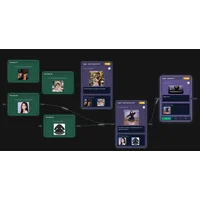
VoooAI
VoooAI takes a workflow-automation angle: its Vibe Flow lets you describe complex AI workflows in natural language instead of configuring them manually. It may suit users whose bottleneck is building AI workflows, whereas Premiere Assistant by Cutback is the more natural consideration for a Premiere-centered editing need. VoooAI is listed as free, so it can be a low-commitment way to explore natural-language workflow building.
How to choose
Stay with Premiere Assistant by Cutback if your priority is assistance around Premiere Pro; choose ClipFinder for long-form-to-shorts work, AI Kiss for romantic photo animations, Muapi for API-based video and image generation, VideoFlux for text- or image-driven video generation, and VoooAI for natural-language AI workflows. If cost is the first filter, start with the options listed as free, then compare whether their outputs match your process before considering paid alternatives.
Frequently asked questions
Is there a free Premiere Assistant by Cutback alternative?
Yes. ClipFinder and VoooAI are listed as free in this comparison, but neither is a like-for-like Premiere assistant: ClipFinder focuses on extracting shorts, while VoooAI focuses on describing AI workflows in natural language. They are strongest when those specific jobs match your needs.
What is the best Premiere Assistant by Cutback alternative?
There is no universal winner. ClipFinder is the clearest fit for long-form repurposing, Muapi for API-based generation, VideoFlux for text- and image-led video creation, AI Kiss for romantic photo animation, and VoooAI for natural-language workflow building. Keep Premiere Assistant by Cutback in consideration if staying close to a Premiere Pro process matters most.
Which alternative is best for turning long videos into shorts?
ClipFinder is the clearest match because its stated purpose is to automatically extract engaging moments from long-form videos and turn them into ready-to-share shorts. It is a better starting point than the generation-focused options when repurposing existing footage is the main task.
Can these alternatives generate AI videos?
Muapi and VideoFlux are the strongest matches for that goal based on their descriptions. Muapi provides an AI video and image generation API that uses text prompts, while VideoFlux transforms text and images into videos. Choose between them based on whether an API-oriented platform or a direct generation flow better suits your process.
Is VoooAI a replacement for a Premiere workflow?
VoooAI is better viewed as an alternative for building AI workflows than as a direct replacement for a timeline-editing workflow. Its Vibe Flow is designed for describing complex AI workflows in natural language instead of configuring them manually, so it fits users whose main need is orchestration rather than Premiere-centered editing.
The right Premiere Assistant by Cutback alternative depends on the job you want to solve, not just the fact that it uses AI. Compare the listed access model and output type against your current workflow, then test the option that removes the biggest bottleneck.