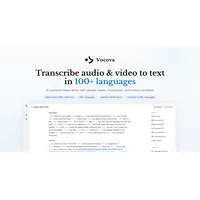
Vocova is a voice-to-text tool that turns spoken words into written text, typically for notes, drafting, and quick dictation. Many users start searching for vocova alternatives when they want a different price point, stronger multi-language coverage, or features like speaker identification and offline processing that better match a specific workflow.
This page walks through what to look for in a replacement, which apps on HyperStore currently stand out, and how to match the right tool to the way you actually use voice-to-text.
Why look for a Vocova alternative?
Price is the most common trigger. Even when Vocova fits a workflow well, free or one-time-purchase competitors prompt a closer look, especially for freelancers and small teams watching their software budget.
Feature fit is the second. Some users need multi-speaker transcripts for meetings, multi-language output for international content, or noise resistance for field recordings. Others want dictation that runs entirely offline for privacy reasons. Vocova may not optimize for each of those scenarios, which is exactly where a focused alternative earns its place.
What to look for in a Vocova alternative
Accuracy and language coverage
Speech recognition quality varies widely between engines, particularly for accents, technical vocabulary, or noisy environments. Background on independent evaluation of transcription engines is published regularly through NIST's Open Speech Recognition and Transcription evaluations, which is a useful reference when comparing vendor claims about word error rates and language coverage.
Pricing and access model
All of the alternatives listed below are currently available as free apps on HyperStore, but licensing terms change. Check each app page for the current plan before you commit a workflow to a tool that may shift to a paid or usage-based tier later in the year.
Privacy and data handling
Voice data is sensitive. Offline tools process audio on-device, while cloud transcription services may store or review audio to improve their models. Review each vendor's privacy policy before routing confidential meetings, medical dictation, or client interviews through a third-party engine.
Platform and workflow fit
Match the tool to where you work. System-wide dictation suits writers drafting emails and documents. File-based transcription fits researchers, journalists, and podcasters. Speaker-labeled multi-language tools help interview teams and global content producers keep attribution clear.
The best Vocova alternatives
Autokeyworder
Autokeyworder is the outlier on this list because it focuses on AI image metadata optimization rather than voice. If you sell stock photography and already use Vocova-style dictation to write keywords, Autokeyworder automates that final step across stock platforms to maximize discoverability. Pick it as a complement to a transcription tool, not as a replacement for one.
FastlyConvert
FastlyConvert transforms audio and video files into accurate text transcripts using AI. Where Vocova leans toward live dictation, FastlyConvert is built around file-based batch processing, which suits users who already have recorded interviews, lectures, or podcasts waiting to be transcribed. It is a strong fit when your starting point is a saved file rather than a microphone.
FastScribeX
FastScribeX layers speaker identification and multi-language transcription on top of standard audio-to-text conversion. Compared to Vocova, it is designed for recordings with several voices rather than a single speaker, which makes it useful for meetings, focus groups, and interviews. Choose it when attribution matters as much as raw accuracy.
Sleekio
Sleekio is an AI writing assistant that turns natural speech into polished, professional text across any application. Think of it as a step beyond raw transcription: it cleans up filler words and rough phrasing as you dictate. If Vocova gives you accurate text that still needs heavy editing, Sleekio's voice-to-polished pipeline may save a round of cleanup.
Velma Transcribe by Modulate
Velma Transcribe brings Modulate's voice-engine background, including its research on robust real-world speech as documented on Modulate's site, to the transcription market. It is built for noisy, multi-speaker audio such as conference calls, outdoor interviews, or café conversations. Pick it when your recording environment is messy and a clean Vocova-style transcript would normally require rerecording.
Video to Text.net
Video to Text.net converts video and audio into timestamped text across 99 languages, which lines up frames and dialogue for editors and subtitlers. Where Vocova is comfortable for spoken notes, this tool is the more specialized pick for video localization, captioning, and search inside long video libraries. Choose it when timestamps and language breadth matter more than live dictation.
VoxTap
VoxTap is a Mac voice-to-text app that runs fully offline with zero server data transmission. For privacy-conscious Mac users it directly addresses the main concern with cloud-based transcription: your audio never leaves the machine. Choose VoxTap if you dictate sensitive content, work in regulated industries, or simply want a no-internet-required alternative to Vocova.
How to choose
If you primarily dictate into your Mac and care about privacy, start with VoxTap. For recorded interviews or podcasts with several speakers, FastScribeX or Velma Transcribe by Modulate are stronger fits. Sleekio is the best pick when you want polished writing rather than a verbatim transcript, and Video to Text.net handles the video side, especially when you need subtitles across many languages.
Frequently asked questions
Is there a free Vocova alternative?
Yes. All of the tools listed on this page are currently available as free apps on HyperStore, including VoxTap for offline dictation and FastScribeX for multi-speaker transcription. Always confirm the current pricing on each app page before committing a long-term workflow.
What is the best Vocova alternative?
There is no single winner, since the strongest vocova alternatives depend on your workflow. For offline Mac dictation, VoxTap is a strong fit. For multi-language transcription, Video to Text.net stands out. For noisy multi-speaker audio, Velma Transcribe by Modulate is the more specialized choice.
Which Vocova alternative works offline?
VoxTap runs fully offline on macOS and sends no audio to remote servers. Most other tools on this list rely on cloud-based speech recognition, so they require an active internet connection and will route your audio through the vendor's infrastructure.
Can these tools handle multiple languages?
Video to Text.net advertises support for 99 languages, and FastScribeX also ships multi-language transcription with speaker identification. Language lists change over time, so verify support for your specific language on each app page before you rely on it for production work.
Do any of these alternatives identify speakers?
FastScribeX and Velma Transcribe by Modulate both include speaker identification. Plain dictation tools like VoxTap and Sleekio assume a single primary speaker and are best suited to solo notes and email drafting.
Run two or three of these vocova alternatives side-by-side with the same recording to see which engine produces the cleanest, most useful output for your specific audio and editing workflow.