
Chatpad
Chatpad is a privacy-first, open-source interface for ChatGPT that keeps your conversations secure locally.
Chatpad at a glance
- Pricing
- Free — from Free
- Rating
- ⭐ 5.0/5 · 1 reviews
- Key strengths
- All data stored locally—no remote tracking or server storage · Open-source and free with full customization capabilities · Clean, intuitive interface designed for ease of use
Screenshots
About Chatpad
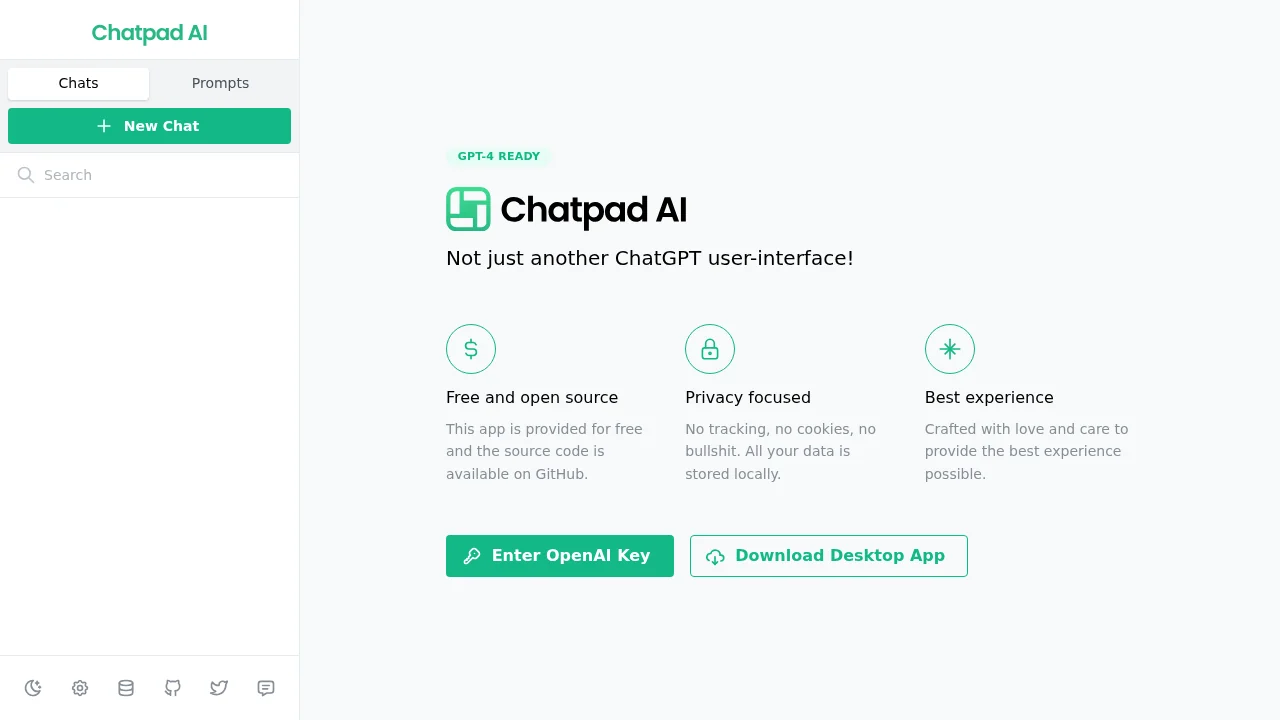
Chatpad offers a streamlined, modern interface designed to enhance your ChatGPT experience with a focus on simplicity and control. The tool organizes your conversations, prompts, and chat history in an intuitive layout that makes it easy to navigate between multiple conversations without friction. Whether you're managing research sessions, creative writing, or coding assistance, Chatpad's clean design eliminates unnecessary clutter and lets you focus on meaningful interaction with the AI.
Privacy stands at the core of Chatpad's design philosophy. Unlike many AI interfaces, all your conversations and data remain stored locally on your device—nothing is transmitted to remote servers or tracked by third parties. This approach means you maintain complete ownership and confidentiality of your discussions, making Chatpad ideal for handling sensitive topics or professional work where data protection is essential.
Being fully open-source and available for free, Chatpad empowers users to customize the interface to their exact needs or contribute improvements back to the community. The tool is built to work seamlessly with GPT-4 and other modern ChatGPT versions, ensuring compatibility with the latest AI capabilities. This combination of transparency, local-first architecture, and user customization makes Chatpad a compelling choice for those seeking control over their AI interaction environment.
Pros
Cons
Alternatives to Chatpad
AppDeploy
Rabbitholes AI
remio: Your Personal ChatGPT
ChartGPT
WhatsApp Chatbot
SureThing.io
Notis