
Clico
Clico is a browser extension that brings AI-powered writing assistance directly into your text boxes.
Clico at a glance
- Pricing
- Free — from Free
- Rating
- ⭐ 5.0/5 · 6 reviews
- Key strengths
- Works natively in any text box across all major web platforms · No API key or authentication required; instant setup and use · Voice input and text summarization boost writing flexibility
Screenshots
About Clico
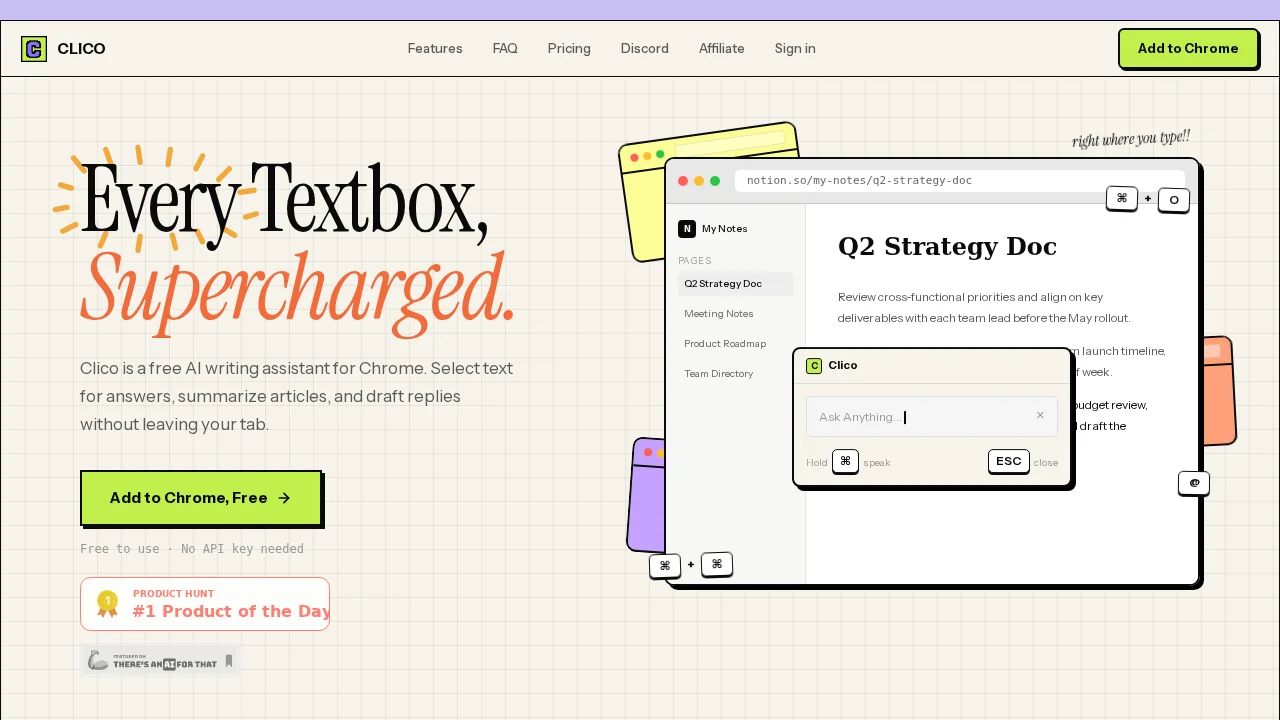
Clico integrates seamlessly into your browser, operating within every text field across Gmail, Google Docs, LinkedIn, Notion, Reddit, and hundreds of other web applications. Rather than switching tabs or copying content elsewhere, you access writing tools directly where you type, maintaining focus and workflow continuity. The extension works immediately after installation without requiring API keys or complex setup.
The tool offers multiple writing capabilities to boost productivity. Use keyboard shortcuts to draft social media posts, compose contextual email replies, continue writing in your established voice, and refine existing content. Voice input enables hands-free writing when typing isn't practical, while the highlight feature triggers quick AI-powered searches on selected text. Document summarization transforms lengthy content into concise overviews, saving reading time on research and reference materials.
Clico's universal compatibility spans Chrome, Edge, Brave, Arc, and all Chromium-based browsers, making it accessible regardless of your browser preference. The free model removes financial barriers to adoption, while the straightforward operation—no configuration needed—appeals to users seeking immediate productivity gains. By eliminating friction between thought and execution, Clico reduces the context-switching that typically interrupts deep work and creative writing sessions.
Pros
Cons
What is Clico used for?
- Content creation
- Agents
- Voice writing
Alternatives to Clico
Sydium
Contextli
Jetwriter AI
remio: Your Personal ChatGPT
AppDeploy
Librida
WriteABookAI