
CodePrompt
CodePrompt is an AI code generator that creates JavaScript, TypeScript, and React code snippets instantly.
Screenshots
About CodePrompt
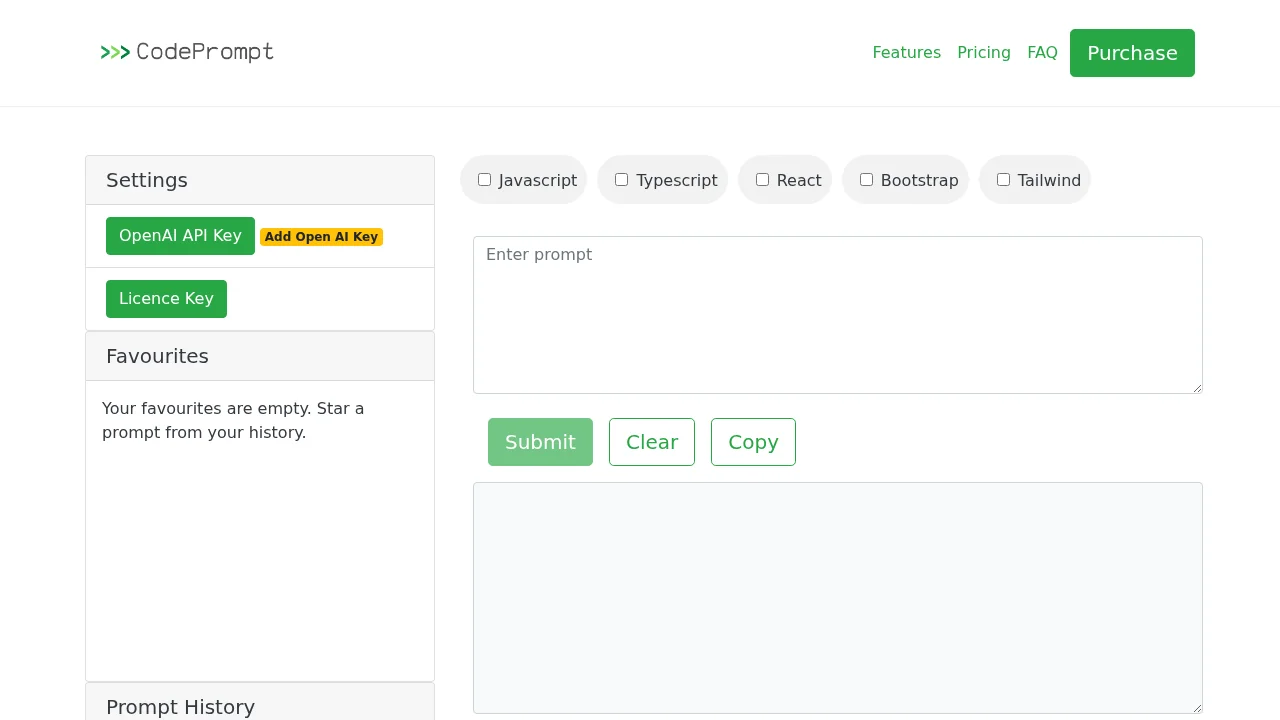
CodePrompt accelerates development workflows by generating production-ready code snippets across multiple programming languages and frameworks. The platform supports JavaScript, TypeScript, and React, making it ideal for developers building modern web applications. With integrated Bootstrap framework support, users can quickly scaffold frontend components and layouts without manually writing boilerplate code.
The tool integrates with OpenAI's API, allowing you to leverage advanced language models for intelligent code generation. This connection enables contextual understanding of your coding requests and produces more accurate, relevant snippets tailored to your specific use case. You maintain full control over your API credentials, ensuring secure and private code generation.
CodePrompt includes practical features that enhance productivity beyond basic generation. The prompt history section lets you review previous requests and outputs, while the favorites feature allows bookmarking frequently-used prompts for quick access. Built-in options to refactor, copy, and clear code give you flexibility in managing generated snippets before implementation.
The web-based interface requires JavaScript to function, providing a modern, accessible development experience. CodePrompt's straightforward licensing system and comprehensive documentation, including detailed FAQs and terms of service, ensure transparency and support for all users seeking to streamline their coding process.
Pros
Cons
Alternatives to CodePrompt
CodeRabbit
Kilo | Code Reviewer
Verdent
Base44
Rocket
Pulse Editor: Vibe Code & Automate
Mocha