
CodeViz
CodeViz is an advanced code visualization tool that helps developers understand complex codebases faster through interactive architecture maps.
CodeViz at a glance
- Pricing
- Paid — from $19/month
- Key strengths
- Seamless VS Code integration reduces context switching during development · Multi-level architecture visualization reveals code structure at any abstraction · Unlimited analyses enable continuous code exploration without quotas
Screenshots
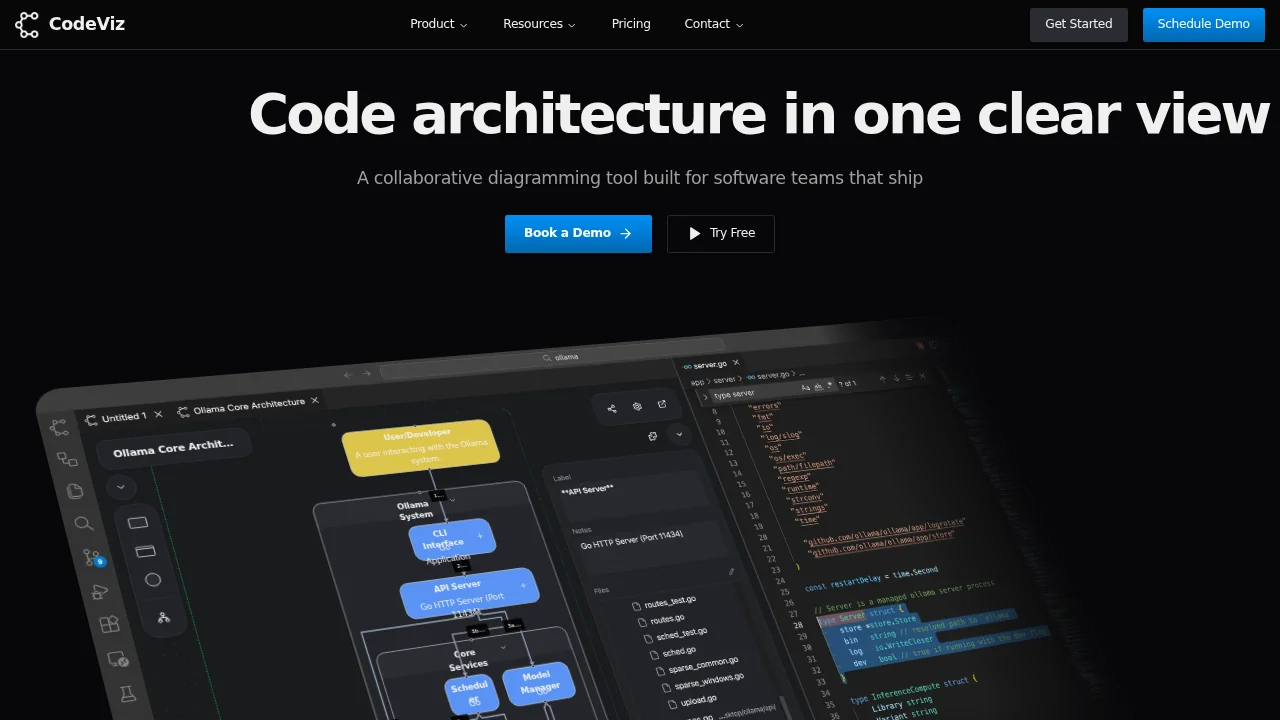
About CodeViz
CodeViz transforms how developers comprehend and navigate their codebases by providing detailed visual representations at multiple architectural levels. The tool integrates seamlessly as a Visual Studio Code extension, enabling developers to explore code structure without leaving their development environment. By converting complex code relationships into clear, interactive diagrams, CodeViz accelerates the onboarding process for new team members and reduces the time spent understanding existing implementations.
The platform's question-based visualization approach allows developers to ask specific queries about their codebase and receive targeted visual answers. On-demand file analysis provides granular insights when needed, while multi-level architecture maps offer a complete overview from high-level system design down to individual component interactions. This layered approach ensures developers can zoom in on specific areas or step back to see the broader system picture.
CodeViz supports teams and enterprises with scalable pricing plans designed for individual developers, professional teams, and large organizations. Teams gain access to deeper layer analysis, complex architecture visualization, and dedicated support, while enterprise customers benefit from on-premise deployment options, custom integrations, platform APIs, and comprehensive admin management. The tool's unlimited analyses at every architecture level ensure teams can continuously explore and understand their evolving codebases without hitting usage restrictions.
Pros
Cons
Alternatives to CodeViz
Soular Map
GenPPT AI
Scrollsequence
Flowova AI
InstantMind
Ideamap - Brainstorm and Mindmap AI