
CursorLens
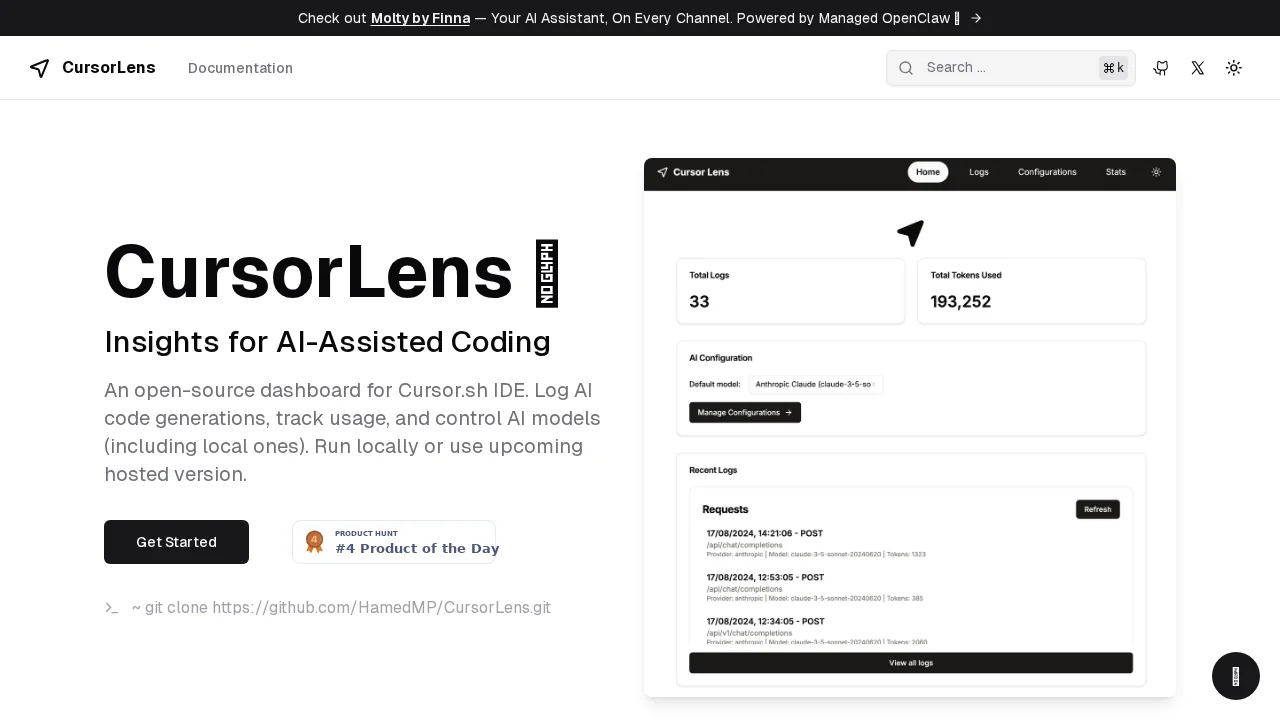
CursorLens is an open-source dashboard for managing AI-assisted coding workflows in Cursor IDE.
CursorLens at a glance
- Pricing
- Freemium
- Rating
- ⭐ 5.0/5 · 1 reviews
- Key strengths
- Open-source with flexible local or hosted deployment options · Comprehensive AI code generation insights and usage analytics · Direct control over AI model selection and configuration
Screenshots
About CursorLens
CursorLens is an open-source dashboard designed to enhance your AI-assisted coding experience within the Cursor IDE. By providing comprehensive insights into AI code generations and detailed usage tracking, it empowers developers to understand exactly how their AI tools are being utilized and their impact on productivity. The platform gives you granular control over AI models, with the flexibility to manage cloud-based or local models depending on your needs and infrastructure preferences.
The tool is built for flexibility, supporting both local deployment and a forthcoming hosted version. This means you can choose the deployment model that best fits your workflow, whether you prefer complete control over your data or the convenience of a managed solution. Developers can quickly get started by cloning the repository, and the platform receives regular updates to ensure it remains compatible with the latest coding workflows and AI advancements.
CursorLens includes practical features like caching support for Anthropic models, which can help optimize performance and reduce latency during AI-assisted development sessions. By centralizing your AI coding management in one dashboard, you streamline decision-making around model selection, usage patterns, and resource allocation, making it easier to maintain efficient development practices.
Pros
Cons
Alternatives to CursorLens
CodeRabbit
Kilo | Code Reviewer
Verdent
Base44
Rocket
Pulse Editor: Vibe Code & Automate
Mocha