


Best MusicMaker.im | Image to Music alternatives for creators 3 apps
Compare the top alternatives to MusicMaker.im | Image to Music — pricing, features, and ratings.
MusicMaker.im | Image to Music turns an image into music, giving creators an image-first route from visual input to sound. Someone may search for MusicMaker.im | Image to Music alternatives when they need a different creative format, a free option, a particular platform experience, or a tool that handles more than music. The best fit depends on whether the project starts with a photo, a written prompt, or a video brief. The comparison below keeps MusicMaker.im in view while matching each listed alternative to the job it does best.
Why look for a MusicMaker.im | Image to Music alternative?
MusicMaker.im can be the right choice when the central idea is turning an image into music. An alternative becomes useful when the desired result is different: perhaps the brief calls for photo effects, text-guided composition, several genre or mood directions, or a finished video rather than audio alone. Price can matter too, especially when a listed free tool covers the task well, while a paid option may be considered for a broader production workflow.
There is also a practical fit question. Input types, output format, editing expectations, access requirements, and the way a creator plans to share the result can matter as much as the generation itself. Those are reasons to compare alternatives, not proof that MusicMaker.im is lacking; if image-to-music is exactly what you need, staying with it may be the most direct path.
What to look for in a MusicMaker.im | Image to Music alternative
Input and output fit
Start with the handoff between your source and your desired result. If you want an image to lead directly to music, prioritize an image-capable music tool; if the project is a photo treatment or a video, a specialist in that output may be a better match. A clear input-output match reduces the need to force a broader tool into a narrow job.
Creative direction
Consider how you want to describe the result. Text descriptions, genre choices, moods, templates, and editing tools point to different kinds of creative control, so compare them with the way your brief is written. The more important the intended atmosphere or visual style, the more useful it is to choose a tool whose listed workflow matches that emphasis.
Cost and access
Use the listed pricing label as a first filter, not as the only decision. Halloween AI Filters by Media.io and Musyx AI are marked free in this comparison, while SeeGen AI is marked paid; confirm the current offer and any usage conditions before committing a project. Also check whether a no-download workflow or your preferred device and platform matters to the team.
Publishing and accessibility
If the output will be shared, think about licensing, attribution, and accessibility before you build a repeatable workflow. The W3C's WCAG 2.2 guidance is a useful reference for accessible digital content, while your own project requirements should determine what the selected tool must export or support. These checks help distinguish a quick experiment from a dependable production choice.
The best MusicMaker.im | Image to Music alternatives

Halloween AI Filters by Media.io is a better fit when the visual treatment is the main goal rather than music generation. It instantly transforms photos with spooky effects and eerie templates without downloads, and it is listed as free. Choose it for a fast Halloween-themed photo result; choose MusicMaker.im when the project is specifically about turning an image into music.

Musyx AI is the closest match when you want image input but also want to guide the music with text. It transforms text descriptions and images into original compositions across multiple genres and moods, and it is listed as free. It suits creators who want prompt-led musical direction, while MusicMaker.im remains the more direct choice when the workflow starts with an image and ends with music.
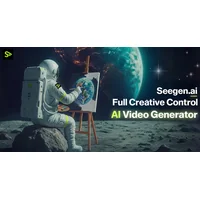
SeeGen AI is a better fit when the final deliverable is video rather than music. It transforms text prompts into professional 2K cinematic videos with AI-powered generation and editing tools, and it is listed as paid. Choose it for a video-led brief; choose MusicMaker.im when the source is an image and the intended output is music.
How to choose
Stay with MusicMaker.im if image-to-music is the exact task. Pick Halloween AI Filters by Media.io for free, no-download spooky photo effects; pick Musyx AI for free image- and text-driven music across genres and moods; and pick SeeGen AI when text prompts, cinematic 2K video, and AI editing are the priority. If the project may change format, compare the intended output first rather than choosing on price alone.