


GoFaceless vs FlowSub vs Chraft AI
A side-by-side comparison of GoFaceless vs FlowSub vs Chraft AI — pricing, ratings, strengths and weaknesses — to help you pick.

GoFaceless est un générateur de vidéos IA qui crée du contenu sans visage prêt à publier pour YouTube, TikTok et Reels.
- TarifPaid · $29/month
- Note⭐ 3.6/5
- API—
- Open source—
Avantages
- Complete video creation in minutes with no editing skills required
- Flexible formats including AI avatars, stock footage, and UGC-style videos
- Customizable voiceovers maintain consistent brand voice across videos
- Done-for-You service eliminates research and posting workflow entirely
- Multi-platform optimization for YouTube, TikTok, Reels, and YouTube Shorts
Inconvénients
- Quality of AI-generated visuals may not match professional cinematography
- Limited customization for creators wanting more creative control
- Pricing tiers require understanding credit systems and production limits
- Voiceover quality depends on narrator selection or description clarity
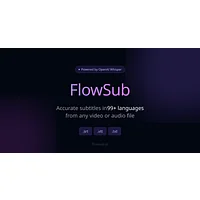
FlowSub est un générateur de sous-titres IA qui transforme instantanément les fichiers vidéo et audio en sous-titres précis et multilingues.
- TarifPaid · $5.99/month
- Note⭐ 3.0/5
- API—
- Open source—
Avantages
- Supports multiple export formats for universal compatibility
- Multi-language transcription for global content reach
- Free tier available to test before upgrading
- Fast, automated subtitle generation from any audio source
Inconvénients
- Subtitle quality depends heavily on audio clarity and background noise
- Advanced features like translations require paid Pro subscription
- Accuracy may decline with poor audio quality or unclear speakers
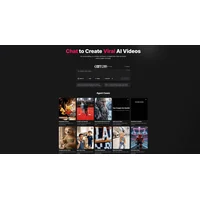
Chraft AI est une plateforme conversationnelle de production vidéo qui crée des vidéos professionnelles grâce à un dialogue naturel avec des agents IA.
- TarifFree · $15/month
- Note⭐ 3.7/5
- API—
- Open source—
Avantages
- No video editing software skills required to create professional content
- Fast iteration through conversational feedback and AI refinement
- Accessible to non-technical creators and small teams
- Streamlined workflow from concept to finished video
Inconvénients
- Output quality depends on clarity and specificity of conversational direction
- Limited control over granular editing details compared to traditional software
- Pricing and platform limitations not detailed in available information