Microsoft Designer
Microsoft Designer is an AI-powered graphic design tool for creating professional visuals without design expertise.
Microsoft Designer at a glance
- Best for
- Graphic Designers
- Pricing
- Free — from $9.99/month
- Rating
- ⭐ 4.5/5 · 4 reviews
- Key strengths
- No design experience required; AI assistance simplifies the creation process · Supports multiple formats and platforms for diverse creative needs · Intuitive interface reduces learning curve significantly
Screenshots
About Microsoft Designer
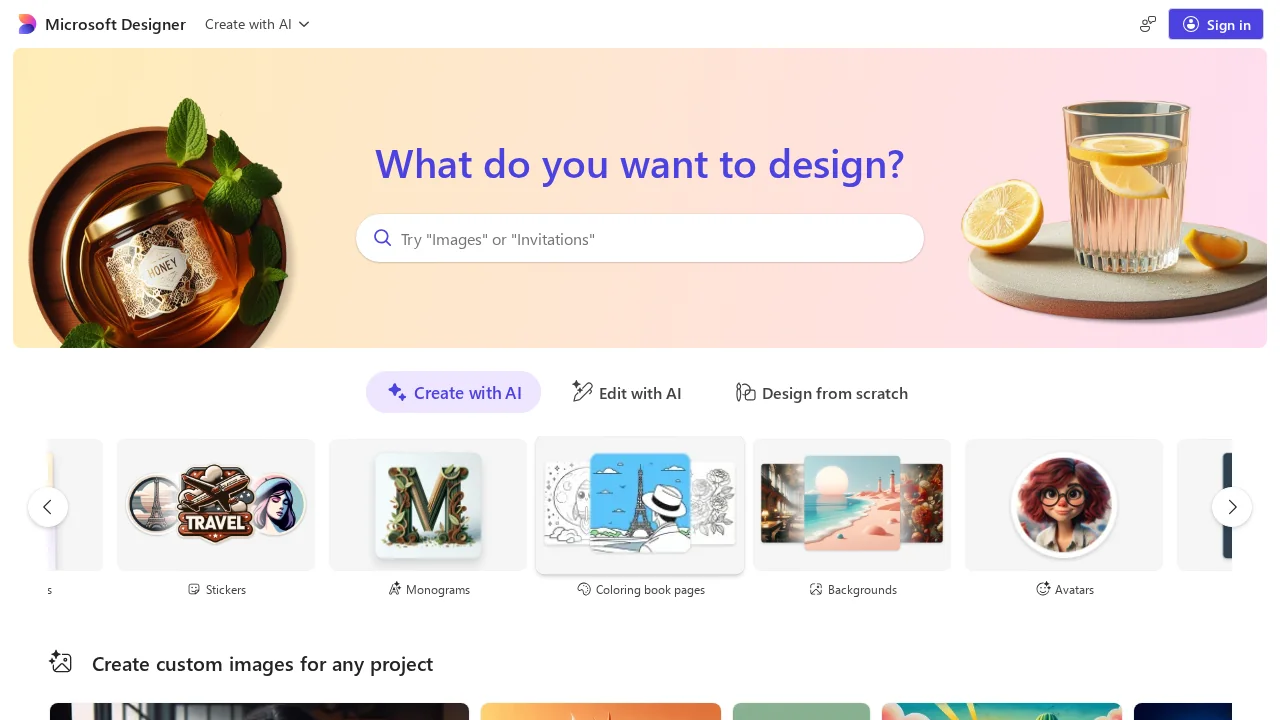
Microsoft Designer transforms your creative ideas into polished, professional graphics through an intuitive interface that requires no prior design experience. Whether you're crafting social media content, personalized invitations, digital postcards, or custom graphics, the platform streamlines the design process by helping you visualize concepts and refine them into finished pieces. The tool's AI-assisted capabilities accelerate creative workflows, making professional-grade design accessible to individuals and teams across personal and business contexts.
The platform supports diverse use cases across multiple formats and platforms, enabling users to maintain visual consistency whether they're managing brand presence online or creating one-off designs. Its straightforward design workspace eliminates common barriers to entry, allowing focus on creative expression rather than learning complex software. The customizable templates and design elements provide starting points that adapt to your specific vision.
Microsoft Designer integrates seamlessly into the broader Microsoft ecosystem, leveraging AI capabilities to suggest improvements and generate design variations. This combination of automation and user control ensures outputs remain authentic to your intent while benefiting from intelligent recommendations. The platform emphasizes accessibility, making professional design tools available to creators of all skill levels.
Pros
Cons
Alternatives to Microsoft Designer
SellShots
VisualGPT
Hireable Headshots
Mintshot
VibePaint.ai
GPT Caricature
AvatarStyle