Pixelicious
Pixelicious transforms any image into pixel art with adjustable grids and custom color palettes for retro game assets.
Pixelicious at a glance
- Pricing
- Freemium
- Key strengths
- Adjustable grid sizes (16px–256px) for versatile pixel art styles · Custom color palette creation with automatic or manual hex code control · Background removal and noise reduction for production-ready assets
Screenshots
About Pixelicious
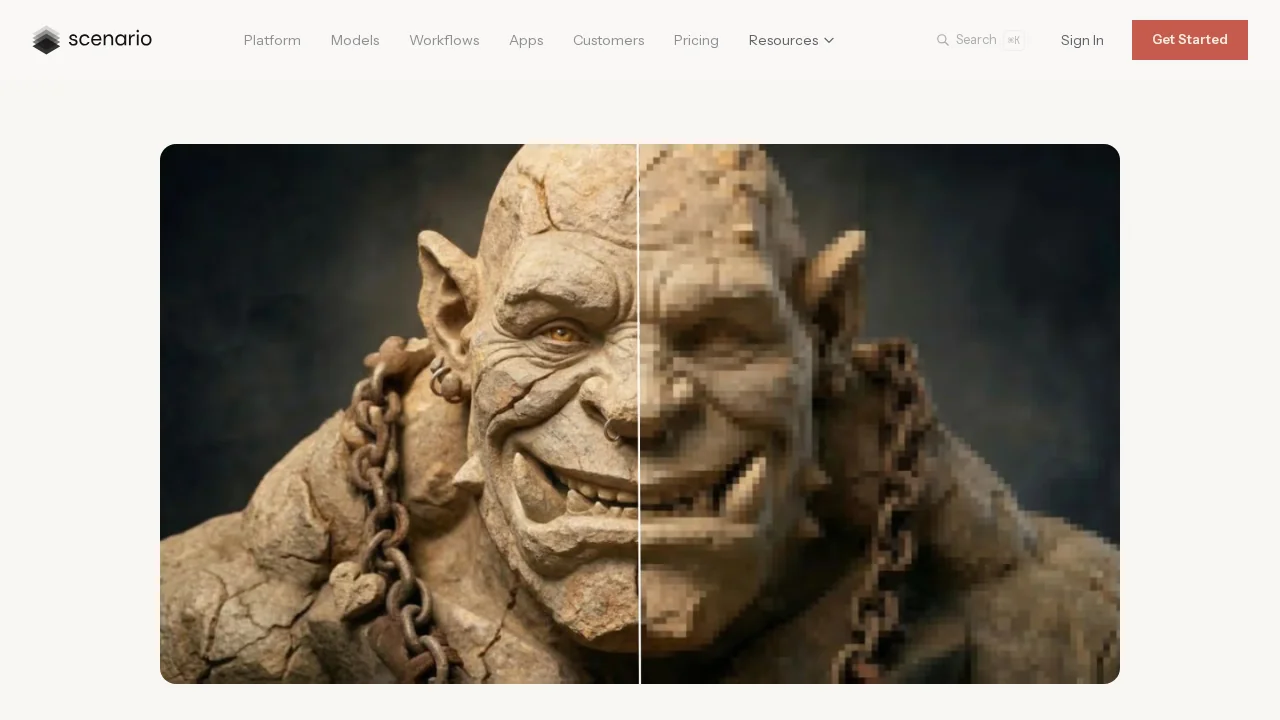
Pixelicious is an AI-powered pixel art converter that instantly transforms photographs and illustrations into authentic retro or stylized pixel artwork. The tool gives creators precise control over the pixelation process through adjustable grid sizes ranging from 16px to 256px, enabling everything from classic 8-bit sprites to high-resolution pixel-style designs. This flexibility makes it equally effective for indie game developers crafting nostalgic assets and digital artists seeking a distinctive visual style.
Color palette customization lies at the heart of Pixelicious's appeal. Users can automatically extract palettes from source images or manually craft custom ones using hex codes, with support for both simplified 4–8 color retro aesthetics and richer 16+ color outputs. This palette flexibility ensures that converted artwork maintains visual consistency across multiple sprites, animation frames, or project assets without tedious manual adjustments.
The platform includes production-focused processing options that refine output quality. The Remove Noise feature smooths pixel edges for cleaner results, while Remove Background isolates sprite assets from their surroundings—both essential for creating game-ready sprites and UI elements. Users can save and reuse custom palettes and settings, streamlining workflow efficiency when converting batches of images or maintaining a cohesive visual language across projects.
Pixelicious serves diverse creative applications beyond game development, including social media avatar design, mobile game UI elements, and stylized artwork creation. Its intuitive five-step workflow—upload, adjust palette, choose grid, apply settings, and generate—makes professional-quality pixel art accessible to creators of all skill levels, eliminating the steep learning curve traditionally associated with pixel art tools.
Features
- Instant image-to-pixel-art conversion
- Adjustable grid sizes from 16px to 256px
- Automatic or custom color palette creation with hex code support
- Remove Noise option for smoother pixel edges
- Remove Background for isolated sprite assets
- Save and reuse custom palettes for consistent retro aesthetics
- Support for 4–8 color simplified or 16+ color rich outputs