QuillBot Paraphrasing Tool
QuillBot Paraphrasing Tool is an AI-powered writing assistant that rewrites and improves text with 10+ customizable modes.
QuillBot Paraphrasing Tool at a glance
- Pricing
- Freemium
- Key strengths
- 10+ paraphrasing modes tailored to different writing contexts and audiences · Synonym Slider allows precise control over vocabulary replacement intensity · Multilingual paraphrasing in 20+ languages expands global usability
Screenshots
About QuillBot Paraphrasing Tool
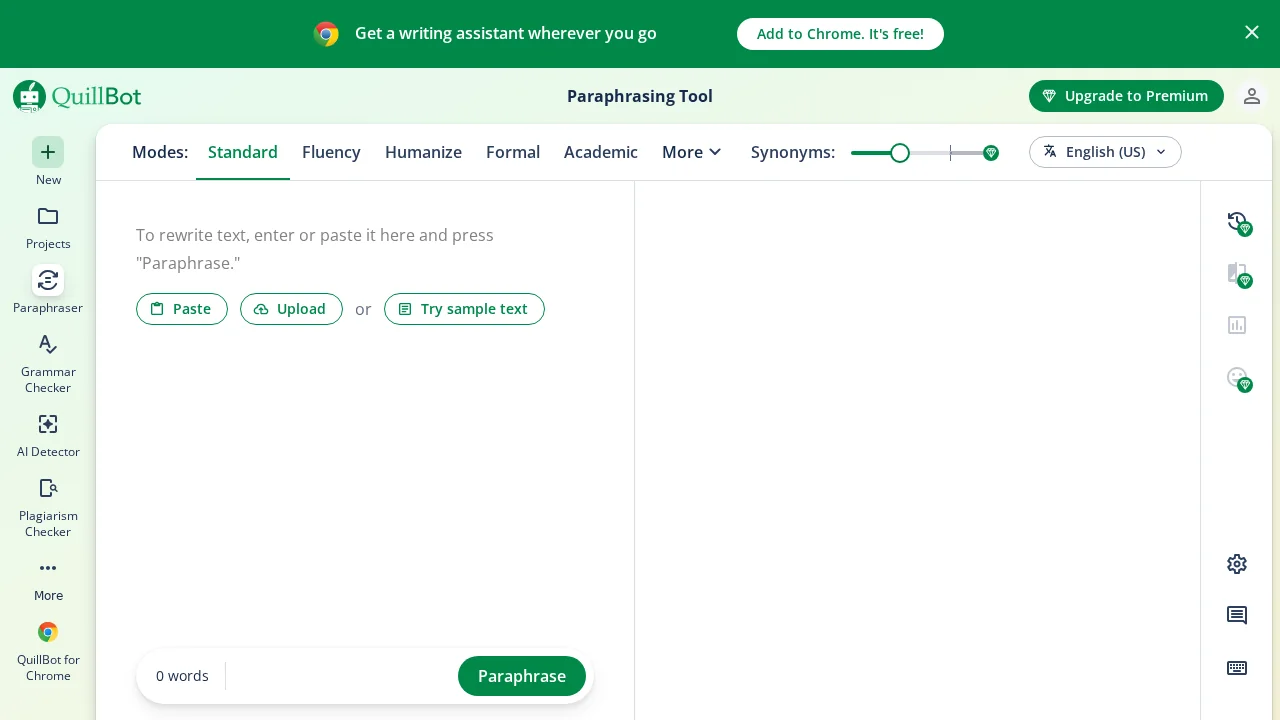
QuillBot Paraphrasing Tool transforms how writers approach text revision by leveraging artificial intelligence to rephrase content while preserving meaning. The tool offers 10+ paraphrasing modes—including Standard, Fluency, Formal, Academic, Creative, and Humanize—enabling users to adapt their writing style for any audience or context. Whether you're refining an academic essay, professional email, or creative piece, QuillBot provides the flexibility to match tone and formality precisely.
The Synonym Slider gives users granular control over vocabulary changes, ranging from minimal adjustments for accuracy-focused work to creative rewrites that significantly alter word choice. An integrated AI-powered thesaurus allows instant exploration of alternatives by clicking any word, streamlining the editing process without breaking workflow. This combination of modes and tools makes QuillBot a comprehensive solution for writers who need both speed and precision.
Accessibility is a core strength, with multilingual support across 20+ languages and seamless browser integration via Chrome, Edge, and Safari extensions plus a Microsoft Word add-in. The free tier removes barriers to entry—no sign-up required—allowing users to paraphrase up to 125 words using Standard and Fluency modes. Premium users unlock unlimited input length and access to all paraphrasing modes, alongside a suite of complementary tools including Grammar Checker, Plagiarism Checker, AI Detector, and Summarizer.
Features
- 10+ paraphrasing modes (Standard, Fluency, Formal, Academic, Creative, Humanize, Custom, and more)
- Synonym Slider to control degree of vocabulary change
- AI-powered thesaurus with clickable word suggestions
- Multilingual paraphrasing in 20+ languages
- Browser extensions for Chrome, Edge, and Safari plus Microsoft Word add-in
- Free tier with no sign-up required (up to 125 words)
- Integrated suite with Grammar Checker, AI Detector, and Plagiarism Checker