
RemoveText.video
RemoveText.video is an AI video editor that erases hardcoded subtitles, captions, logos and watermarks while preserving the original framing and resolution.
RemoveText.video at a glance
- Pricing
- Freemium — from $6.9
- Key strengths
- AI-powered inpainting preserves original framing and resolution · Supports MP4, MOV and WebM up to 4K quality · Manual selection of up to ten target areas per video
Screenshots

About RemoveText.video
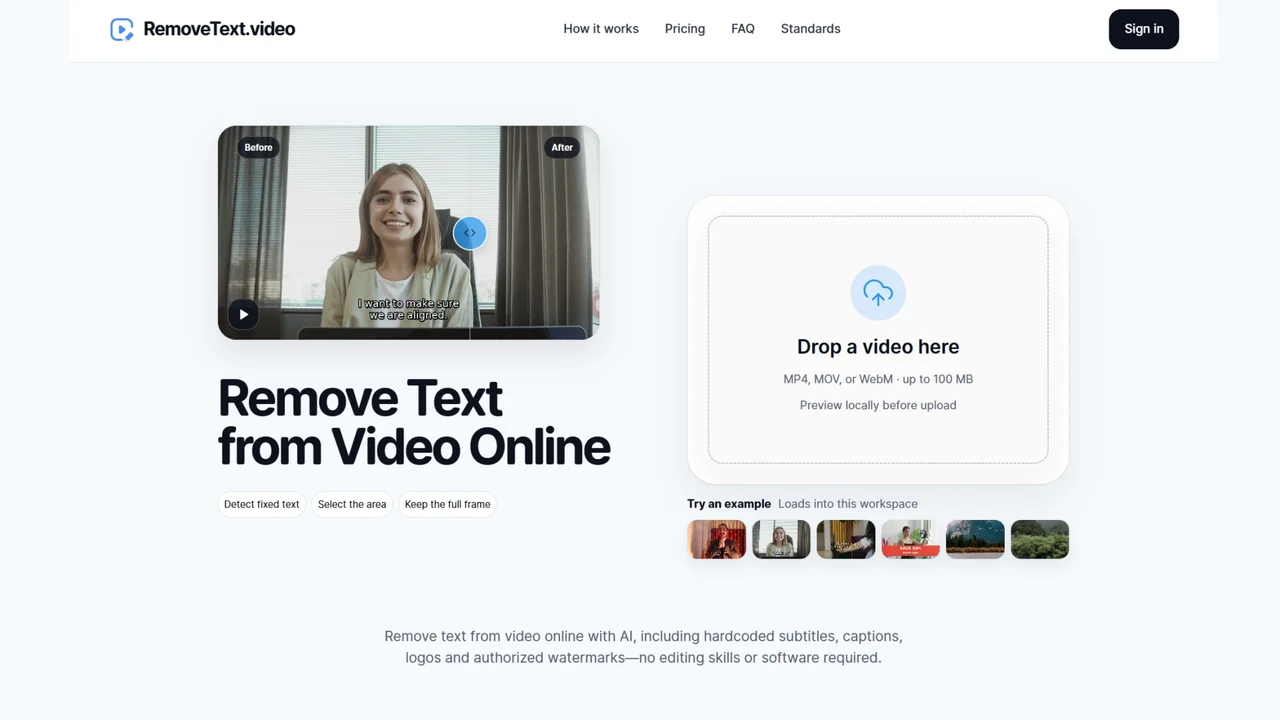
RemoveText.video offers a focused solution for cleaning up video content that contains distracting or outdated text overlays. Using AI-powered detection and inpainting, it removes hardcoded subtitles, burned-in captions, logos and authorized watermarks directly from video frames. Rather than cropping or blurring affected areas, the tool reconstructs the underlying pixels so the final output retains its original aspect ratio and composition.
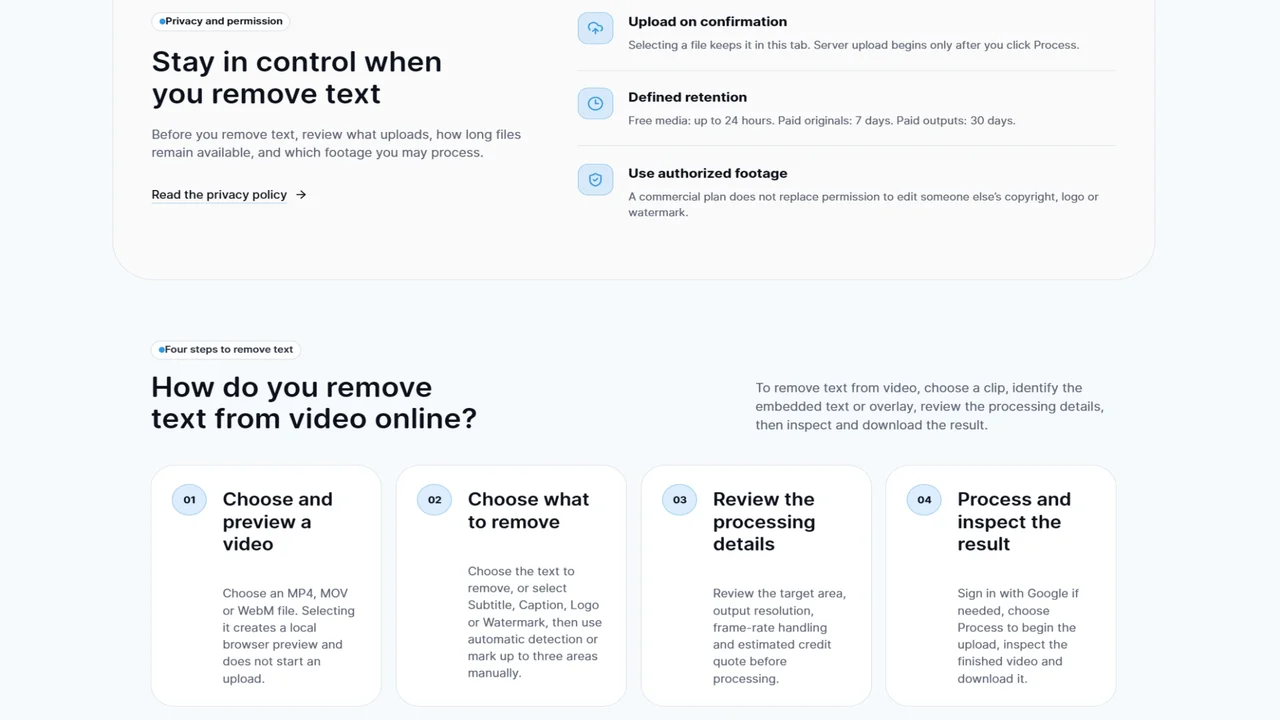
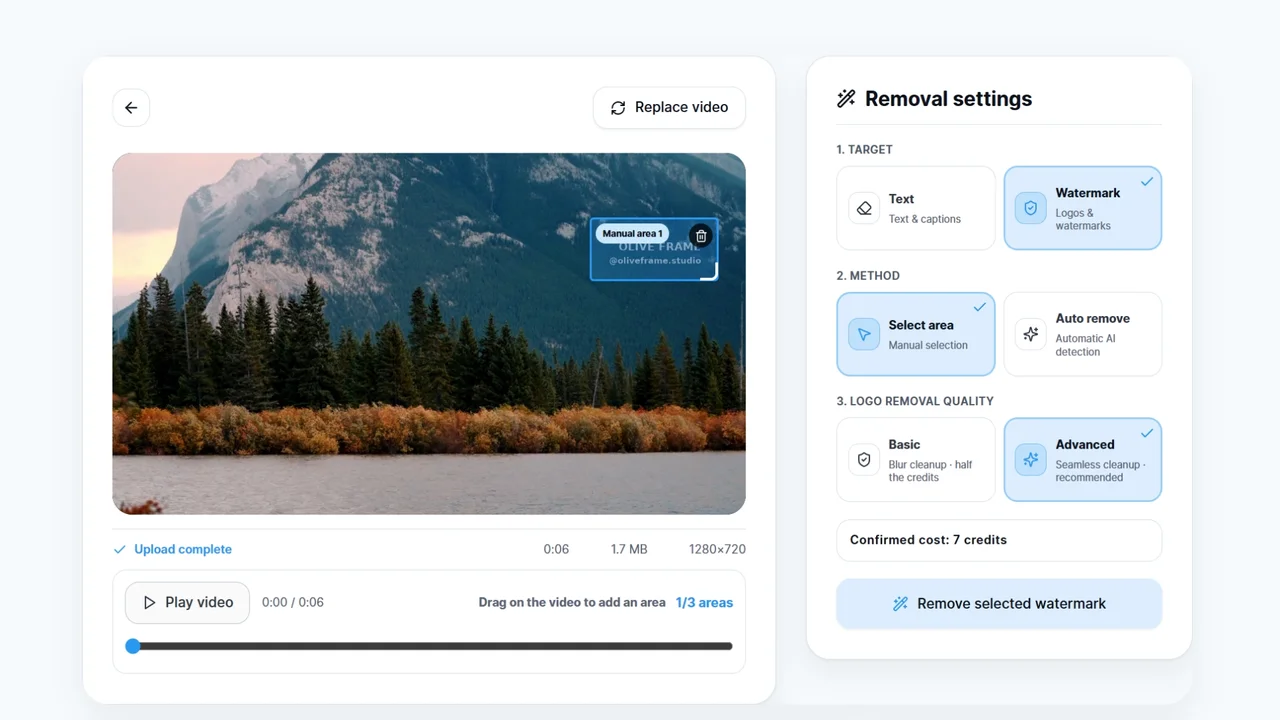
The workflow is straightforward: upload an MP4, MOV or WebM file, preview it in the browser, and choose between automatic fixed-text detection or manual region selection. Users can highlight up to ten target areas per video, giving precise control over what gets cleaned. Processing handles videos up to 4K resolution, making the tool suitable for professional and social media workflows alike.
Content creators, marketers, video editors and localization teams turn to RemoveText.video to repurpose existing footage without rebuilding entire edits. It is particularly useful for updating promotional videos, removing foreign-language captions before translation, cleaning archival footage, and preparing clips for rebranding or reformatting across platforms.
Because the tool processes files locally in the browser during preview and keeps the original dimensions intact, it avoids the quality loss and framing issues that come with cropping or masking. The combination of speed, precision and preservation of original video quality makes it a practical choice for anyone managing a library of legacy or text-heavy video assets.
Features
- AI-powered removal of fixed text, hardcoded subtitles and captions
- Original-dimension processing up to 4K
- Automatic fixed-text detection
- Manual selection of up to ten target areas
- Support for MP4, MOV and WebM videos
Pros
Cons
RemoveText.video Pricing Plans
Lite Pack
$6.90 one-time
300 credits, valid for 12 months.
Basic Pack
$24.90 one-time
1,200 credits, valid for 12 months.
Pro Pack
$59.90 one-time
3,000 credits, valid for 12 months.
Hobby
$9.90/month
600 credits per month.
Basic
$19.90/month
1,500 credits per month with higher queue priority.
Pro
$49.90/month
4,200 credits per month, highest queue priority, commercial license, and higher concurrency.