SpacePrompts
SpacePrompts is a centralized prompt management platform that saves, organizes, and syncs AI prompts for streamlined workflow efficiency.
SpacePrompts at a glance
- Pricing
- Free — from $5/month
- Rating
- ⭐ 5.0/5 · 3 reviews
- Key strengths
- Centralized prompt library with searchable organization across devices · AI-powered prompt enhancement and version control with rollback capability · Chrome extension for quick access and prompt capture from any website
Screenshots
About SpacePrompts
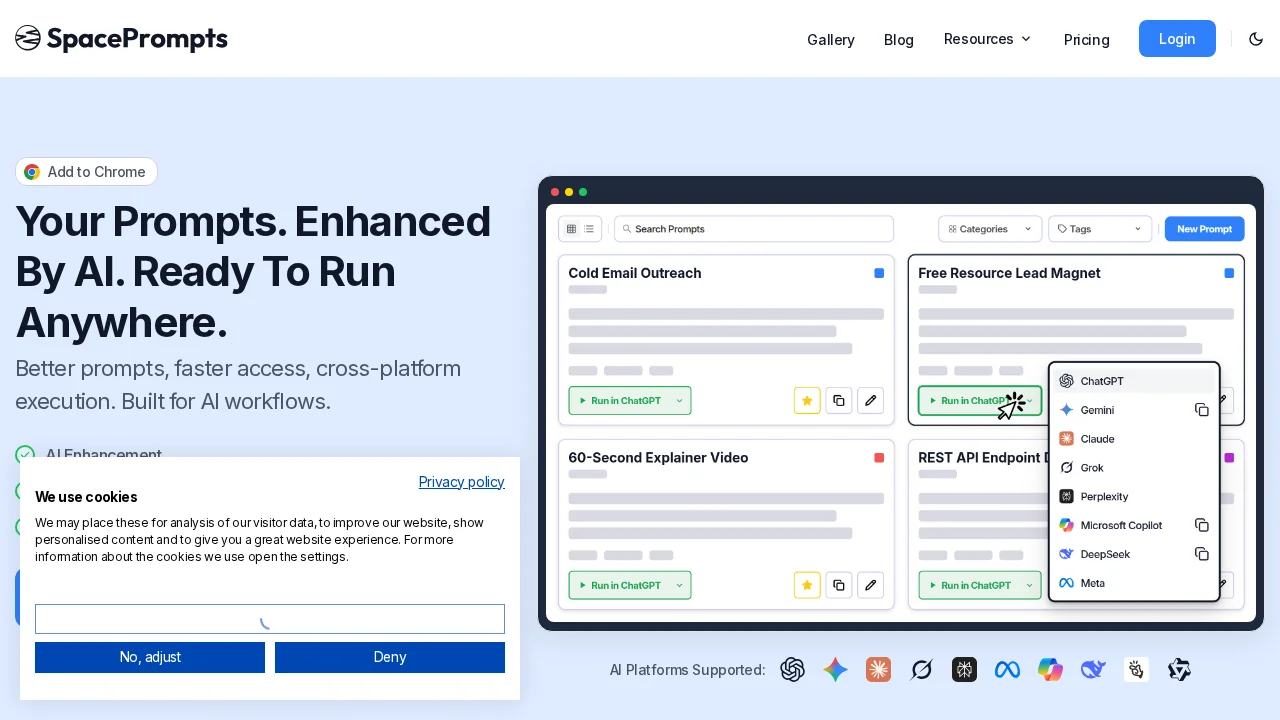
SpacePrompts addresses a critical pain point for AI users: managing and retrieving prompts efficiently. Instead of scattering prompts across emails, documents, or chat histories, users benefit from a unified, searchable library where every prompt is organized and instantly accessible. This centralized approach eliminates wasted time hunting for previously used prompts and ensures consistent access across all devices.
The platform enhances productivity through AI-powered prompt refinement, allowing users to improve clarity and effectiveness with a single click. Version control functionality lets users maintain a complete history of prompt iterations, compare variations, and rollback to earlier versions when needed. This is invaluable for teams and individual power users testing different approaches to prompt engineering.
Integration with multiple AI platforms and pre-built prompt templates for common workflows—such as marketing copywriting or coding tasks—accelerate setup and reduce the learning curve. The Chrome extension extends functionality beyond the dashboard, enabling quick access to your prompt library from any website and instant saving or copying of ChatGPT prompts without leaving your browser.
SpacePrompts simplifies the AI user experience by consolidating prompt discovery, creation, storage, and deployment into one intuitive interface. This eliminates context switching and enables teams to build and share institutional knowledge around effective prompting.
Pros
Cons
Alternatives to SpacePrompts
Prosetta
Prompt Wallet
Prompt Engine
Call Prompter
The Prompt Challenge
illumi
RewriteBar