


Best Capacities Alternatives 6 apps
Compare the top alternatives to Capacities — pricing, features, and ratings.
Capacities is a knowledge-management and note-taking app designed to help people organize information around connected ideas, projects, and resources. Someone searching for Capacities alternatives may want a different workflow for meeting capture, web monitoring, documentation, or collaborative research. The options below are not all direct replacements; they are specialized tools that may fit a particular gap better. Compare how each handles your inputs, how much automation you want, and whether its free or freemium model fits your use.
Why look for a Capacities alternative?
Capacities can be a strong choice when you want a broad place for notes and knowledge, but a broad workspace is not always the fastest route to a specific job. A reader might prefer a browser-based meeting recorder, an AI curator that watches selected topics, or a live events dashboard rather than manually turning incoming information into notes. Platform preferences, collaboration needs, search habits, and the cost of a more general tool can also motivate a switch.
These alternatives therefore cover adjacent use cases as well as knowledge work. Some focus on collecting and summarizing information, while others turn it into customer-facing documentation or a shared research environment. The right comparison is less about replacing every part of Capacities and more about finding the tool that reduces friction in the work you actually do.
What to look for in a Capacities alternative
Match the input you work with
Start with the material you handle most often: meeting conversations, web sources, live events, internal documents, or support questions. A specialized alternative can be a better fit when it accepts that input directly instead of requiring you to reshape it into general notes first.
Check the output you need
Decide whether success means a concise meeting summary, a filtered stream of relevant stories, a real-time view of global events, a searchable research workspace, or published help content. Comparing the output keeps a familiar interface from distracting you from the job the tool must complete.
Review privacy and control
Meeting transcripts, research files, and customer documentation can contain sensitive material, so review where information is stored, how it can be exported, and what controls your team needs. The NIST Privacy Framework is a useful reference for organizing privacy questions before you move a workflow.
Consider accessibility and collaboration
If information is shared across a team, test permissions, comments, search, and export in the actual browsers and devices people use. Use the W3C accessibility guidance as a practical check when a replacement becomes part of a wider work process.
The best Capacities alternatives

DailyScope.ai uses AI to track global news trends by analyzing the most covered countries and themes across multiple sources. Compared with Capacities, it is a better fit when the main task is scanning the news landscape and spotting recurring coverage patterns rather than organizing a personal knowledge base. The HyperStore listing marks it as free, making it a low-friction option for news-focused discovery.
Kolva captures, transcribes, and summarizes meetings directly in your browser, so it suits people whose primary source material is conversation. It is a more focused choice than Capacities for turning a meeting into a usable summary without making meeting capture part of a broader knowledge workflow. The listing is marked free and also highlights a $0.25/hour rate, so check how that rate applies to your use.
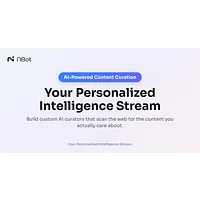
NBot AI creates personalized AI curators that monitor the web for specific interests and surface relevant content with less noise. Choose it over Capacities when the hard part is finding a steady stream of topics that matter, rather than storing and revisiting information you already collected. It is listed as free on HyperStore and is suited to interest-led web discovery.

Observe Earth is a live global events monitoring platform covering natural disasters, social movements, and economic trends in real time. It is a stronger fit than Capacities when timely situational awareness matters more than building a durable notes and knowledge system. The HyperStore listing marks it as free, which may suit researchers, analysts, or curious readers exploring live global signals.

Paperbook is an AI-powered help center builder that automates customer support with intelligent documentation. It makes more sense than Capacities when your goal is to turn product or support knowledge into customer-facing help content rather than maintain a general-purpose workspace. Paperbook is listed as freemium and is aimed at teams with a documentation and support use case.

SurfSense is an AI research assistant that transforms documents into collaborative workspaces with intelligent search and knowledge management. It is one of the closer fits for teams that need to work together across source documents and research material, while Capacities may appeal more as a broader personal knowledge environment. SurfSense is listed as freemium and suits document-heavy research workflows.
How to choose
Keep Capacities if its general knowledge workflow matches the way you think and collect information. Choose Kolva for browser-based meeting capture, DailyScope.ai or NBot AI for ongoing web discovery, Observe Earth for live global events, Paperbook for customer support documentation, and SurfSense for collaborative, document-centered research.