Podcast editing is the unglamorous work of turning raw conversation into something listeners actually finish: cutting filler words, balancing levels, removing background noise, adding intros and outros, and writing show notes. It used to require a DAW, a sound engineer, and several hours per episode. AI has rewritten the workflow by automating the most repetitive steps, from noise reduction and transcription to generating titles, chapters, social clips, and transcripts in one pass. The best AI tools for podcast editing now let solo creators ship weekly episodes that sound like they came out of a professional studio, often in a fraction of the time.
How AI helps with podcast editing
Modern AI handles the four jobs that consume the most editor hours. It cleans the audio itself: machine-learning noise removal can strip hum, echo, keyboard clicks, and even dogs barking without leaving the robotic artifacts that plagued older noise gates. It transcribes with near-human accuracy and gives editors a searchable, editable document to cut from, which is faster than scrubbing a waveform. AI also understands the structure of a conversation, so it can detect filler words, long pauses, and false starts, then auto-cut them or mark them for review.
Beyond the audio file, AI now generates the surrounding material that makes a podcast discoverable: episode titles, summaries, chapter markers, social posts, blog drafts, and newsletter copy. Tools that turn a single recording into ten platform-ready assets have become the single biggest time-saver for indie creators who also need to run a business. As noted in Nieman Lab's 2024 reporting on AI in podcasting, the shift is from AI as a novelty to AI as a default part of the production stack.
What to look for
Audio quality of the underlying models
Not all AI audio tools sound the same. The best ones preserve vocal warmth while removing noise; the worst leave a metallic sheen on the voice. Look for tools that let you A/B the processed result against the original, and prefer ones built on models trained specifically on speech rather than generic audio. If you record in less-than-ideal rooms, noise reduction quality matters more than any other feature.
Transcription accuracy and language support
Transcription is the foundation of modern podcast editing because so much else flows from it: captions, show notes, search, and the timeline you actually cut from. Aim for tools that publish word error rate benchmarks and support the languages and accents your show features. Speaker labeling (diarization) is essential for interviews, and timestamped output saves significant time in the edit.
Workflow integrations and output formats
An AI tool that lives in isolation adds friction. The strongest options export directly to your DAW, push transcripts to Google Docs or Notion, or hand off to video editors for short-form clips. Check the export formats (WAV, MP3, stems, SRT, VTT, Markdown) and whether the tool can ingest your existing RSS feed or recording platform. For a deeper look at how creators structure these pipelines, The Podcast Host's production guide remains a useful reference.
Content repurposing capabilities
If your goal extends beyond audio, look for tools that generate show notes, social posts, blog drafts, and clip transcripts from the same source. The best systems let you set a brand voice and produce assets in your tone, not a generic one. Repurposing quality varies enormously, so test with a real episode before committing.
Best AI tools for podcast editing
Adobe Podcast
Adobe Podcast is a web-based audio tool aimed at creators who want professional results without opening a DAW. Its AI handles recording, transcription, and editing, with a focus on speech enhancement that makes remote or low-quality recordings sound studio-clean. A freemium tier lets you try the core enhancement features before committing to a paid plan.
Podcast
Podcast is an AI service that generates audio episodes on diverse topics, offering listeners a window into how AI produces creative work. For editors, it is more useful as a reference point for AI-driven content workflows than as a hands-on editing tool, since the focus is on AI-generated shows rather than post-production.
Castmagic
Castmagic turns finished podcast and meeting audio into publish-ready written content, including transcripts, show notes, summaries, social posts, and quotes. The platform's strength is taking a single upload and producing an entire content kit, which is why it has become popular with creators who treat each episode as the seed for a week of marketing. A free tier is available for trying the core workflow.
koolio.ai
koolio.ai is an audio platform designed to take anyone from raw recording to published file in a single session. It combines editing, transcription, sound design, and publishing into a browser-based workflow that requires no installation. It is a strong fit for beginners who want a guided path from start to finish.
PoddyHost.com
PoddyHost.com focuses on the opposite end of the workflow: turning existing written content into podcasts. Authors and marketers can feed it a blog post or article and receive an audio episode in return, which makes it useful for creators with a backlog of written material they want to repurpose into a show.
AI Audio Kit
AI Audio Kit is a macOS transcription tool that runs on OpenAI's Whisper API and supports more than 70 languages. It is a paid utility aimed at users who need accurate, local transcription with broad language coverage, and it fits neatly into a Mac-based production setup where you want the transcript file without uploading to a browser service.
AI Photo Editor.ai
AI Photo Editor.ai is an image editing tool rather than an audio product, so its role in podcast editing is supporting the visual side of the show: cover art, episode thumbnails, and social cards. Podcasters who want consistent on-brand artwork without a designer can use it to generate or refine the imagery that lives alongside every episode.
Capsho
Capsho is a content repurposing platform built specifically for podcasters, vloggers, and livestreamers. It takes a finished episode and produces titles, descriptions, blog posts, LinkedIn updates, tweets, and email copy in a consistent voice. It is one of the most direct answers to the "how do I get more from each episode" question, and it is free to try.
Coolo.ai
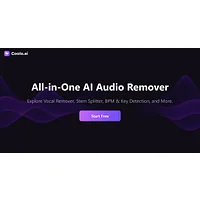
Coolo.ai is an AI audio suite centered on music and voice manipulation, with stem splitting, vocal removal, and music analysis among its capabilities. For podcasters, it is most useful when you need to separate elements from a music bed, isolate a sample for clearance, or analyze the structure of a track for intro design.
DeVoice
DeVoice is a transcription and cleanup tool that converts audio and video into text while applying noise removal. It is a practical choice when your main pain point is turning messy recordings into accurate transcripts you can edit, caption, or repurpose. A free tier is available for evaluating the core workflow.
Eddie AI
Eddie AI focuses on turning interview material and prompts into polished video, with interactive editing controls and multi-format exports. For podcasters building a video version of their show, clips for YouTube and shorts for social, it shortens the path from raw conversation to publishable visual content. A freemium model lets you test before paying.
Hello Humans
Hello Humans generates private, on-demand podcast episodes on any topic and emphasizes accuracy through built-in checks. It is a paid service aimed at listeners rather than editors, useful as a reference for how AI-generated audio is being positioned for trust and personalization, and as a benchmark for the quality audiences now expect.
How to choose
Match the tool to the bottleneck, not the brand. If your biggest time sink is the actual audio, start with Adobe Podcast or koolio.ai for in-session editing and enhancement. If you already have clean audio and need words on the page, AI Audio Kit and DeVoice are strong transcription picks, with AI Audio Kit winning for Mac users with multilingual shows. If your bottleneck is everything that happens after the edit, Castmagic and Capsho are the most direct path to a full content kit per episode. For visual support, AI Photo Editor.ai covers artwork, while Eddie AI covers video clips. Coolo.ai is a specialist for music and stem work, and PoddyHost.com serves creators who want to go from blog to podcast rather than the other way around.
Frequently asked questions
Can AI fully edit a podcast without a human?
For simple, well-recorded conversations, AI can now produce a publishable cut with minimal human review. Most professional podcasters still make creative and editorial decisions themselves, but the mechanical work of noise reduction, filler-word cutting, transcription, and show-note drafting is increasingly automated.
What is the best free AI tool for podcast editing?
It depends on the job. For cleanup and enhancement, Adobe Podcast and koolio.ai both have usable free tiers. For transcription, DeVoice and Castmagic offer free plans. For full post-production, free tiers are best treated as trials, since heavy use typically moves you to a paid plan.
How accurate is AI podcast transcription?
Modern AI transcription on clear English audio routinely hits 95% or higher word accuracy, and tools built on models like OpenAI's Whisper perform strongly across many languages. Accents, cross-talk, and noisy rooms still degrade accuracy, so choose a tool that supports speaker diarization and lets you correct the transcript in-app.
Will AI replace podcast editors?
AI is replacing the most repetitive parts of editing faster than it is replacing the role itself. Editors who treat AI as an assistant, handling cleanup and repurposing automatically while focusing on story, pacing, and creative direction, are shipping more episodes and taking on more shows.
Do I still need a DAW if I use AI tools?
For most solo creators, AI tools cover the standard podcast workflow without a traditional DAW. If you produce complex multi-track productions with heavy sound design, a DAW paired with AI transcription and cleanup is still the most flexible setup.
Start by identifying the step that costs you the most time, then pick the AI tool that targets that step first. Add the others as your workflow demands, and revisit the stack every few months, since the category is moving fast and the best AI tools for podcast editing this quarter will not be the same as the best ones next quarter.