AI Photo Editor.ai
AI Photo Editor.ai is an intelligent image creation and editing tool powered by advanced AI models for professional-quality results.
AI Photo Editor.ai at a glance
- Best for
- Photographers
- Pricing
- Free — from $9/month
- Rating
- ⭐ 2.5/5 · 4 reviews
- Key strengths
- Text-to-image and image-to-image generation in one platform · Professional style transfer with diverse artistic effects · Photorealistic object manipulation and background editing
Screenshots
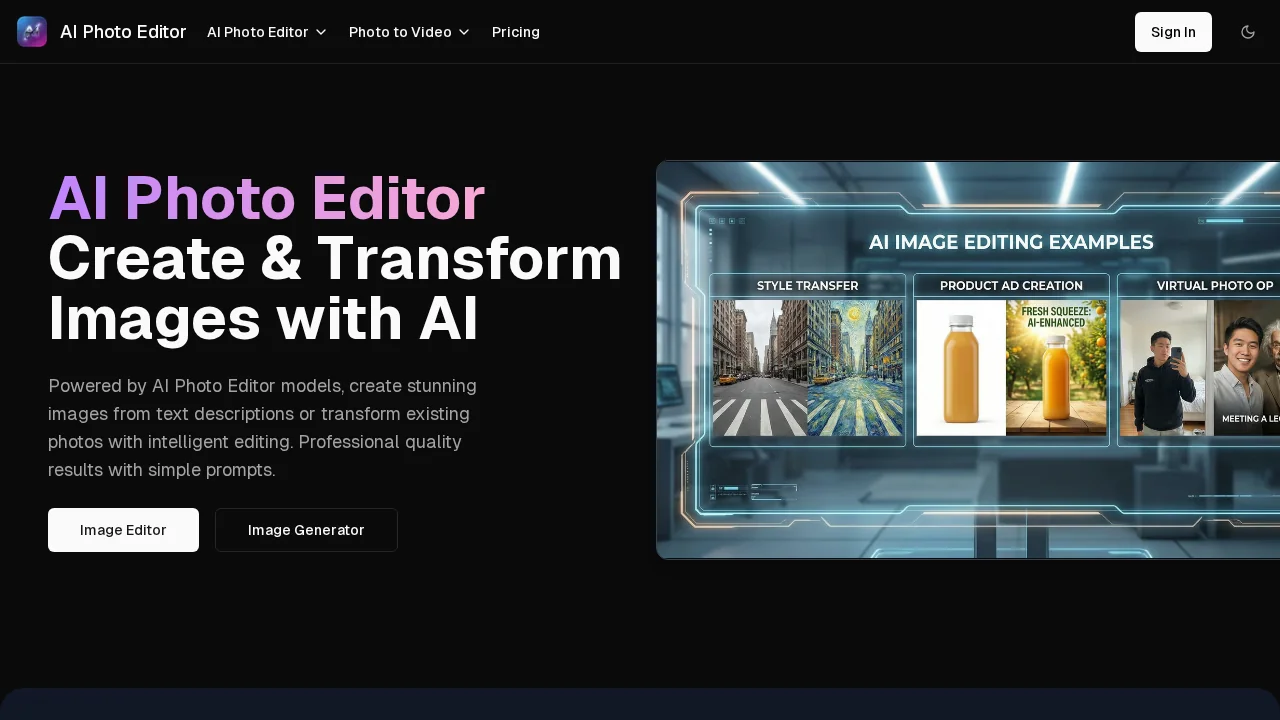
About AI Photo Editor.ai
AI Photo Editor.ai combines cutting-edge artificial intelligence with an intuitive interface to simplify image creation and modification. Whether you're starting from scratch or refining existing photos, the platform delivers sophisticated editing capabilities without requiring technical expertise. The dual-functionality approach lets you generate entirely new images from text descriptions or transform photographs through intelligent image-to-image processing.
The platform excels at artistic transformations through its Style Transfer feature, allowing you to reimagine photos in diverse artistic styles—from anime and cartoon aesthetics to classical oil painting and watercolor effects. This makes it invaluable for creative professionals, designers, and content creators seeking to produce visually distinctive work quickly. The AI interprets your creative intent and translates it into high-quality visual outputs that maintain consistency and professional polish.
Object manipulation capabilities empower users to reshape their photos with precision. Add new elements, remove unwanted objects, change backgrounds, or completely transform scenes while maintaining photorealistic quality. These tools operate seamlessly within the editor, eliminating the need for multiple applications or advanced technical knowledge. The straightforward workflow means you spend less time learning software and more time creating.
Accessibility is a core strength, with both free and premium tiers available to suit different needs and budgets. The platform prioritizes ease of use, ensuring that beginners and experienced creators alike can achieve professional results efficiently.
Pros
Cons
Alternatives to AI Photo Editor.ai
Chronostates
Remove Sora Watermark.ai
Remove Sora Watermark.video
AI Image Extender.io
Klayn
TruShot App
AI Enhance Image.com