Researchers cover a lot of ground. You've got PhD students running wet-lab experiments, postdocs wrestling with qualitative interviews, industry teams crunching user-behavior data. Different worlds, same pressure: read more, write tighter, analyze faster, all on a deadline that just shrank. The best AI tools for researchers now touch every stage of that work. Literature reviews that used to eat weeks can get done in an afternoon, and patterns buried in a dataset suddenly surface without weeks of manual coding.
Below, I'll walk through why researchers have adopted AI faster than almost any other profession, what to check before signing up for a new tool, and the specific apps earning their spot on the HyperStore marketplace right now.
Why researchers use AI
The bottleneck for most researchers isn't ideas. It's everything around the ideas. Triaging a few hundred new papers a month. Transcribing interviews. Cleaning messy datasets. Polishing a manuscript to satisfy reviewers who treat every comma as load-bearing. Writing a grant proposal against a 15% funding rate. AI happens to be good at exactly this kind of work: high-volume, pattern-heavy, language-intensive. A solid summarizer can compress a 40-page methods section into a paragraph you'll verify in five minutes. A writing assistant flags the passive-voice drift reviewers always catch. A code-generation tool lets a bench scientist prototype a stats model without waiting on a collaborator who's booked for the semester.
There's a reproducibility angle too. Funders and journals keep pushing for open, replicable workflows, and AI tools that generate code, document datasets, or translate an analysis between Python, R, and Julia become force multipliers instead of shortcuts. Used well, they give researchers more time for the questions that actually need a human in the loop.
What to look for
Source-grounded outputs
For academic work, any AI tool that hallucinates citations is dead on arrival. Prioritize apps that ground their responses in uploaded papers or indexed sources and show you the exact passage behind each claim. Tools like paper-summarization systems work best when they expose their evidence instead of handing you one confident paragraph.
Data privacy and compliance
Most researchers handle unpublished data, participant identifiers, or pre-publication findings at some point. Before you upload anything, check whether the tool trains on user inputs, where the data gets stored, and whether it satisfies your IRB. The University of North Carolina's guidance on data security and AI tools is a decent starting checklist.
Open-source and reproducibility
If reviewers or future collaborators need to reproduce your work, lean toward tools with open-source code, published model cards, or the ability to export your full workflow. Open weights matter a lot for ML researchers building on top of pretrained models.
Discipline-specific fit
A tool built for qualitative coding will frustrate a computational biologist, and vice versa. Look for apps designed around your artifact type: interviews, PDFs, time series, code, prose, rather than a generic assistant that does everything badly.
Best AI tools for researchers
PaperBrain
PaperBrain is built for the literature-review stage that eats most of a researcher's week. It turns dense academic PDFs into clean summaries and lets you ask follow-up questions conversationally, so you can interrogate a paper's methodology or findings without rereading it from scratch. The freemium tier makes it reachable for grad students who need to triage dozens of papers before a lab meeting.
Pomelli
Pomelli is a Google Labs data-analysis tool aimed at researchers who sit on interesting datasets but don't have the engineering bandwidth to pull signal out of them. It turns raw inputs into structured insights and visualizations, which is handy for survey researchers, behavioral scientists, and product or UX teams running studies. Because it lives in the Google ecosystem, it slots into existing Sheets and Drive workflows.
Grammarly
Clear academic prose isn't optional if you want a paper accepted or a grant funded. Grammarly's AI writing assistant catches grammar, clarity, and tone issues across every app and browser tab you live in, from Gmail to Overleaf. The premium tier adds style and citation-aware suggestions that go well past spell-check, which matters when your reviewers are non-native English speakers or working across disciplines.
fast.ai
For researchers who need to actually train or fine-tune models rather than just consume them, fast.ai offers free courses, open-source libraries, and a pragmatic top-down teaching style. It sees heavy use in computational biology, physics, and social-science labs that want production-quality deep learning without years of prerequisites. Both the library and the course materials are open source, so the workflow stays reproducible.
LAION
LAION is a nonprofit that maintains large-scale open datasets and models, the most famous being the image-text pairs that helped launch modern multimodal research. For ML and computer-vision researchers, LAION is basically infrastructure. The datasets feed pretraining, benchmarking, and replication studies. It's free and fully open source, which lines up with the open-science mandates a lot of funders now require.
CheckforAi
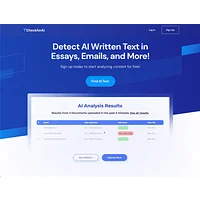
As AI-generated text spreads, researchers face two problems: spotting it in submitted work and verifying the originality of their own writing before submission. CheckforAi was a free nonprofit detector aimed at that authenticity question. It's useful as a sanity check on peer-review submissions, conference abstracts, and student work, though I'd treat any detector as one signal among many, not a verdict.
Orchids
Orchids is a fullstack AI engineer that automates coding tasks and speeds up app development. For researchers building internal dashboards, custom analysis pipelines, or interactive figures, it removes the friction of writing boilerplate and stitching APIs together. It's especially useful for labs that want to ship a small internal tool without pulling a dedicated developer off other work.
MimicPC
MimicPC gives researchers browser-based access to more than 20 AI apps without any installation or local GPU. That matters for fieldwork, conference travel, or shared university machines where installing a Python environment is a non-starter. It's a quick way to run image generation, transcription, or LLM workloads on borrowed hardware.
Quizlet
Quizlet's AI-powered flashcards and adaptive learning help researchers study for qualifying exams, pick up a new statistical method, or absorb vocabulary in a foreign-language archive. It's widely used in graduate education and works well for the spaced-repetition stage of preparing for comps or fieldwork.
Lucen.app
Lucen.app analyzes text conversations to surface relationship dynamics and communication patterns. Qualitative researchers running interview studies, focus groups, or participant-observation work can use it as a first-pass coding layer to flag recurring themes, sentiment shifts, or power dynamics in transcripts. It's especially useful when the corpus is too big to hand-code in full.
ApnaVikas – AI Soft Skills & Personality Coach
Research happens in interdisciplinary teams now, and communication breakdowns are one of the leading causes of project delays. ApnaVikas is an AI coach grounded in Enneagram research that helps researchers improve how they collaborate, present, and negotiate. Useful for navigating advisor relationships, running a lab, or explaining findings to non-specialist stakeholders.
Huntr
Huntr streamlines the job search with AI-powered resume optimization and application tracking. For postdocs, PhDs moving into industry, or anyone on the academic job market, Huntr tailors CVs to specific calls, tracks deadlines, and keeps multi-application workflows organized. It's one of the more underrated tools for the career-transition side of a research career.
How to choose
Start with the stage of your work that hurts most. If literature triage is the bottleneck, PaperBrain is the highest-leverage pick. If your data is sitting unused, Pomelli is the better starting point. For ML and reproducibility, fast.ai and LAION form the open-source backbone. Coding-heavy work gets accelerated by Orchids, while MimicPC covers travel and field situations. Writing quality and originality are handled by Grammarly and CheckforAi. Study and exam prep maps to Quizlet, qualitative coding to Lucen.app, communication and team dynamics to ApnaVikas, and career transitions to Huntr.
Frequently asked questions
Are AI tools reliable for academic literature reviews?
Reliable as accelerators, not as authorities. Always verify the underlying passages a tool cites and never accept a citation you can't locate in the original paper. Treat AI summaries as a first-pass triage, with human verification before any claim enters your manuscript.
Is it safe to upload unpublished data to AI tools?
Only when the tool's data policy explicitly states that inputs aren't used for training and are deleted within a defined window. For IRB-restricted data, prefer locally hosted open-source models over cloud services, and check your institution's data-security guidance before uploading anything.
Which AI tool is best for qualitative research?
For conversational or interview data, a transcript-aware analysis tool like Lucen.app is a strong starting point, paired with a traditional coding tool such as NVivo or Atlas.ti for deeper theory-driven coding. AI handles volume; human interpretation handles meaning.
Do AI detectors actually work?
Detectors like CheckforAi provide one signal among many. False positives and false negatives are common, especially with non-native English writers or heavily edited prose. Use them as a prompt to investigate, not as a final verdict.
How do researchers stay reproducible while using AI?
Document the exact tool, version, prompt, and input used for every AI-assisted step, and prefer open-source tools when you can. Many journals now ask authors to disclose AI usage in their methods or acknowledgements, following guidance from Science.
Pick one or two tools that target your actual bottleneck, learn them well, and let the rest of your workflow stay human. The researchers who get the most out of AI are the ones who use it to buy back thinking time, not to outsource thinking itself.