Subtitles and captions turn spoken audio into readable text, making videos accessible to deaf and hard-of-hearing viewers, easier to follow in sound-off environments, and more discoverable through search. Creators, educators, marketers, and corporate teams rely on them for everything from YouTube tutorials to internal training libraries. AI has reshaped this work: what once required manual typing or expensive transcription services now happens in minutes, often with translation across dozens of languages and one-click styling for social platforms.
How AI helps with subtitles & captions
Modern AI captioning tools use automatic speech recognition (ASR) models to convert audio into time-stamped text. Once transcribed, the output can be translated into other languages, edited in a browser-based timeline, and exported as SRT, VTT, or burned-in open captions. Many tools go further by auto-styling captions with animated words, brand colors, and platform-specific aspect ratios so the same video can be reshaped for TikTok, Instagram Reels, and YouTube Shorts.
For professional editors, AI plugins now run inside Premiere Pro and similar NLEs, generating captions locally so sensitive footage never leaves the workstation. Social-first tools skip the timeline entirely and write short, hook-driven captions from a topic prompt or an uploaded image, which is a different but equally valuable flavor of "captioning."
What to look for
Transcription accuracy and language coverage
Word error rate (WER) matters more than feature lists when evaluating caption tools. Look for engines built on strong ASR foundations, and check how many languages they support if you publish globally. Accent handling, background-noise tolerance, and punctuation quality separate the best from the rest. Industry benchmarks from groups like NIST's Open ASR Evaluation show meaningful differences between commercial models.
Editing workflow and export formats
A good tool lets you fix mistakes inline, adjust timing on a waveform, and export to the format your downstream tool expects. Common targets are SRT for YouTube, VTT for web players, and burned-in captions for social media. Batch export and the ability to keep a single source of truth across edits saves real time on long projects.
Privacy and deployment model
If you caption client interviews, medical content, or unreleased footage, where the audio is processed matters. Cloud tools are fastest; offline or local-only options, including Whisper-based apps and Premiere plugins, keep files on your machine. Decide based on your compliance obligations and turnaround time.
Styling and platform-ready output
For short-form social, look beyond accuracy and toward animated captions, auto-reframing, and templates tuned for vertical video. Tools that combine captioning with clip generation let creators go from long-form recording to posted Reel in a single workflow. WCAG accessibility guidance is also worth reviewing to ensure contrast, size, and timing meet standards.
Best AI tools for subtitles & captions
Captions
Captions is an AI video studio aimed at creators who want one place to record, subtitle, and publish. It handles the full pipeline: automatic transcription, subtitle editing, AI avatars, and short-form clip generation. The free tier is enough for solo creators testing the workflow, while paid plans unlock longer exports and team features.
Captioner.io
Browser-based and friction-free, Captioner.io turns uploaded video into time-stamped subtitles in over 98 languages. It focuses on the core transcription-and-export loop without a steep learning curve, making it a sensible default for users who just need accurate SRT or VTT files quickly.
SubEasy.ai
SubEasy.ai emphasizes high-accuracy transcription paired with translation across more than 100 languages. It is well suited for educators, podcasters, and localization teams who need bilingual subtitles from a single source recording. The free tier covers short clips, with paid plans for longer durations and team use.
AirCaption
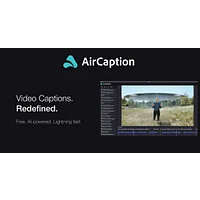
AirCaption is built around the idea that captioning should take minutes, not hours. Upload, edit on a clean timeline, and export finished subtitles with minimal friction. It is a strong choice when you want a focused tool rather than a full video editor.
Beey
Beey converts audio and video into editable, searchable transcripts and subtitles with strong European-language support. It is popular with journalists, researchers, and universities that value accuracy and an intuitive correction interface over flashy styling.
Buzz Captions
Buzz Captions is a paid desktop app that runs OpenAI's Whisper model locally, so audio never leaves your computer. That makes it attractive for agencies and legal teams handling confidential recordings. It supports transcription and translation in a wide range of languages entirely offline.
CaptionGenerator
Unlike the transcription tools above, CaptionGenerator writes short, engaging social captions and hashtags for TikTok and Instagram from a prompt or topic. It is aimed at marketers and creators who need daily post copy rather than video subtitles, and sits in the paid tier.
CaptionThat.app
CaptionThat generates AI-powered social media captions from images and videos, with a customizable brand voice. Free to use, it is most useful for small businesses and solo creators who want consistent on-brand copy across posts without hiring a copywriter.
GeekLink
GeekLink AI Subtitle Factory is a Mac application focused on efficient subtitle creation and management. It appeals to Mac-based video editors who want a native, dedicated tool for batch subtitle work rather than a browser app.
SubGetPro
SubGetPro is an AI subtitling plugin for Adobe Premiere Pro that generates captions offline. Because processing happens locally, it is well suited to editors working with confidential or unreleased material who still want the speed of AI transcription inside their existing NLE workflow.
Turbo Transcription AI
Turbo Transcription AI is a free tool that converts audio and video files into text and bundles automatic subtitle and translation generation. It is a good general-purpose option when you want accurate output without committing to a paid subscription.
Vsub
Vsub combines AI voices, animated captions, and one-click cross-platform sharing for short-form creators. It is designed for the TikTok and Reels workflow where styled, eye-catching captions matter as much as accuracy, and where speed of posting is the priority.
How to choose
For pure transcription and SRT export, Captioner.io, Beey, and Turbo Transcription AI cover most needs. If you need privacy or offline processing, Buzz Captions and SubGetPro keep audio on your machine. Localization teams working across many languages will find SubEasy.ai's translation breadth valuable. Creators focused on short-form social should look at Captions, Vsub, or Captiongenerator depending on whether they need animated captions or written post copy. Mac editors handling large batches will feel at home in GeekLink.
Frequently asked questions
What is the difference between subtitles and captions?
Subtitles translate or transcribe spoken dialogue for viewers who can hear but may not understand the language or want silent playback. Captions, in the strict accessibility sense, include dialogue plus non-speech audio cues like [music] or [door slams] for deaf and hard-of-hearing viewers. Many AI tools generate both interchangeably.
Are AI-generated captions accurate enough for professional use?
For clear audio with one or two speakers, modern AI captioning is often 95% accurate or better and needs only light human review. Heavy accents, cross-talk, and technical jargon lower accuracy, so professional workflows should always include a quick editorial pass before publishing.
Can AI tools translate captions into multiple languages automatically?
Yes. Tools like SubEasy.ai, Buzz Captions, and Captioner.io support dozens to over a hundred languages. Machine translation of subtitles is fast and improving, but human review is recommended for high-stakes content such as legal, medical, or marketing material.
What export formats should I look for?
SRT is the universal standard and works in YouTube, most editing tools, and social platforms. VTT is preferred for HTML5 web players. For social media, you typically want burned-in (open) captions styled to your brand, which tools like Vsub and Captions generate automatically.
Do I need a separate tool for social captions versus video subtitles?
Usually yes. Video subtitle tools like Captions, AirCaption, and Beey work from audio and produce time-coded text. Social caption tools like Captiongenerator and CaptionThat.app write short marketing copy from a prompt or image. Pick based on whether you need on-screen text for video or written captions for posts.
Whichever tool you choose, expect to spend a few minutes reviewing and styling AI-generated captions before publishing. That small editorial step is what separates acceptable output from professional results, and it is now the only manual work left in a workflow that used to take hours.