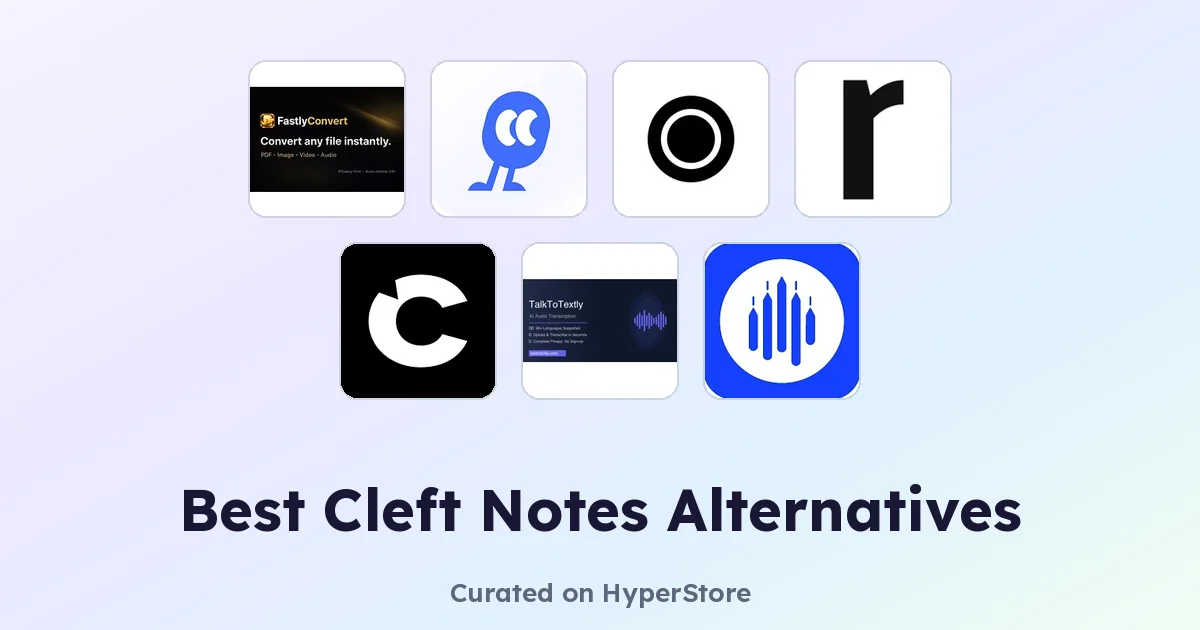
Cleft Notes is an AI-powered voice note-taking app that captures spoken thoughts and turns them into structured, searchable text. Many users first encounter it when they want a frictionless way to record meetings, brainstorms, or personal memos without typing. Even so, there are good reasons to compare Cleft Notes alternatives before settling on a long-term tool, because the voice-to-text space moves quickly and pricing, language support, and integrations vary widely.
Why look for a Cleft Notes alternative?
Voice note apps tend to look similar on the surface, but the differences show up in everyday use. Some users hit a wall with automatic speech recognition accuracy on accented English, background noise, or technical jargon. Others want broader language coverage, faster turnaround on long recordings, or a free tier that doesn't cap minutes after the first week.
Workflow fit matters too. Cleft Notes may not integrate with the calendar, CRM, or note system a team already uses, or it may lock certain features behind a paid plan. Switching is often less about Cleft Notes being bad and more about finding a tool whose defaults match how you actually capture and reuse spoken content.
What to look for in a Cleft Notes alternative
Transcription accuracy and language coverage
Accuracy is the foundation of any voice notes tool. Look for apps that publish their word error rate, support the languages and accents you actually use, and handle overlapping speakers. A tool that excels at clean dictation but stumbles on multi-speaker meetings is rarely a fair swap, so check sample transcripts before committing.
AI formatting and structure
Raw transcripts are rarely what people want to read back. The strongest alternatives go beyond verbatim text and add punctuation, speaker labels, summaries, action items, and headings. Compare how each app handles filler words, run-on sentences, and the gap between a quick voice memo and a long-form recording.
Integrations and export
Where do your notes end up after they are transcribed? Look for apps that push to Notion, Google Docs, Slack, email, or your calendar, and that let you export in open formats like .txt, .docx, or .srt. Lock-in happens fast when an app only exports proprietary formats.
Pricing, limits, and privacy
Free tiers often look generous until you hit a monthly minute cap or a watermark on exports. Check whether transcription minutes, file length, or team seats are limited, and review how audio is stored, encrypted, and used for model training. Voice recordings can be sensitive, so a clear privacy policy matters.
The best Cleft Notes alternatives
Echonote
Echonote focuses on turning voice notes into clean, structured written content rather than raw transcripts, which makes it a strong Cleft Notes alternative for writers and students who want paragraphs they can paste straight into a draft. It leans on AI formatting and summarization, so quick memos come out ready to read. If your priority is presentation over verbatim accuracy, Echonote is worth a close look.
FastlyConvert
FastlyConvert is built around speed, converting audio and video files into transcripts with minimal friction. It suits users who already have recordings stored locally and just need them turned into text, rather than a tool that captures audio live. Compared with Cleft Notes, it acts more like a converter than a daily capture app, so it pairs well if you batch-process interviews or lectures.
Mumble Note: AI Voice Notetaker
Mumble Note positions itself as an AI notetaker for scattered thoughts, capturing quick voice memos and reorganizing them into actionable items. It is a natural fit for people who brainstorm on the move and need an inbox of structured notes rather than a wall of audio files. Versus Cleft Notes, Mumble Note leans harder into task-style outputs and idea grouping.
Recal
Recal brands itself as an AI second brain for meetings and conversations, summarizing discussions and pulling out decisions and follow-ups. It is a good Cleft Notes alternative for teams and freelancers who live in recurring meetings and want notes that route themselves into the right project. If Cleft Notes feels too capture-focused and not enough synthesis-focused, Recal closes that gap.
TalkToTextly
TalkToTextly supports transcription across 24 languages, which makes it the strongest pick in this list for multilingual users. It is a straightforward speech-to-text tool without heavy note-taking scaffolding, so it suits people who want accurate transcripts they can edit themselves. Compared with Cleft Notes, it trades built-in formatting for broader language reach.
Yakki
Yakki is a voice dictation tool with context awareness that works across multiple applications, letting you dictate into docs, chat, and forms rather than only inside its own app. It is the closest match for users who want Cleft Notes-style capture but need it to flow into the tools they already use. If Cleft Notes feels siloed, Yakki's cross-app dictation is the main draw.
How to choose
Pick Echonote or Mumble Note if you want AI-formatted notes from casual memos. Choose Recal if meetings are the bulk of what you record. Go with TalkToTextly for multilingual transcription, FastlyConvert when you already have audio files to process, and Yakki when you need dictation that travels across apps.
Frequently asked questions
Is there a free Cleft Notes alternative?
Yes. Echonote, FastlyConvert, Mumble Note, Recal, TalkToTextly, and Yakki all offer free tiers, though minute limits and feature gates vary. It is worth testing two or three on the same recording to see which free tier actually fits your volume.
What is the best Cleft Notes alternative overall?
For most users, Recal and Echonote are the strongest all-rounders because they combine solid transcription with structured outputs. The best choice depends on whether your priority is meeting summaries, polished prose, or raw accuracy.
Which Cleft Notes alternative supports the most languages?
TalkToTextly advertises transcription across 24 languages, which is wider than most tools in this category. If you regularly switch between languages or work with non-English speakers, it is the safest starting point.
Can I use these alternatives for long meetings?
Yes, though free tiers often cap recording length or monthly minutes. Recal is purpose-built for meetings, while FastlyConvert handles long audio files well if you upload them after the fact. Check each app's maximum recording length before relying on it for hour-long sessions.
Do these alternatives work on mobile and desktop?
Coverage varies. Yakki and Mumble Note are designed for on-the-go capture, while Recal tends to shine on desktop during scheduled meetings. Confirm platform availability on each app's HyperStore listing before switching if you record across multiple devices.
Each of these Cleft Notes alternatives brings a different strength to voice capture, so the right pick depends on whether you care more about formatting, accuracy, language coverage, or cross-app dictation. Try two on the same recording and compare the output side by side. That single test usually makes the choice obvious.