FlowSub and MagicLight both live in the AI video category on HyperStore, but they're built for different jobs. FlowSub turns speech into accurate, multi-language subtitles for audio and video you already have. It's aimed at content creators, podcasters, educators, and video producers who need captions fast. MagicLight is a script-to-video animation platform that converts written stories into fully animated videos up to 50 minutes long, aimed at storytellers, marketers, and educators who want finished visuals without learning animation. This FlowSub vs MagicLight comparison looks at where each tool shines, where they overlap, and which one belongs in your workflow.
At a glance
FlowSub adds captions to content you already own. MagicLight creates the content itself. If your bottleneck is accessibility and global reach on existing footage, FlowSub fits. If your bottleneck is producing finished animated video from scratch, MagicLight does.
What each tool does
FlowSub
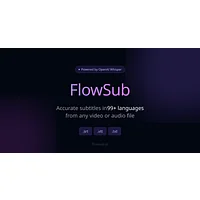
FlowSub is an AI subtitle generator built around one task: turning spoken audio into accurate, searchable text. Upload any video or audio file and the platform transcribes it with advanced speech recognition, supporting numerous languages so creators can reach international audiences without doing the captioning themselves. Output exports as SRT, VTT, TXT, or ASS files, which drop into most video editors, media players, and social platforms. There's a free tier for testing, and paid Pro plans unlock unlimited transcriptions, translation features, and additional export options.
MagicLight
MagicLight is an AI animation platform that converts scripts, stories, and text prompts into polished animated videos. Rather than captioning existing footage, it generates the footage: characters, scenes, transitions, and timing are all handled automatically, with templates for kids' stories, faith content, explainers, jingles, and more. The platform supports long-form output up to 50 minutes and keeps character consistency across scenes, which tackles the choppy, disconnected-clip problem common in other AI video tools.
Feature comparison
Core output
FlowSub outputs text files (subtitles and transcripts) that you attach to media you already own. MagicLight outputs finished MP4-style video files generated from scratch. They sit at opposite ends of the production pipeline, and a creator could reasonably use FlowSub to caption a video that MagicLight produced.
Input format
FlowSub takes existing audio or video files and does the listening for you, which is why podcasters and educators repurposing recorded lectures find it useful. MagicLight takes written scripts, story prompts, text descriptions, or images, and does the visualizing for you, which is why storytellers and marketers with a narrative already drafted find it useful.
Language and localization
FlowSub has the clear edge for multilingual accessibility, with transcription across numerous languages and paid translation features for producing localized subtitle tracks. MagicLight focuses on visual and narrative coherence in a single language pipeline rather than translation, though it does include an AI Subtitle Generator and AI Voice Cloning tools to localize finished videos.
Customization and creative control
FlowSub is mostly automated. You control export format and language, but not the wording of captions, since that's dictated by the audio. MagicLight offers more creative levers: story templates, character consistency, scene transitions, and an AI Video Editor for refinement. The trade-off is that output quality depends on script clarity, and highly specific animation styles can be hard to dial in.
Pricing
FlowSub is positioned as a paid product with a free tier for testing; the Pro subscription unlocks unlimited transcriptions, translations, and additional export formats. MagicLight is positioned as free to try with no credit card required, though the fact sheet flags subscription-based pricing for higher-volume use. Neither tool publishes detailed tier comparisons on the directory listing, so checking each provider's current page is the best way to confirm exact pricing for your usage level.
Pros and cons
FlowSub
- Supports multiple export formats (SRT, VTT, TXT, ASS) for broad compatibility
- Multi-language transcription makes global reach straightforward
- Free tier lets you validate accuracy before paying
- Fast, automated processing on any audio or video source
- Accuracy drops with poor audio, background noise, or unclear speakers
- Translation and Pro-only features sit behind the paid tier
- Works best on clean, well-recorded audio
MagicLight
- Turns scripts into finished animated videos with minimal manual effort
- Supports long-form output up to 50 minutes with character consistency
- Template library speeds up common formats like kids' stories and explainers
- Accessible to non-animators across skill levels
- Limited customization for users with very specific visual styles in mind
- Output quality depends heavily on script clarity and narrative structure
- Subscription costs can add up for frequent, high-volume creators
Which should you pick?
Pick FlowSub if your work already exists as audio or video and you need fast, accurate, multi-language captions. Podcasters, course creators, and social media teams uploading finished footage to YouTube, Instagram, or TikTok will see immediate value from automated transcription and SRT/VTT exports.
Pick MagicLight if you start with a script or story idea and need the video itself produced. Educators building lesson visuals, marketers producing short animated promos, and parents or creators making kids' stories will benefit most from its template library and long-form generation. Independent reviews of the broader AI video space, like those from TechRadar's roundup of AI video generators, consistently point to script quality as the main driver of output quality, which lines up with MagicLight's own guidance.
For creators who need both, the two are complementary rather than competitive: generate the video with MagicLight, then run the finished file through FlowSub to add subtitles and translations. That pairing covers production and accessibility in a single workflow.
Other alternatives on HyperStore
If neither tool fits, a few other options in the directory cover adjacent problems. ContGPT focuses on long-form AI article generation with WordPress integration, useful when written content is the main deliverable. Xmind combines AI mind mapping with GPT for structuring ideas before they become scripts or articles. For creators working on the spoken side of video, ParakeetAI tackles a different audio problem: real-time interview responses rather than transcription.
Frequently asked questions
Is FlowSub better than MagicLight for YouTube creators?
They serve different steps. FlowSub is better for adding accurate, multi-language subtitles to YouTube videos you already filmed. MagicLight is better for producing the animated YouTube video itself if you start from a script. Many creators end up using both, generating visuals with MagicLight and then captioning with FlowSub.
Does FlowSub translate subtitles, or just transcribe them?
FlowSub transcribes in numerous languages natively and, on its paid Pro plan, offers subtitle translation features so you can produce localized caption tracks for international audiences.
How long can MagicLight videos be?
According to MagicLight's own site, the platform supports fully animated AI videos up to 50 minutes long, with character consistency and scene transitions maintained throughout.
Do I need animation experience to use MagicLight?
No. MagicLight is built for users without animation expertise. You provide a script or pick a story template, and the AI handles character animation, scene composition, transitions, and timing. As with any AI video tool, clearer, well-structured scripts produce better results.
Which tool is cheaper for high-volume creators?
MagicLight is positioned as free to try with no credit card required, while FlowSub uses a paid model with a free tier. For very high volumes, MagicLight's subscription can add up, and FlowSub's Pro plan is built around unlimited transcriptions. The right answer depends on whether your bottleneck is creating videos or captioning them; check each provider's current pricing page for the latest tiers.
Both FlowSub and MagicLight are credible AI tools, just aimed at different stages of the video production pipeline. The best choice comes down to whether your raw material is a finished recording that needs captions or a script that needs visuals.