Choosing between Notis and ChatGPT comes down to what kind of AI tool you actually need. Notis is a narrow, workflow-specific assistant built for founders and professionals who live inside messaging apps and Notion. ChatGPT is a broad, general-purpose conversational AI from OpenAI, used by writers, developers, students, and teams for nearly any text-based task. Here's how they stack up, where each one works well, and which fits your situation.
At a glance
The core difference is scope. Notis is a single-purpose automation layer that turns voice messages and forwarded texts into structured Notion notes. ChatGPT is a general-purpose AI chat interface for writing, coding, brainstorming, and analysis. One replaces a specific chunk of busywork; the other is a Swiss-army assistant.
What each tool does
Notis
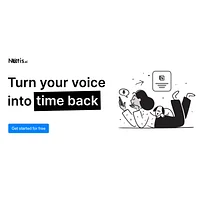
Notis markets itself as an "AI intern one message away," built by Mind the Flo in Switzerland. You send it a voice memo, a forwarded article, or a quick task via iMessage, WhatsApp, Telegram, or email, and the agent transcribes, organizes, and writes the result straight into your Notion workspace. It learns your existing Notion structure so it can categorize and format outputs to match the system you already use, which is why it's pitched at founders and operators who think out loud and don't want to retype anything later. According to Notis's site, the product is trusted by 17,000+ founders and is positioned as a "fire and forget autonomous AI agent" for meeting minutes, blog drafts, CRM updates, and similar busywork.
ChatGPT
ChatGPT is OpenAI's flagship conversational AI, designed to handle a wide range of text-based tasks through a simple chat interface. It drafts essays, debugs code, summarizes documents, brainstorms ideas, translates languages, and explains complex topics with contextually aware responses. There's no setup and no workflow to learn; you type a prompt and get a reply. The free tier makes it accessible to anyone, and the platform's flexibility is why it's become a default starting point for students, developers, marketers, and knowledge workers who need an on-demand thinking partner rather than a structured automation pipeline.
Feature comparison
Input methods and workflow
Notis is built around ambient capture. Speak into a chat app, forward a message, or email it in, and the content lands in Notion without you opening a new tab. ChatGPT requires you to come to it, paste or type a prompt into the chat window, then copy the output wherever it needs to go. If your bottleneck is "I have ideas in my head and notes scattered across chats," Notis removes more friction. If your bottleneck is "I need to think through a problem and iterate on a draft," ChatGPT is the more natural fit.
Output structure and destinations
Notis outputs land directly inside your Notion workspace, formatted and categorized according to the structure you already have there. That tight integration is also its biggest constraint: it's only useful if Notion is where you want things to end up. ChatGPT outputs are plain text in a chat thread, which you can copy anywhere, but you'll do the organizing yourself. For polished deliverables that go straight into a knowledge base, Notis wins; for one-off answers, drafts, or code snippets, ChatGPT is more flexible.
Versatility of tasks
ChatGPT is genuinely general-purpose. It can write a cover letter, explain a regex pattern, role-play a difficult conversation, summarize a PDF you paste in, and translate a paragraph from Spanish, all in the same session. Notis is intentionally narrow: it does capture, transcription, organization, and Notion sync very well, but it isn't trying to be a coding helper or a research analyst. The fact sheet lists ChatGPT's categories as Code & Development, Chat & Assistants, Research & Analysis, Text & Writing, and Productivity, while Notis sits in Note-Taking, Voice & Speech, and adjacent productivity buckets.
Voice and audio handling
This is where Notis has a clear edge. Its entire product is designed around voice messages arriving over messaging apps, and it transcribes and structures them automatically. ChatGPT does support voice input in some modes, but voice is a feature, not the product. If you think by talking and you want AI to handle the typing, Notis is the more purpose-built option. For comparison, dedicated transcription services like WhisperAPI also operate in this audio-to-text space if raw transcription is all you need.
Pricing
Both apps are listed as free in the HyperStore fact sheets. Notis offers a free trial and is positioned as accessible to founders at the entry tier. ChatGPT runs on a freemium model with a no-cost tier that has usage limits and slower response speeds, with paid plans available for heavier use. Neither app locks core functionality behind a paywall in its free offering, which makes it easy to test both before deciding.
Pros and cons
Notis
- Seamless integration with WhatsApp, iMessage, Telegram, email, and Notion
- Converts voice messages into structured notes, tasks, and summaries automatically
- Learns your existing Notion structure rather than imposing a new one
- Removes manual transcription and document-shuffling for fast-moving operators
- Free to start, with a focused workflow that requires almost no onboarding
- Useful only if you already use Notion; no meaningful support for other knowledge bases
- Accuracy depends on audio quality and the clarity of voice messages
- Needs initial setup and tuning to optimize how content is categorized and formatted
- Limited to the messaging platforms Notis currently supports
ChatGPT
- Handles a wide range of tasks, from writing and editing to coding and research
- Natural, contextual conversations that adapt to tone and technical depth
- Accessible chat interface that requires no technical knowledge
- Fast responses that fit into everyday productivity workflows
- Supports many languages and content formats out of the box
- Knowledge cutoff means it can miss recent events and current data
- Occasionally produces plausible-sounding but inaccurate answers
- Requires an account and an internet connection to use
- Free tier comes with usage limits and slower response speeds
Which should you pick?
Pick Notis if your biggest pain point is capturing ideas, voice notes, and forwarded messages and getting them cleanly into a Notion workspace without typing. It fits founders, consultants, and operators who already organize their life in Notion and want an "AI intern" that handles transcription, categorization, and task extraction in the background. The narrower the workflow, the more value you get.
Pick ChatGPT if you need a flexible thinking partner for writing, coding, brainstorming, learning, or research and you don't want to be locked into a single destination app. It's the right choice for students, developers, marketers, writers, and anyone whose tasks vary day to day and who's comfortable copying outputs into whatever tool they use. As OpenAI's flagship assistant, it also benefits from a large user base and continuous model improvements; you can read more about the underlying approach in OpenAI's research overview.
There's no rule that says you can't use both. A common pattern is to keep ChatGPT open for drafting, analysis, and coding help, while letting Notis handle the steady stream of voice memos and chat forwards that need to land in Notion automatically.
Other alternatives on HyperStore
If neither of these fits, a few related tools in the directory are worth a look. WhisperAPI is a strong option if all you need is high-accuracy audio-to-text transcription across many languages. Trend Hunter is built for AI-assisted trend and innovation research, which overlaps with the research and analysis category both apps touch. Hedra sits in a different lane entirely, focused on AI-generated video and expressive characters, but it's a useful reference if your content workflow extends beyond text.
Frequently asked questions
Is Notis better than ChatGPT for capturing voice notes?
Yes, for this specific job. Notis is purpose-built to receive voice messages over WhatsApp, iMessage, Telegram, and email and turn them into structured Notion entries. ChatGPT treats voice as one of many input modes. If voice-to-Notion automation is your main use case, Notis will save you more steps.
Is Notis vs ChatGPT really a fair comparison?
They're both AI assistants, but they solve different problems. Notis is a workflow automation tool tightly integrated with Notion and messaging apps; ChatGPT is a general-purpose conversational AI. Comparing them is useful because users often search for "AI assistant" without specifying whether they want a chat partner or a capture-and-organize tool.
Do either of these tools require a paid subscription?
Both are listed as free in their HyperStore fact sheets. Notis offers a free trial, and ChatGPT has a free tier with usage limits. Both companies also offer paid plans for heavier use, which is standard for AI products in this category.
Can Notis work if I don't use Notion?
Not well. According to Notis's fact sheet, the tool is designed around a Notion workspace and syncs outputs directly into it, so users on other platforms like Obsidian, Evernote, or Google Docs will get limited value. ChatGPT has no such lock-in, since its outputs are plain text you can paste anywhere.
Which is better for coding help?
ChatGPT. Its fact sheet explicitly lists Code & Development as a category, and it's widely used for debugging, explaining code, and generating snippets. Notis isn't positioned as a coding tool and has no such category in its listing.
Both Notis and ChatGPT are solid AI products aimed at different jobs. The right choice comes down to whether your main need is automated capture and organization of voice and message input into Notion, or a flexible conversational assistant for writing, coding, research, and ideation. Try the free tiers of both and let your actual workflow decide.