Claude Code
Claude Code is an AI coding assistant that understands entire codebases and accelerates software development.
Claude Code at a glance
- Pricing
- Free — from $17/month
- Rating
- ⭐ 5.0/5 · 2 reviews
- Key strengths
- Understands entire codebases for intelligent, context-aware suggestions · Available across terminal, IDE, Slack, and web platforms · Accelerates debugging and software delivery cycles
Screenshots
About Claude Code
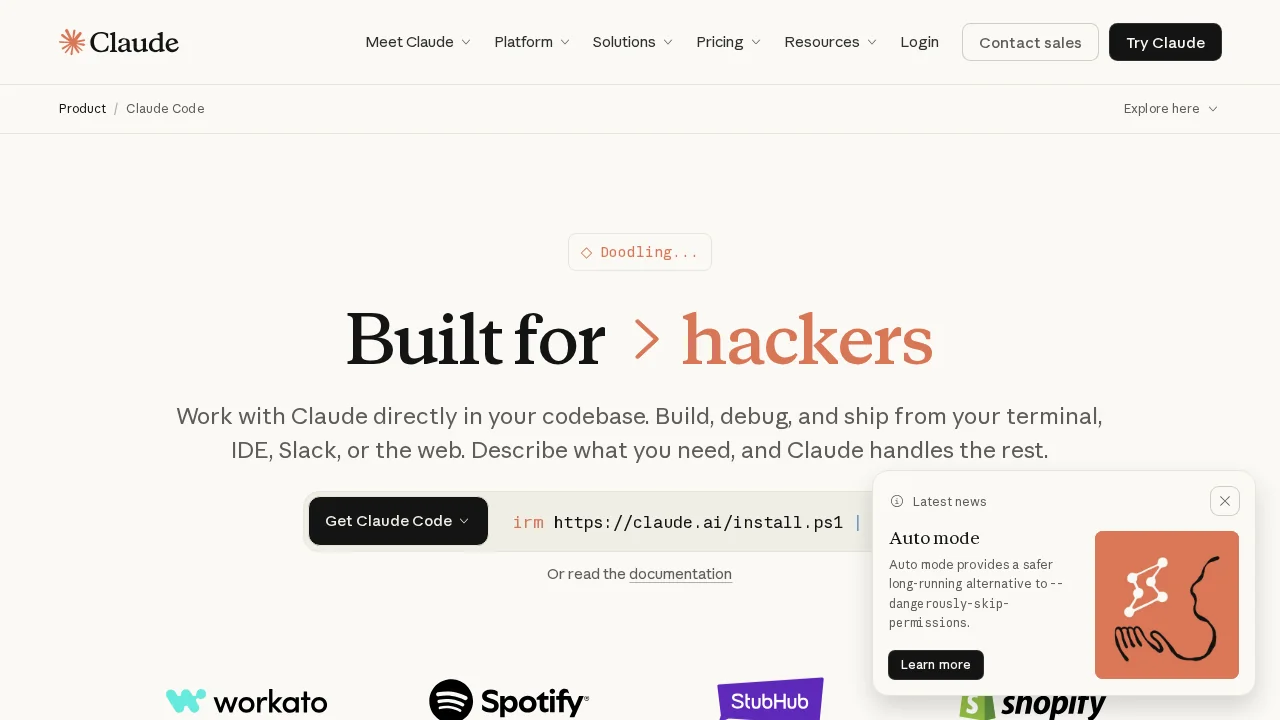
Claude Code is a powerful AI-driven development tool built to comprehend and work with complete codebases. Unlike generic coding assistants, it maintains context across your entire project, enabling it to make intelligent decisions about file edits, architecture changes, and debugging strategies. This deep codebase understanding transforms how developers approach problem-solving and feature implementation.
The platform provides seamless integration across your existing workflow. Access Claude Code directly from your terminal, IDE, Slack, or web browser—choose the environment that fits your development style. This flexibility means you can invoke AI assistance without context switching, keeping you in a productive flow state while working on complex tasks.
Key capabilities include intelligent file editing, command execution, comprehensive debugging, and issue resolution. Claude Code analyzes problems within the broader context of your project, suggesting solutions that align with your existing code patterns and architecture. This contextual awareness reduces back-and-forth iterations and produces changes that integrate naturally with your codebase.
Developers using Claude Code report faster shipping cycles and reduced time spent on repetitive debugging tasks. The tool excels at understanding legacy code, refactoring large sections efficiently, and implementing features with minimal oversight. By handling tedious analysis and suggesting well-informed solutions, Claude Code frees engineers to focus on high-level design decisions and business logic.
Pros
Cons
What is Claude Code used for?
- Code reviews
- Task automation
- Task management
- Memory assistance
- AI memory
- Code security
Alternatives to Claude Code
CodeRabbit
Kilo | Code Reviewer
Verdent
Base44
Rocket
Pulse Editor: Vibe Code & Automate
Mocha