


GoFaceless vs FlowSub vs Footage
A side-by-side comparison of GoFaceless vs FlowSub vs Footage — pricing, ratings, strengths and weaknesses — to help you pick.

GoFaceless ist ein KI-Video-Generator, der sofort postbare Faceless-Inhalte für YouTube, TikTok und Reels erstellt.
- PreisgestaltungPaid · $29/month
- Bewertung⭐ 3.6/5
- API—
- Open Source—
Vorteile
- Complete video creation in minutes with no editing skills required
- Flexible formats including AI avatars, stock footage, and UGC-style videos
- Customizable voiceovers maintain consistent brand voice across videos
- Done-for-You service eliminates research and posting workflow entirely
- Multi-platform optimization for YouTube, TikTok, Reels, and YouTube Shorts
Nachteile
- Quality of AI-generated visuals may not match professional cinematography
- Limited customization for creators wanting more creative control
- Pricing tiers require understanding credit systems and production limits
- Voiceover quality depends on narrator selection or description clarity
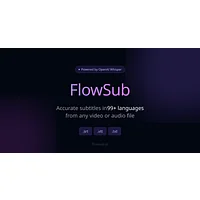
FlowSub ist ein KI-Untertitel-Generator, der Video- und Audiodateien sofort in präzise, mehrsprachige Untertitel umwandelt.
- PreisgestaltungPaid · $5.99/month
- Bewertung⭐ 3.0/5
- API—
- Open Source—
Vorteile
- Supports multiple export formats for universal compatibility
- Multi-language transcription for global content reach
- Free tier available to test before upgrading
- Fast, automated subtitle generation from any audio source
Nachteile
- Subtitle quality depends heavily on audio clarity and background noise
- Advanced features like translations require paid Pro subscription
- Accuracy may decline with poor audio quality or unclear speakers

Footage ist ein KI-Videogenerierungstool, das professionelle Videos aus Bildern und Texteingaben erstellt.
- PreisgestaltungFree · $9.99/month
- Bewertung⭐ 3.2/5
- API—
- Open Source—
Vorteile
- Generates videos directly from images and text prompts without technical experti
- Delivers professional-quality output in 16:9 aspect ratio at 480p resolution
- Accessible for content creators, marketers, educators, and commercial applicatio
- Includes dedicated support to assist users with tool navigation and features
- Prioritizes user privacy and data security with strict compliance standards
Nachteile
- Output limited to 480p resolution, not suitable for high-definition requirements
- No information provided about maximum video length or format flexibility options
- May require iterative prompts to achieve desired creative results
- Fixed aspect ratio limits adaptability for specialized platform requirements