Google CC
Google CC is an AI productivity assistant that delivers personalized daily briefings from your Gmail, Calendar, and Drive.
Google CC at a glance
- Pricing
- Free — from Free
- Key strengths
- Integrates seamlessly with Gmail, Calendar, and Drive for unified information · AI-powered prioritization helps identify the most important items daily · Secure, privacy-first design respects your existing Google account settings
Screenshots
About Google CC
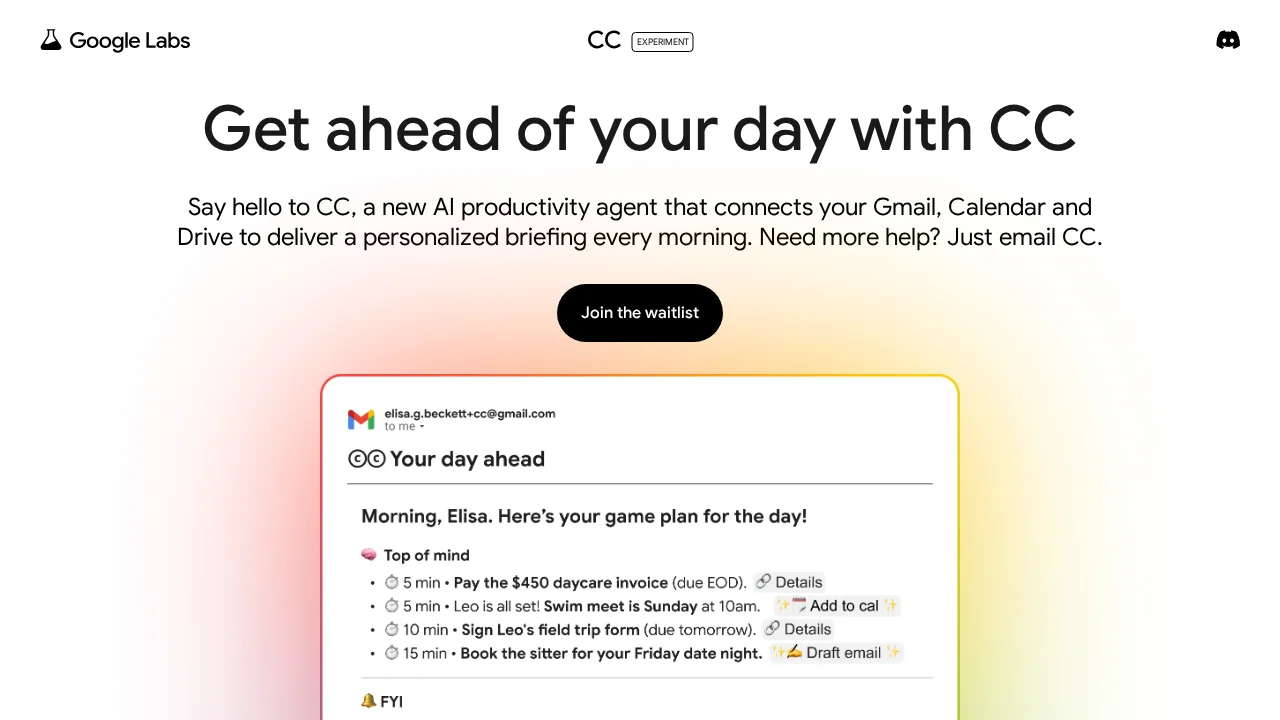
Google CC is an experimental AI productivity assistant developed by Google Labs that transforms how you start your workday. By securely integrating with your Gmail, Google Calendar, and Google Drive, CC automatically curates and prioritizes the information that matters most to you each morning. Rather than manually sifting through emails, calendar invitations, and task lists, you receive a unified "Your Day Ahead" briefing that surfaces critical communications, upcoming meetings, and important tasks—allowing you to hit the ground running.
The assistant uses AI to intelligently filter and rank your daily information based on relevance and urgency. This means less time spent on context-switching and more time focused on high-impact work. By consolidating multiple Google services into a single, cohesive briefing, CC eliminates the friction of toggling between different platforms to understand your day's priorities.
Security is built into the service from the ground up. CC connects to your Google account through secure authentication, and your data remains private and encrypted. The tool respects your existing Gmail, Calendar, and Drive settings, ensuring that information you've already organized continues to be handled according to your preferences.
CC represents Google's commitment to AI-powered productivity, offering early access to users who want to streamline their morning routine and improve their daily planning with intelligent assistance.
Pros
Cons
Alternatives to Google CC
Notis
remio: Your Personal ChatGPT
SureThing.io
TheLibrarian.io
Supernormal App
Base44 Superagents
Caret