


Harker vs Wispr Flow vs Free Text-To-Speech
A side-by-side comparison of Harker vs Wispr Flow vs Free Text-To-Speech — pricing, ratings, strengths and weaknesses — to help you pick.
Feature comparison
| Comparison |
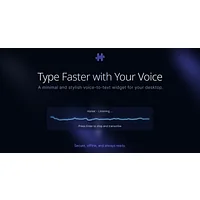 Harker
|
 Wispr Flow
|
 Free Text-To-Speech
|
|---|---|---|---|
| Pricing | Paid · $19.99 | Free | Free · Free |
| Free plan | — | Yes | Yes |
| Rating | ⭐ 5.0/5 (2) | — | ⭐ 4.0/5 (191) |
| API | — | — | — |
| Open source | — | — | — |
| Category | Text & Writing | Text & Writing | Personal Finance |
Strengths & weaknesses
Harker converts speech to text offline, letting you dictate AI prompts faster than typing.
Pros
- Completely offline operation protects voice privacy
- Faster prompt composition than traditional typing
- Works with ChatGPT, Claude, Cursor, and other AI platforms
- Reduces typing fatigue during extended AI conversations
Cons
- Requires microphone hardware and audio input setup
- Accuracy depends on audio quality and clear speech
- Limited to voice input; not suitable for all contexts
Wispr Flow lets you dictate and edit documents three times faster with AI-powered voice typing across 100+ languages.
Pros
- Dictates and edits content up to three times faster than typing
- Supports 100+ languages for global and multilingual workflows
- Context-aware voice typing adapts to email, code, and creative writing
- Learns your voice and tone for personalized, consistent output
- AI auto-edits reduce manual correction and cleanup time
Cons
- Requires consistent internet connection for optimal AI processing
- Accuracy depends on clear audio and background noise levels
- Learning curve for maximizing AI commands and customization options
- May not capture domain-specific terminology without training
Free Text-To-Speech converts written text into natural-sounding speech with 100+ voices across 129 languages.
Pros
- 100+ voices across 129 languages and dialect variants
- Fully customizable speech parameters including rate, pitch, and articulation
- Free to use with downloadable MP3 export functionality
- Works on all major browsers and mobile devices
- Supports mixed language content like Chinese-English bilingual text
Cons
- Web-based tool requires internet connection for operation
- Advanced voice customization may have a learning curve for new users
- Processing speed may vary depending on text length and browser performance
- Limited information on file storage or account-based features