
RenamerX
RenamerX uses local AI to rename and organize files by content, turning messy folders into clear, searchable collections on macOS and Windows.
RenamerX at a glance
- Pricing
- Freemium — from 36
- Key strengths
- Built-in local AI keeps files on the device by default · Customizable naming templates for any naming convention · Review and undo batch renames before permanent changes
Screenshots
About RenamerX
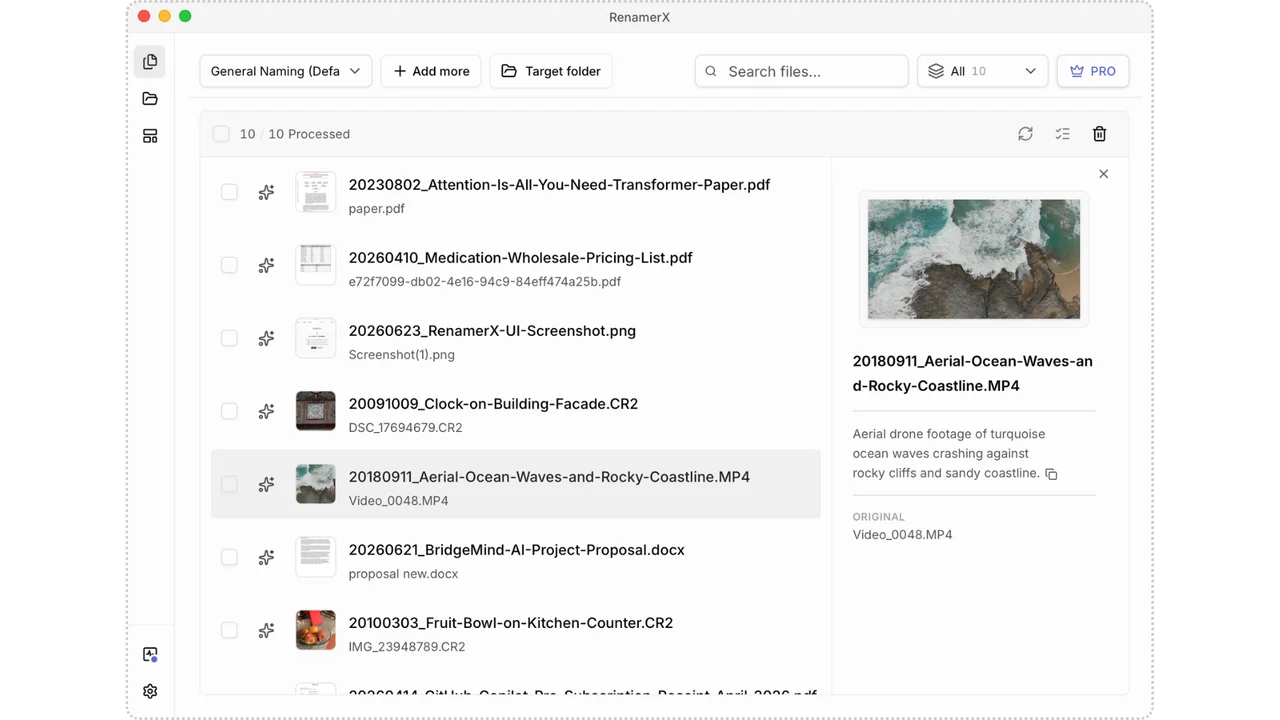
RenamerX is an AI-powered file renamer built for people who lose time hunting through folders named with random strings of numbers and letters. It reads the actual content of documents, images, and videos, then generates descriptive filenames that reflect what each file actually contains. A clip called video_0001.mp4 can emerge as 20180911_Travel_Aerial-View-of-Waves-Crashing-Against-Rocks.mp4, making the file meaningful at a glance.
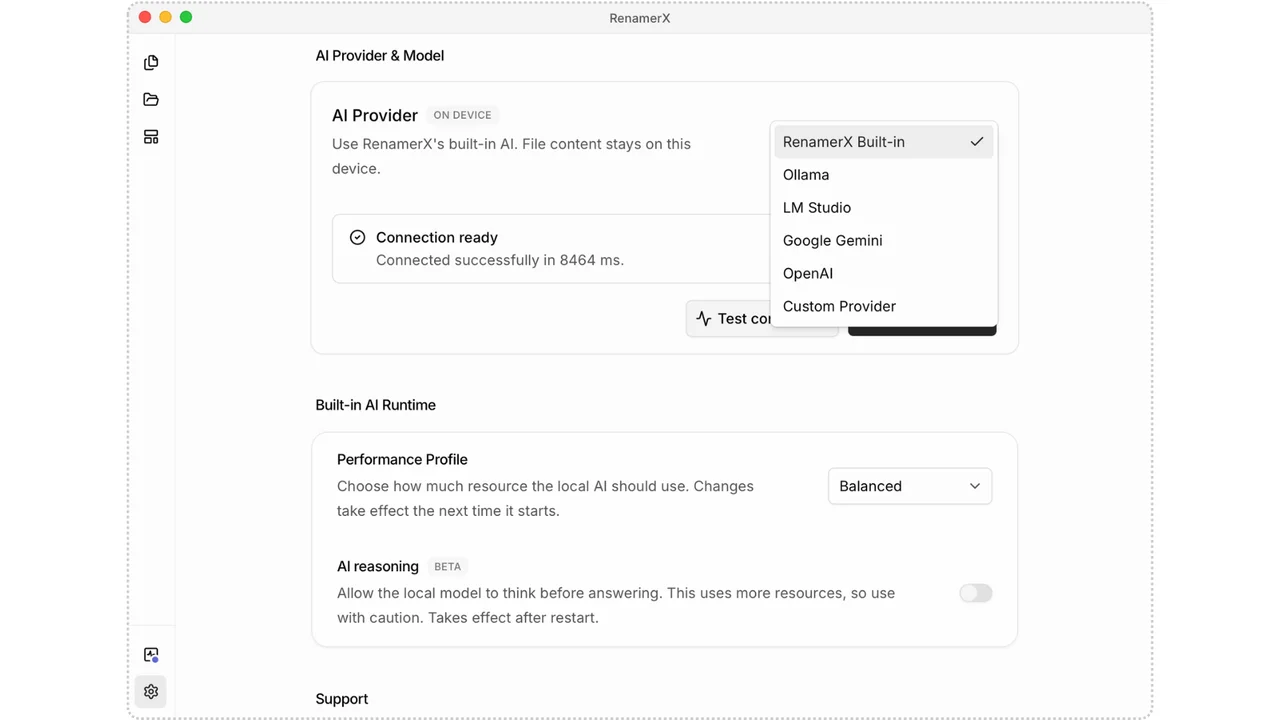
Privacy is central to the design. RenamerX ships with built-in local AI that processes files directly on the device, so sensitive documents, personal photos, and proprietary videos never leave the machine by default. Users who prefer cloud models can switch to OpenAI, Google Gemini, Ollama, LM Studio, or another compatible service, but the local-first approach gives full control over how data is handled.
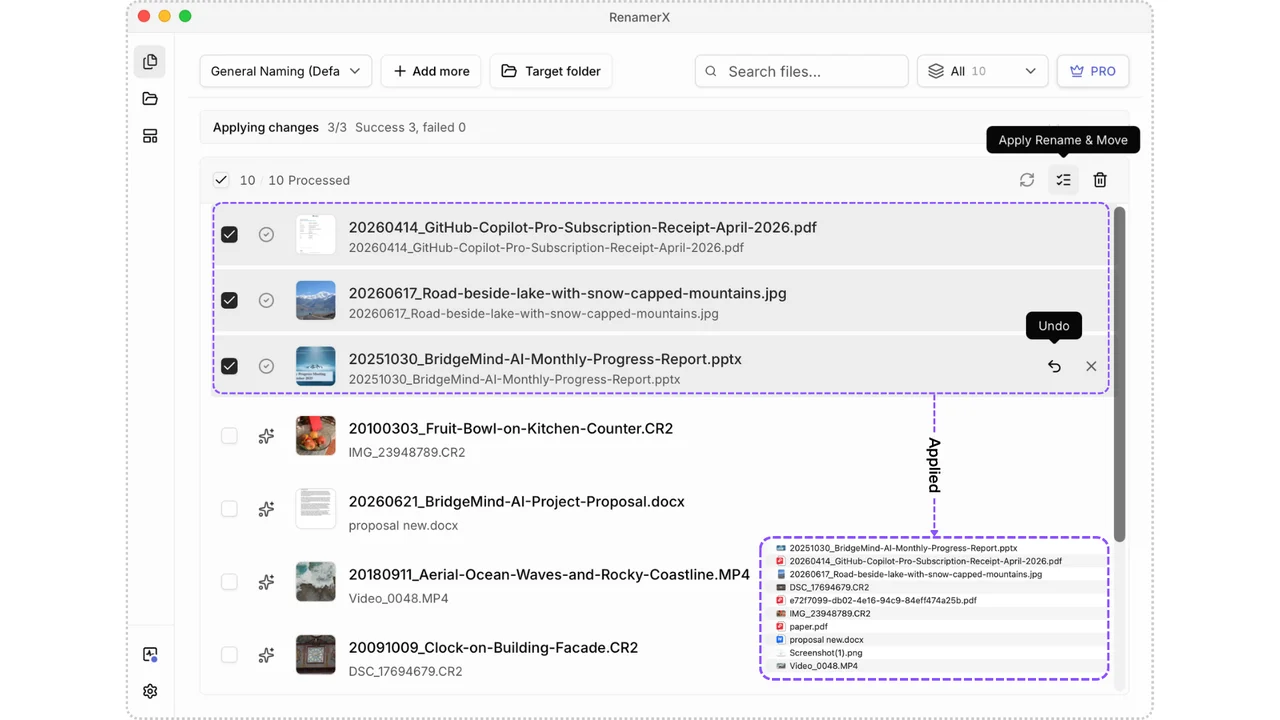
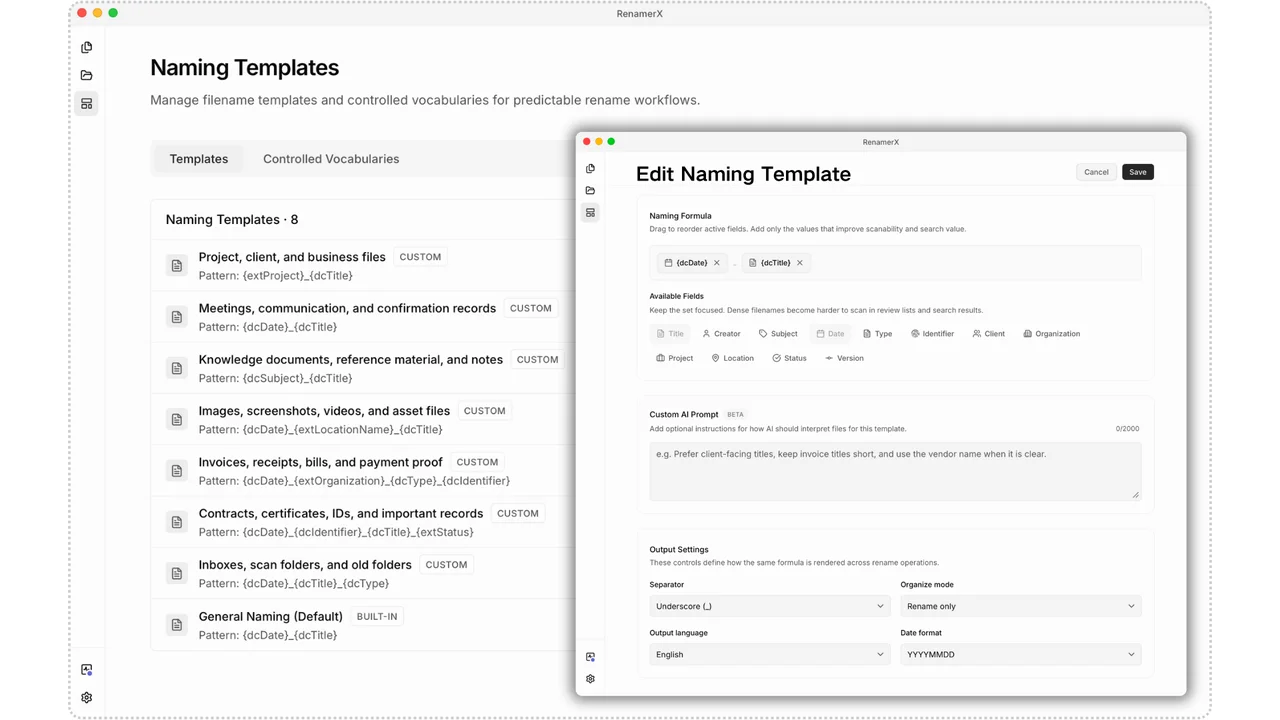
Productivity comes from customization and safety. Naming templates let users define exactly which details appear in each filename, including dates, titles, summaries, topics, file types, and identifiers, arranged in any order with custom separators and output language. Before any change is committed, RenamerX displays every proposed filename for review, allowing edits, skips, and batch application only after approval. A one-click undo restores original names if results do not match expectations.
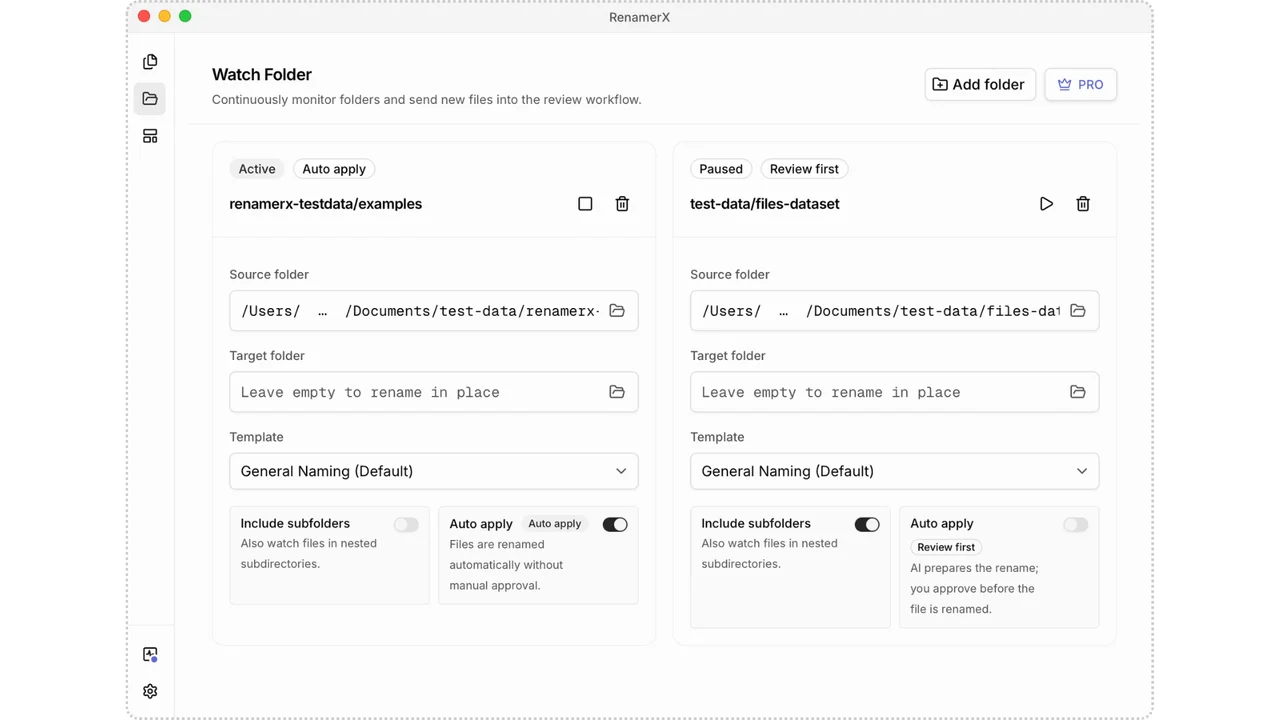
Organization extends beyond renaming. Files can be sorted into folders by date, topic, file type, project, or organization, turning scattered directories into structured archives. Watch Folders add a layer of automation by continuously monitoring selected locations and applying the same rules to any new or modified file that appears. Combined with Quick Pane shortcuts for fast importing, RenamerX fits naturally into daily file workflows.
Features
- Rename files by content: Generate clear, searchable filenames from file content, so you can find files later without opening them one by one.
- File naming conventions: Use naming templates to choose what information appears in a filename—such as date, title, topic, type, location, and identifier—then set the field order and output format to
- Review first. Apply when ready. Undo if needed: Review the new filenames, then rename files in a batch once everything looks right. Undo the changes and restore the original filenames if needed.
- Built-in local AI: Built-in local AI runs on your device, so there is no need to upload files or install and configure another local AI tool.
- File organization: Organize files into folders by date, topic, file type, project, or organization.
- Watch Folders and automation: Continuously monitor selected folders, automatically renaming and organizing new or modified files.
- Documents, images, and videos: Rename common file formats, including Office documents, PDFs, scans, screenshots, photos, camera RAW files, and videos.
- Multiple AI services: Built-in Local AI, Ollama, LM Studio, OpenAI, Google Gemini, and other compatible AI services.
- Quick Pane: Open Quick Pane with a global shortcut, then paste file or folder paths to import them into RenamerX.