VOMO AI
VOMO AI automatically records, transcribes, and summarizes meetings to boost productivity and collaboration.
VOMO AI at a glance
- Pricing
- Free — from $19.99/month
- Key strengths
- Transcribes 50+ languages with high accuracy · Unlimited cloud storage with strong encryption · Intelligent note extraction and AI-powered insights
Screenshots
About VOMO AI
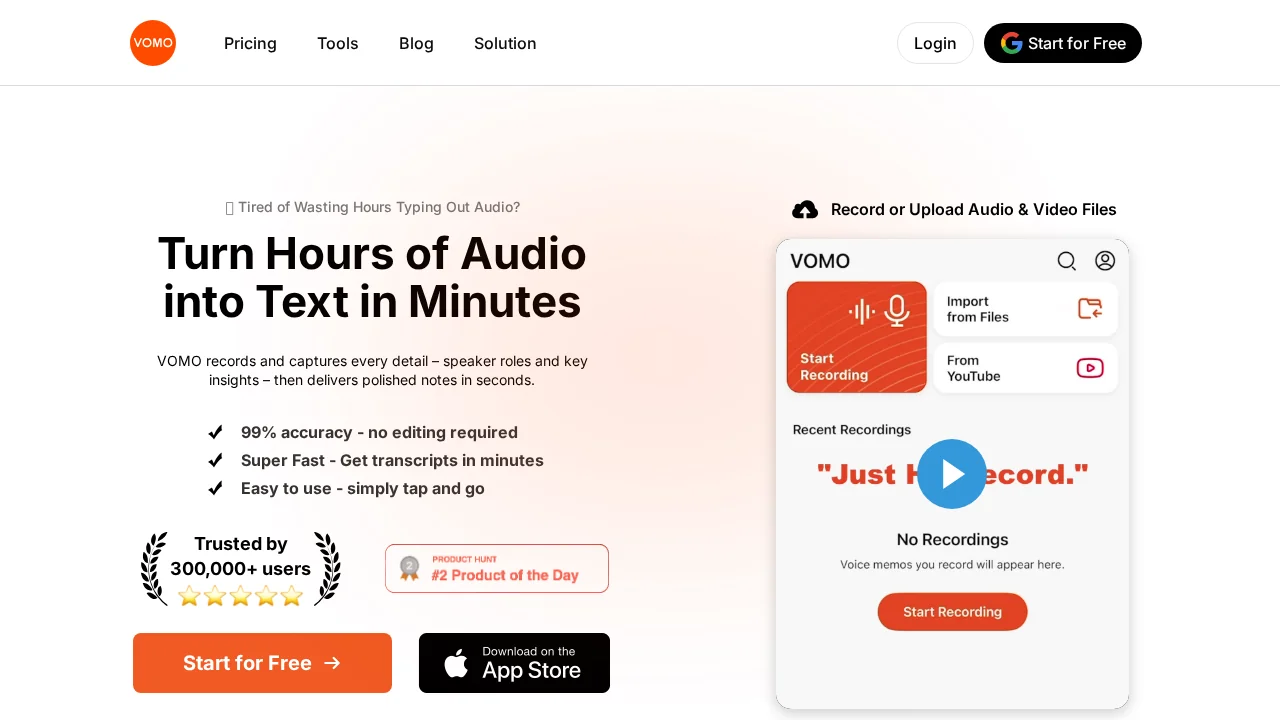
VOMO AI transforms how teams capture and leverage meeting insights. By recording and transcribing audio and video content with high accuracy across 50+ languages, VOMO eliminates the need for manual note-taking and ensures no critical information is missed. The platform supports multiple file formats including MP3, M4A, FLAC, WAV, MP4, and MPEG, while also allowing direct imports from YouTube and other sources for seamless transcription workflows.
The Smart Note feature intelligently extracts key points and action items from transcriptions, automatically identifying speakers and summarizing discussions into organized, actionable notes. This machine learning-powered approach saves teams hours of post-meeting work and ensures consistent documentation across projects. The Ask AI functionality goes further by allowing users to query their meeting notes in natural language, surfacing deeper insights and context on demand.
Collaboration and security are built into VOMO's core. Unlimited cloud storage with military-grade encryption protects sensitive discussions while enabling easy sharing across teams. Automatic template matching adapts note formats for different scenarios—whether planning projects, brainstorming sessions, or client calls—ensuring consistency regardless of meeting type. With no recording length limits and support across consulting, sales, customer support, marketing, legal, and other industries, VOMO scales with your organization's meeting complexity.
Pros
Cons
Alternatives to VOMO AI
Video to Text.net
autokeyworder
Sleekio
FastlyConvert
VoxTap
Velma Transcribe by Modulate
FastScribeX