Wordware is a natural language IDE built to make AI application development accessible to people who aren't professional engineers. Founded in 2023 and backed by Y Combinator, the platform lets developers and non-technical users alike build AI agents and multi-step workflows using plain language instead of code. Its Notion-like editor lowers the barrier to entry considerably, drawing in product teams, indie builders, and enterprise operators. If you've been wondering whether a tool like this can genuinely replace heavier engineering setups, this Wordware review should help you decide.
What is Wordware?
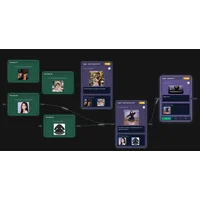
Wordware sits at the intersection of no-code tooling and AI development environments. Rather than wiring together APIs in Python or JavaScript, you describe logic in natural language inside a visual editor — think of it as a programmable document where your words become executable instructions. The platform fits squarely in the "vibe coding" category, where AI handles translation from intent to working software. For context on how that movement is reshaping development, our post What Is Vibe Coding? The Beginner's Guide to AI App Building is worth a read. Wordware's stated conviction, pulled directly from its website, is that "words are the next programming language" — and that belief shapes every design decision in the product.
Key features
Natural language programming interface
The defining capability here is that natural language instructions become executable workflow logic. You describe what you want an AI agent to do; the platform translates that into structured execution steps. No conditional statements, no function calls. That makes it genuinely usable by marketers, analysts, and operations staff — not just engineers. The document-style editor reinforces this without sacrificing the depth needed for more involved agent designs.
Multi-LLM provider support
Wordware lets you switch between multiple large language model providers within the same workflow. That's a real practical benefit. Teams can optimize for cost on high-volume tasks, reach for a more capable model when output quality matters, or test newer providers as the market shifts. Avoiding vendor lock-in is increasingly important as the LLM landscape evolves quickly, and Wordware's model-agnostic architecture addresses that directly. According to Sequoia Capital's analysis of the LLM stack, flexibility across model providers is one of the key competitive dimensions for AI application platforms.
One-click API deployment and version control
When a workflow is ready, you can deploy it as an API endpoint in a single action. No separate infrastructure provisioning, no deployment scripts. The platform also includes built-in version control and branching — features you'd normally only find in traditional software IDEs. Teams can collaborate on AI workflows, roll back changes safely, and maintain experimental branches without reaching for external tooling like Git for basic version management.
Multi-modal data and custom code execution
Wordware handles text, images, audio, and video within unified workflows. That matters because multi-modal AI applications would otherwise require stitching together several specialized services. For users who do know how to code, custom code execution blocks let you connect directly to external services or databases. The layered approach — natural language for most tasks, code for edge cases — means the platform scales with your technical level rather than capping out at beginner use cases.
Pricing and plans
Wordware offers a free tier, giving individuals and small teams a way to explore the platform without any upfront commitment. The company has raised significant funding — its website notes a $30 million seed round described as the largest in Y Combinator history — which suggests room to expand the product and introduce paid tiers with higher usage limits or enterprise features. Check the official Wordware website for current pricing details, since plans at an early-stage startup tend to change fast.
Pros and cons
Wordware brings a solid set of strengths for teams that want to build AI workflows without heavy engineering investment:
A few limitations are worth considering before you commit:
Alternatives on HyperStore
VoooAI offers a closely related proposition: its Vibe Flow feature lets you build complex AI workflows by describing them in natural language, making it a natural point of comparison for anyone evaluating Wordware. The two products share a core philosophy but may differ in depth of integrations and deployment options.
EZClaws is worth a look if one-click deployment is your primary priority. It focuses specifically on enabling private AI agents to be deployed with minimal technical setup, making it a strong fit for teams that need speed and simplicity over the broader workflow-building features Wordware provides.
Momentic takes a different angle on AI-assisted development — it's an AI-powered test automation platform rather than a workflow builder. If your team is shipping AI applications and needs to verify they behave reliably, Momentic either complements or competes depending on where your biggest bottleneck sits.
Namy.ai is a narrower tool focused on AI-powered domain name generation, but it reflects the same underlying trend: using AI to remove friction from tasks that traditionally required specialist effort. Teams spinning up new AI projects with Wordware may find Namy.ai useful when it's time to brand and launch what they've built.
Frequently asked questions
Who is Wordware best suited for?
Wordware is designed for a broad audience — product managers and operations teams who want to automate workflows without writing code, as well as developers who want to move faster on AI prototypes. The natural language interface is particularly useful for non-technical users, but custom code execution and multi-LLM switching mean experienced engineers won't feel limited either.
Does Wordware require coding knowledge?
For most use cases, no. Natural language instructions replace traditional code. That said, more advanced features — custom code execution blocks and direct API integrations — will benefit from some programming familiarity. Think of coding knowledge as optional but useful, not required.
What LLMs does Wordware support?
Wordware supports multiple LLM providers, and you can switch models within or between workflows. The model-agnostic design means you're not locked into a single provider like OpenAI or Anthropic. Specific integrations may expand over time — check the official documentation for the current list.
How does Wordware handle deployment?
Workflows built in Wordware deploy as API endpoints with a single click. You don't need to provision infrastructure, manage containers, or write deployment scripts separately. For teams that want to iterate quickly between building and shipping, that's one of the platform's most practical advantages.
Is Wordware free to use?
Yes, there's a free plan. Given the company's early stage and substantial seed funding, paid tiers with expanded capabilities or higher usage limits may follow. Review the pricing page directly to understand what's included and what might require an upgrade.
How does Wordware compare to traditional AI development frameworks?
Traditional frameworks like LangChain or LlamaIndex require Python proficiency and significant setup to build comparable agent workflows. Wordware trades some of that low-level control for speed and accessibility, making it better suited to rapid iteration and cross-functional collaboration. For teams where time-to-prototype matters more than custom infrastructure control, it's a credible alternative.
Wordware represents a genuinely interesting moment in AI tooling — where building software starts to look more like writing than programming. A free entry point, a well-funded team, and a clear design philosophy make it worth exploring for anyone looking to build AI workflows without the usual engineering overhead.