AI Tools to Summarize Videos 12 apps
Get the key points of long videos and YouTube clips instantly.
Video is now the default format for learning, news, and entertainment, which means the average person sits through hours of footage every week. The problem is that most of that content does not need to be watched in full. People summarize videos to extract the key points, save time, and decide whether a clip is worth a deeper look. AI changes this workflow dramatically by turning hour-long lectures, podcasts, and YouTube videos into readable summaries, transcripts, and mind maps in seconds.
The best AI tools to summarize videos combine speech-to-text transcription with language models that identify main ideas, timestamps, and actionable takeaways. Some focus on YouTube only, while others accept uploads, screen recordings, or links to nearly any video host. The result is a new way to consume video that feels closer to reading an article than sitting through a 90-minute webinar.
How AI helps with summarizing videos
Modern video summarizers work in a clear pipeline. First, the audio track is transcribed using automatic speech recognition, often with speaker labels and timestamps. Then a language model reads the transcript, identifies recurring themes, and compresses them into bullet points, short paragraphs, or structured notes. Many tools also generate chapter markers, mind maps, and translated versions of the same summary.
This automation removes the most painful part of long-form video: scrubbing back and forth to find a specific point. Instead of taking notes by hand, a student or professional can paste a URL, wait a few seconds, and get a scannable summary they can search, highlight, or export. According to a Pew Research analysis of online video habits, adults spend more than three hours a day watching digital video, which makes time-saving summarization tools genuinely useful for knowledge workers, not just students cramming for exams.
What to look for
Input formats and sources
Some summarizers only accept YouTube links, while others support direct uploads of MP4, MOV, and audio files. If you work with screen recordings, webinars, or private video files, look for a tool that accepts file uploads in addition to public URLs. Browser extensions are also valuable for one-click summarization while you are already watching.
Summary depth and customization
Different tasks need different summary lengths. A quick gist for deciding whether to watch a 2-hour podcast should be much shorter than a study guide for a university lecture. Look for tools that let you pick summary length, output format (bullets, paragraphs, mind map), and tone. The best AI tools to summarize videos give you control without burying the option behind a paywall.
Accuracy, timestamps, and language support
Transcription quality varies widely between tools, especially for accented speech, technical jargon, or multiple speakers. Check whether the tool provides timestamps you can click to jump back into the video, and whether it supports the languages you actually watch content in. A summary that hallucinates quotes is worse than no summary at all, so review the underlying transcript when stakes are high.
Pricing, limits, and exports
Many video summarizers are free for short clips but cap duration or add watermarks on longer files. Confirm the monthly minute limit, whether there is a free tier, and how you can export results. Markdown, PDF, and Notion exports are common and useful if you plan to share or archive summaries. For a primer on evaluating AI tools, the NIST AI Risk Management Framework offers a useful lens for thinking about quality and reliability.
Best AI tools to summarize videos

TLDR This is best known for condensing articles, but it also handles video transcripts and short video captions through its summarization engine. It produces clean bullet summaries you can read in under a minute, which makes it a solid choice when you mainly need a quick gist. The free tier covers most casual users who paste a link or a transcript a few times a day.

AI Video Summarizer converts videos into both text summaries and visual mind maps, which is helpful for visual learners. It accepts a wide range of video formats, not just YouTube links, so you can upload recorded meetings, lectures, or webinars. The mind map view sets it apart from competitors that only return plain text.

Summarize Tech focuses on long YouTube videos and turns them into concise, easy-to-read summaries in seconds. It is especially handy for tech talks, interviews, and conference recordings that run well past the 30-minute mark. The free access makes it a go-to for casual users who do not want to sign up for yet another account.

Summarizing Tool.io is a general-purpose AI summarizer that works on text, documents, and article-style transcripts pulled from videos. It is a good fit when you already have a transcript file and just need help compressing it. The free tier handles short-to-medium pieces without requiring a subscription.
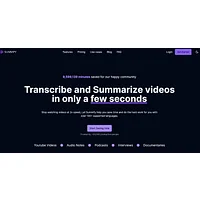
Summify goes beyond text summaries by offering transcription and content repurposing in more than 130 languages. That makes it one of the strongest picks for international creators and multilingual teams working with foreign-language video sources. It also helps turn a single video into blog posts, social captions, and other derivative formats.

YouTube Summarizer by Gistilo is built specifically for the YouTube workflow, so you paste a link and get a concise summary in seconds. It is well suited for students and researchers who watch a lot of educational YouTube content and need to triage which videos deserve full attention. The interface is simple and the summaries stay focused on the main points.
ClipGOAT
ClipGOAT takes a different approach by automatically extracting viral-worthy short clips from longer videos, rather than producing a written summary. It is the right choice for creators and social media managers who want to repurpose long-form video into YouTube Shorts or TikToks. The paid plan reflects its positioning as a content production tool rather than a passive reader.
Kome Summaries
Kome Summaries works as a browser companion that condenses articles, videos, and websites from inside your browser. The convenience of summarizing without leaving the page is a real workflow boost for researchers juggling many tabs. It is free to use, which makes it a low-friction addition to any browsing setup.
Long Summary
Long Summary focuses on detailed, customizable summaries of long texts and transcripts without strict length limits. It shines when you need a thorough overview of a multi-hour lecture or research interview, not just a three-bullet TL;DR. You can tune the output length to match how deep you need to go.
My Assignment Help
My Assignment Help offers a PDF Summarizer powered by AI that extracts key points from lengthy PDF documents, including slide decks and exported transcripts. Students working from course materials will appreciate the instant turnaround on dense academic PDFs. The paid model is aimed at users who need reliable, student-focused summarization rather than casual browsing.
NoteAI
NoteAI turns YouTube videos, PDFs, and web pages into structured notes and mind maps, making it a versatile pick for active learners. The structured output is easy to review before exams or meetings, and the mind map view helps you see how concepts connect. It is free, which makes it attractive for students building a study workflow.
Summarify.me is a flexible AI summarizer that handles blogs, PDFs, websites, and videos from a single interface. It is a good all-rounder for users who want one tool that covers many content types instead of juggling separate apps. The free tier keeps it accessible for anyone experimenting with AI summarization.
How to choose
Start by matching the tool to the source. For pure YouTube content, Summarize Tech, YouTube Summarizer by Gistilo, and NoteAI keep things simple. If you upload your own recordings or screen captures, AI Video Summarizer.io and Long Summary handle longer files. Creators who want short-form clips should look at ClipGOAT, while multilingual teams benefit most from Summify. For document-heavy work, Summarizing Tool.io, Long Summary, and My Assignment Help are strong fits, and Kome Summaries is the easiest pick for in-browser one-click summarization.
More AI tools to explore
SummarizeVideoToText
SummarizeVideoToText turns YouTube, TikTok, and Instagram videos into transcripts, AI summaries, and searchable notes—no install needed.

Lynote
Lynote is an AI humanizer that rewrites drafts at a structural level and verifies them with a multi-model AI detector.
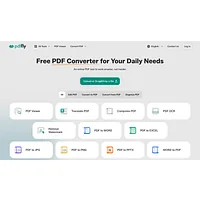
PDFFly
PDFFly uses AI to summarize, chat with, and clean up PDFs, turning dense documents into clear, searchable notes without sign-up.