


Best Macrohard Alternatives 6 apps
Compare the top alternatives to Macrohard — pricing, features, and ratings.
Macrohard is an AI productivity app that helps users get work done with AI assistance. This guide compares Macrohard alternatives for people who want a different interface, a free starting point, a hosted agent setup, or a more focused task workflow. You might switch because of price, a missing channel or platform fit, or a preference for hands-on control versus managed infrastructure. The strongest choice depends on the job you need done rather than on a single universal ranking.
Why look for a Macrohard alternative?
Even when Macrohard meets the core need, another tool may fit a particular workflow better. Someone may prefer an app that lives inside the browser, reaches several chat channels, puts agent hosting on managed infrastructure, or focuses on a defined business output. Those are changes in workflow, not necessarily evidence that Macrohard is a poor choice.
Price can also change the decision. A free listing is attractive for experimentation, while paid hosting or task services can be worthwhile when the saved setup time or focused output matters. Platform and ownership preferences matter too: browser, multi-channel, Telegram, VPS, and hosted deployments impose different practical constraints.
What to look for in a Macrohard alternative
Start with the job to be done
Define the output you actually need before comparing app names. A chatbot, inline writing assistant, hosted agent, Telegram agent, competitor analysis, and SEO brief are different jobs, so judge each candidate on the workflow it is designed to support. For content or SEO work, use Google's guidance on helpful content as a quality reference rather than judging an app only by speed.
Check the interface and deployment model
Consider where the work needs to happen: inside browser text boxes, across multiple channels, in Telegram, on a VPS, or on infrastructure managed by the provider. A tool can be a strong alternative on one surface and an awkward fit on another, so test the destination and setup process that your team will use most.
Compare total effort, not just the label
Free and paid labels are useful starting points, but they do not describe the entire operating model. Consider the time needed to configure an agent, maintain infrastructure, review outputs, and move work between apps. A paid service may be worthwhile for a managed setup or specialized deliverable, while a free tool may be better for low-risk experimentation.
Evaluate control, safety, and upkeep
For any agent or automation workflow, review permissions, data handling, update practices, and how much control you retain over the environment. OWASP's Top 10 for Large Language Model Applications is a useful security checklist, especially when an app can act on behalf of a team or connect to business information.
The best Macrohard alternatives
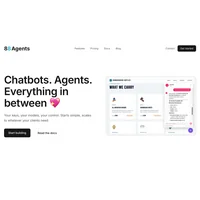
88Agents enables businesses to build and deploy AI chatbots across multiple channels with flexible model selection. Compared with Macrohard, it is the better fit when your priority is channel coverage and chatbot deployment rather than a general AI productivity workflow. The HyperStore listing marks it as free, making it a low-friction starting point for that use case.
Clico is a browser extension that brings AI-powered writing assistance directly into your text boxes. It is more focused than a broad Macrohard workflow and suits people who want help where they already write instead of moving work to a separate AI workspace. Clico is listed as free, which makes it a practical option for browser-based writing assistance.
KiloClaw is a hosted AI agent platform that deploys OpenClaw with automated infrastructure, security, and updates. It is a better fit than Macrohard when the main need is a managed OpenClaw deployment rather than a general AI workspace. KiloClaw is listed as paid and suits teams willing to pay for a hosted operating model.

MyClaw.Host is a hosting platform that enables rapid deployment of OpenClaw AI agents on VPS with one-click setup. Compared with Macrohard, it suits users who specifically want the VPS route and a fast OpenClaw launch; people who prefer a fully hosted model can compare it with KiloClaw instead. The HyperStore listing marks MyClaw.Host as paid.
Nanoswarm: OpenClaw App creates personalized AI agents for Telegram with one-click setup and advanced customization. It is a strong fit when Telegram is the main destination and personalization matters more than a general-purpose Macrohard workflow. The listing marks it as free, so it can be a straightforward way to test a Telegram-centered agent.

TaskFire is an AI-powered service delivering rapid competitor analysis, SEO briefs, and data cleaning without conversations. Compared with Macrohard, it suits people who want focused, non-conversational deliverables for research, SEO, or cleanup instead of an open-ended assistant experience. TaskFire is listed as paid and is best considered when that specialization justifies the cost.
How to choose
Choose 88Agents when multi-channel chatbots are the priority, Clico when writing happens in browser text boxes, and Nanoswarm when Telegram personalization is central. Pick KiloClaw for managed OpenClaw infrastructure, MyClaw.Host for one-click VPS deployment, and TaskFire for focused competitor analysis, SEO briefs, or data cleaning. Stay with Macrohard if its current workflow already matches the job and platform you use.