Data analysis is the practice of collecting, cleaning, and interpreting datasets to surface insights that inform decisions. Teams across marketing, product, finance, and operations rely on it to track performance, spot trends, and forecast outcomes. The best AI tools for data analysis now let non-technical users ask plain-English questions, automate repetitive cleaning work, and generate visualizations in seconds, turning what used to be a SQL-and-spreadsheet bottleneck into a fast, conversational workflow.
How AI helps with data analysis
Modern AI assistants act as a translation layer between business questions and the data underneath. You can type a question like "what was conversion by channel last quarter" and the tool writes the query, runs it, and returns a chart. AI also accelerates the unglamorous steps that consume most analyst time: profiling columns, flagging outliers, joining mismatched schemas, and summarizing findings into narrative bullets.
Beyond one-off questions, AI platforms handle continuous monitoring. They can watch a dashboard, detect anomalies, and alert you when a metric drifts outside an expected range. According to McKinsey's State of AI research, organizations using AI in analytics report faster decision cycles and measurably better access to real-time information, which is exactly what these tools are designed to deliver.
What to look for
Data source connectivity
The tool should connect to where your data already lives, whether that is a warehouse like Snowflake or BigQuery, a spreadsheet, a CRM, or flat files. Strong connectors mean less time spent exporting CSVs and more time spent on the actual analysis.
Natural language interface quality
Not all NL-to-SQL or NL-to-chart systems are equal. Look for tools that handle follow-up questions, remember context, and let you correct mistakes without starting over. The best interfaces feel like chatting with a knowledgeable analyst who knows your schema.
Visualization and export options
Charts, dashboards, and exportable reports are how insights actually reach stakeholders. Confirm that the tool produces the chart types you need and that outputs can be shared via links, slides, or embedded dashboards.
Governance and security
For business data, row-level access controls, SSO, audit logs, and data residency matter. The Gartner guidance on data and analytics governance is a good baseline for what to expect from any vendor touching production datasets.
Best AI tools for data analysis
AI Data Assistant
AI Data Assistant is built for marketing and growth teams that need answers from campaign data without filing a ticket. It consolidates metrics across sources and surfaces insights in real time, making it a strong pick when campaign monitoring and cross-channel reporting are the priority. A freemium tier lets you try it before committing to a paid plan.
Fabi.ai
Fabi.ai combines SQL, Python, and automation in a single workspace, so analysts can move from raw query to notebook-style exploration to scheduled workflow without switching tools. It is a good fit for technically comfortable users who want AI assistance without giving up the flexibility of writing code. The platform is free to start.
Genie - AI Data Assistant
Genie targets business users who want to ask questions in natural language and get back visualizations, with no SQL required. It is well suited to teams that have a clean data warehouse but lack a deep bench of analysts. As a paid product, it is positioned for organizations that need stronger governance and support than free tiers provide.
Grapha AI
Grapha AI focuses on turning complex datasets into clear insights without coding, leaning on AI to do the heavy lifting of summarization and chart selection. It is a sensible choice when stakeholders need quick, presentation-ready outputs from messy or unfamiliar data. Pricing is paid and typically aimed at professional teams.
Hanalyzer.ai
Hanalyzer.ai uses AI and machine learning to speed up analysis across multiple sources, making it useful when you routinely pull from a mix of warehouses, files, and SaaS tools. It is free to use, which makes it easy to evaluate for teams still building their analytics stack.
Tomat.ai
Tomat.ai is purpose-built for the spreadsheet world, letting you query, clean, and analyze Excel and CSV files using plain English. It removes the manual filtering and pivot-table work that eats up hours for finance and operations users. The free tier is generous enough to cover most individual analyst workflows.
AItable
AItable takes a different angle by letting you build custom AI applications and chatbots trained directly on your own tabular datasets. It is best when you want to deploy a domain-specific assistant that answers questions from a fixed data set, such as a sales pipeline or product catalog. The platform is free to get started.
DataLab
DataLab turns raw data into insights without requiring code, walking users from upload to visualization through an AI-guided flow. It suits teams that want a guided, low-friction experience rather than a blank canvas. A free plan is available for those evaluating it on smaller projects.
DataLine
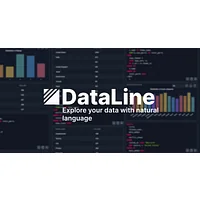
DataLine lets you explore and visualize data through a natural conversation, which lowers the barrier for stakeholders who are intimidated by traditional BI tools. It is a good match for exploratory analysis where the questions evolve as you go. The free tier makes it easy to pilot with a small group.
Datayaki
Datayaki turns plain English questions into insights, sidestepping SQL and the fiddlier parts of spreadsheet modeling. It is well suited to ad hoc questions from non-technical team members who just want an answer and a chart. A freemium plan lets you test the core experience before paying for higher limits.
Deci
Deci is the outlier on this list: it focuses on optimizing the AI models themselves through neural architecture search and inference tuning. It is a better fit for ML engineering teams than for business analysts, but it matters to anyone building the AI features that power other data tools. Pricing is paid and reflects its enterprise positioning.
Dystr
Dystr automates analysis-adjacent workflows and streamlines task management, making it useful when the bottleneck is not the analysis itself but the chain of handoffs around it. It fits teams that want to chain data steps into repeatable, AI-driven routines. The platform is free to use.
How to choose
If your data lives in spreadsheets and you need quick answers, start with Tomat.ai, Datayaki, or DataLine. For warehouse-backed teams without SQL skills, Genie and AI Data Assistant are strong choices. Technical analysts who want code plus AI will feel at home in Fabi.ai, while those who need to deploy a custom assistant on a fixed dataset should look at AItable. ML and platform engineers will find Deci relevant for the modeling side of the stack, and Dystr is worth a look when workflow automation is the real blocker.
Frequently asked questions
What is an AI data analysis tool?
It is software that uses large language models and other AI techniques to interpret questions, generate queries, and produce charts or summaries from raw data. Many also automate cleaning, anomaly detection, and reporting.
Do I need to know SQL to use AI data analysis tools?
Most tools in this category are designed so you do not. Platforms like Genie, DataLine, and Datayaki are built for natural-language questions. That said, technical tools like Fabi.ai still let you drop into SQL or Python when you want full control.
Are AI data analysis tools secure for business data?
Reputable vendors offer SSO, role-based access, and data residency options. Before adopting any tool, review its security documentation and confirm it meets your organization's compliance requirements.
Can AI tools replace a data analyst?
They replace a lot of repetitive work, but not the judgment. AI is excellent at writing queries, profiling data, and drafting summaries. Framing the right questions, validating results, and tying findings to business decisions still need a human in the loop.
How much do AI data analysis tools cost?
Pricing varies widely. Many tools on HyperStore offer free or freemium tiers suitable for individuals and small teams, while enterprise-focused products charge per user or by data volume. Always check the vendor's current pricing page before committing.
Pick the tool that matches your data sources and the technical level of your team, and start with a free tier where one exists. The fastest way to know whether a platform fits is to hand it a real question from last week's meeting and see how the answer holds up.


![[AI] Data Assistant](https://cdn.store.hypergpt.ai/logos/ai-data-assistant.webp)